

What Is Customer Relationship Management? Types & Benefits
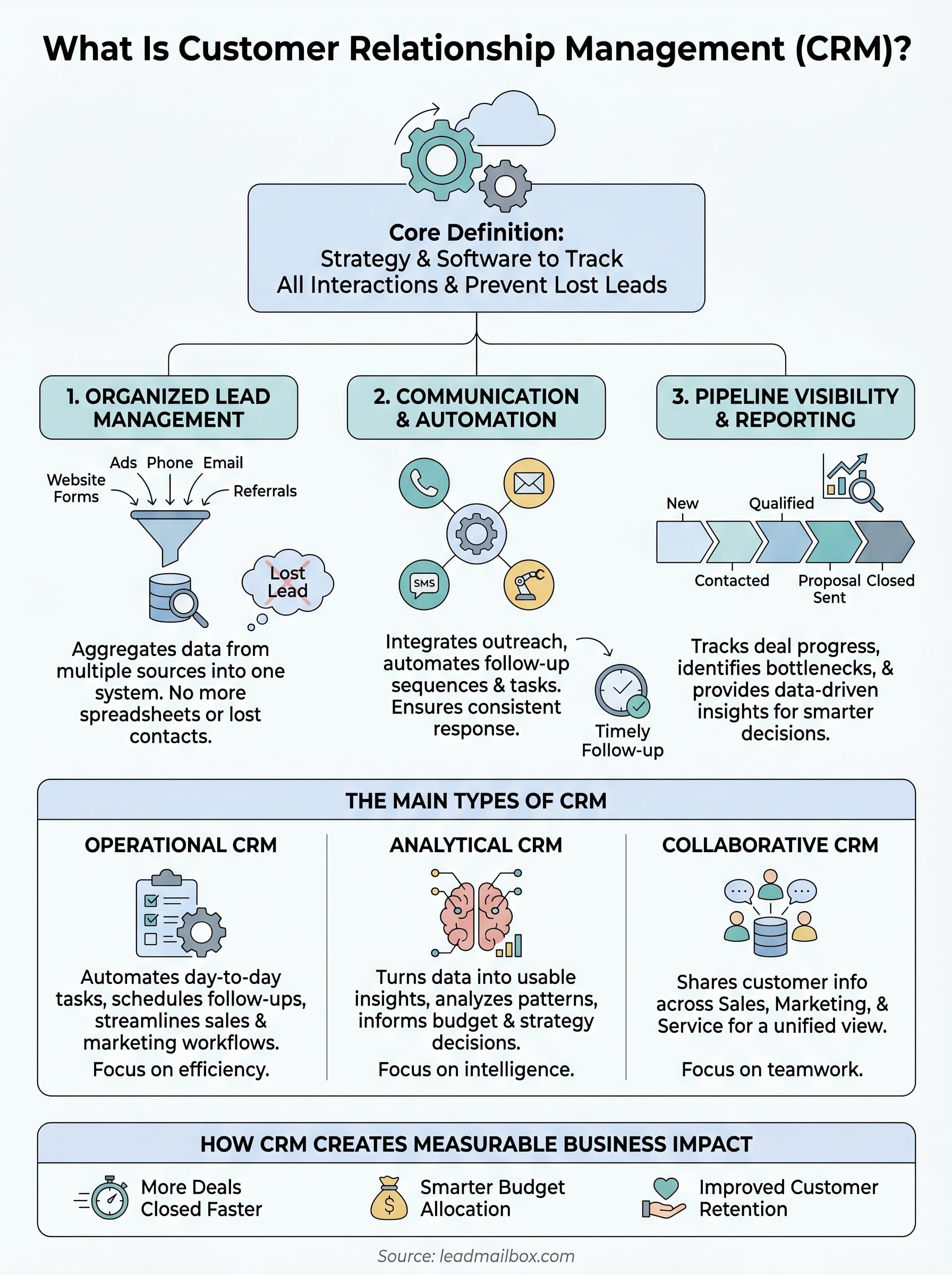
So, what is customer relationship management? At its core, it's both a strategy and a category of software that helps businesses track every interaction with prospects and customers, from the first point of contact through the close and beyond. If you've ever lost a lead because it slipped through the cracks, or struggled to remember where a conversation left off, you've felt the problem that CRM systems exist to solve.
The concept isn't new, but the tools have evolved dramatically. Modern CRM platforms combine contact databases, communication tracking, pipeline management, and automation into a single system. At LeadMailbox, we've spent over 20 years building exactly this kind of platform, one that aggregates leads from multiple sources, manages outreach across phone, SMS, and email, and now uses AI agents to handle conversations so sales teams can focus on closing.
This guide breaks down the types of CRM systems, their core benefits, how they actually work in practice, and what to look for when choosing one. Whether you're evaluating your first CRM or reconsidering your current setup, you'll walk away with a clear understanding of how CRM fits into a modern sales operation.
Why customer relationship management matters
Understanding what is customer relationship management goes beyond knowing the definition. The real question is why businesses that skip CRM consistently leave money on the table. When your leads sit in spreadsheets, your follow-ups happen inside personal email inboxes, and your team has no shared view of the pipeline, you lose deals that should have closed. CRM solves that problem by giving every person on your team the same real-time picture of every prospect and customer relationship, regardless of who last touched the account.
The cost of disorganized lead management
Most sales losses don't happen because your product is wrong or your price is off. They happen because follow-up was late, inconsistent, or never happened at all. According to research published by Harvard Business Review, companies that respond to leads within an hour are seven times more likely to qualify those leads than companies that wait even slightly longer. That gap gets worse fast when there's no system tracking who reached out, when they did it, and what was discussed.
If your team is manually tracking leads across spreadsheets and email threads, you're not managing relationships. You're reacting to whoever happened to land in front of you that day.
Without a CRM, your sales reps carry the entire customer history in their heads. When someone leaves the team, that institutional knowledge walks out with them. Onboarding new reps becomes slow and expensive because there's no clean record of past conversations, deal stages, or customer preferences to hand off. The new rep starts from scratch, and the customer feels the gap immediately.
How CRM creates measurable business impact
Sales teams using CRM software close more deals and move through the pipeline faster because they spend less time hunting for information and more time having productive conversations. A CRM centralizes contact data, communication logs, and deal status in one place, which reduces redundant work and keeps opportunities from stalling out.
Beyond the sales team, CRM creates value across the business. Marketing teams use CRM data to understand which campaigns drive the best leads, so they allocate budget where it actually produces results rather than guessing. Customer service teams pull up full interaction histories before a support call, which means customers don't have to repeat themselves every time they reach out. When people feel remembered and understood, retention improves naturally.
Your business also gains visibility that scattered tools simply cannot provide. You can see exactly where deals stall in the pipeline, which reps need coaching on specific stages, and which lead sources produce the highest conversion rates. That kind of data turns guesswork into decisions backed by actual numbers. Businesses that use CRM effectively don't just manage relationships better. They build a scalable process that grows with the team rather than breaking under the weight of more leads and more customers coming in at once.
How customer relationship management works
Understanding what is customer relationship management in practice means looking at the mechanics behind it. A CRM works by pulling all customer and prospect data into a central system where every interaction gets logged automatically or manually. When a sales rep makes a call, sends an email, or books a meeting, that activity attaches to the contact record so the full history is visible to anyone on the team at any time.
How data flows into a CRM
Lead data enters a CRM from multiple sources at once. Forms on your website, paid ad campaigns, purchased lead lists, phone calls, and referrals can all route directly into the system through integrations or manual imports. Once a lead lands in the CRM, you assign it to a rep, set a follow-up task, and move it into the right pipeline stage without ever touching a spreadsheet. Every update to that record creates a timestamped log, so nothing gets lost or misremembered.
When every lead enters the same system through the same channels, your team stops chasing information and starts closing deals.
How CRM manages the sales process
Once a lead is in the system, the CRM guides it through each stage of your sales pipeline. You define the stages that match your actual process, something like new, contacted, qualified, proposal sent, and closed. As reps move deals through those stages, managers get a live view of where revenue is sitting and where deals are stalling. That visibility turns pipeline reviews from guesswork into honest, data-backed conversations.

Most CRMs also handle automated follow-up sequences that remove the burden of manual reminders. Instead of relying on a rep to remember to send a second email or schedule a callback, the system triggers those actions based on rules you set in advance. If a lead does not respond within two days, the CRM automatically queues a follow-up message or creates a task for the rep. Your team stays consistent without carrying additional mental load through every stage of the process.
The main types of CRM
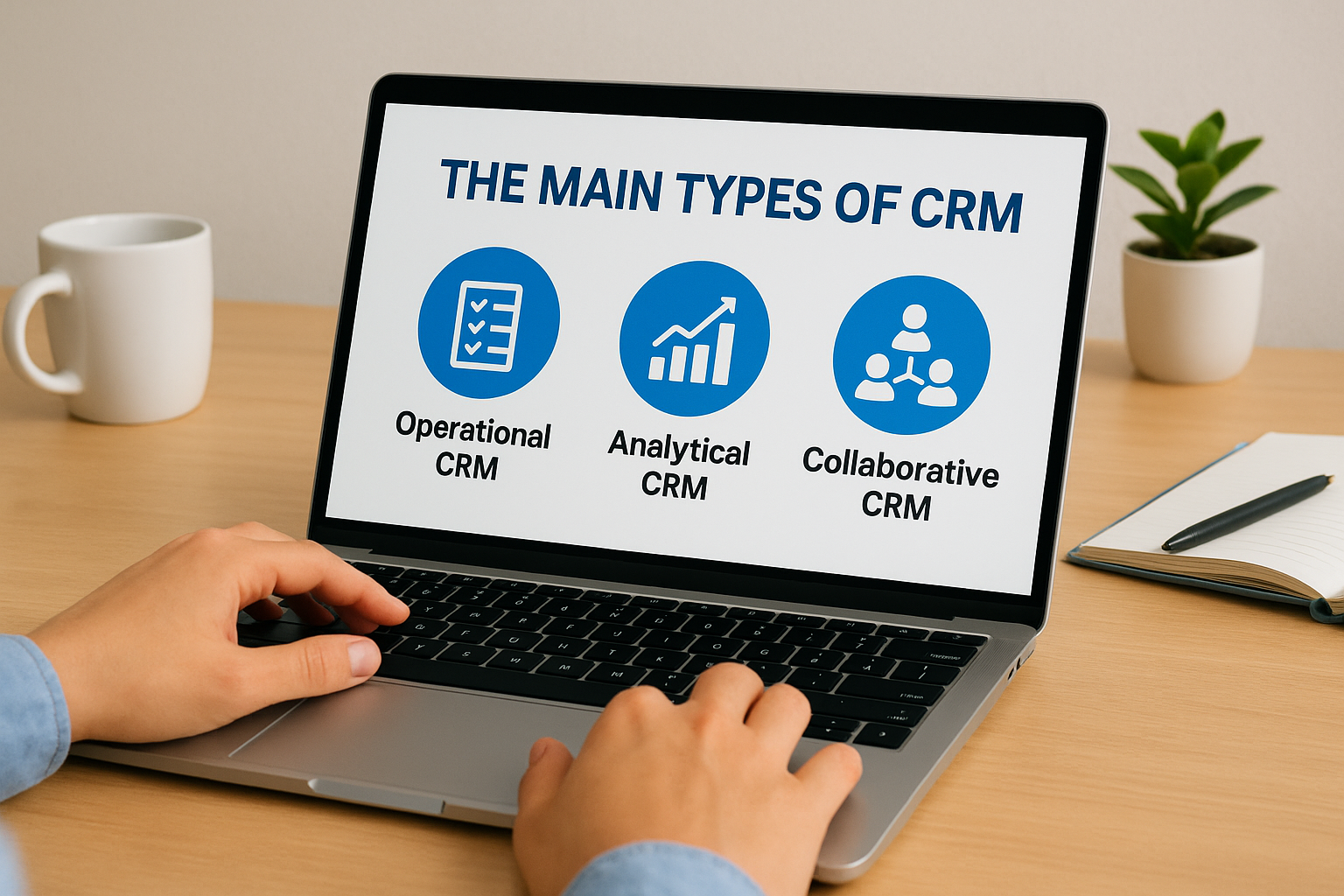
Not every CRM system is built the same way, and understanding the distinctions helps you match the right tool to your actual needs. When people ask what is customer relationship management, they often assume there's a single answer, but CRM software actually falls into three broad categories, each designed to solve a different piece of the relationship management puzzle.
Operational CRM
Operational CRM focuses on automating and streamlining the day-to-day tasks that sales, marketing, and customer service teams handle repeatedly. This type of system manages contact records, schedules follow-up tasks, tracks deal stages, and automates outreach sequences so your team spends less time on administrative work and more time in actual conversations with prospects.
Operational CRM is the most common starting point for sales-focused teams because it directly reduces the manual work that slows down the pipeline.
Sales teams at small and mid-sized businesses rely on operational CRM most heavily because it removes the friction between generating a lead and following up consistently. When the system handles reminders, sequences, and logging automatically, your reps stay focused on the conversations that actually move deals forward.
Analytical CRM
Analytical CRM is built around turning your customer and pipeline data into usable insights. Instead of just storing contact records, this type of system analyzes patterns in how leads convert, which campaigns produce the best results, and where deals tend to stall. You use that information to make smarter decisions about where to invest your time and budget.
Businesses with larger datasets get the most value from analytical CRM because the insights only sharpen as more data flows through the system over time.
Collaborative CRM
Collaborative CRM focuses on sharing customer information across departments so that sales, marketing, and support teams all operate from the same data. Rather than each team maintaining separate records, everyone pulls from one unified source of customer history. That shared visibility reduces duplicate outreach, prevents conflicting messages, and makes handoffs between teams cleaner.
For companies running multiple customer-facing functions, collaborative CRM prevents a sales rep from calling a customer the same week support just resolved a complaint. Your whole team sees the same interaction history, which means customers experience a consistent conversation no matter who they talk to.
Core CRM features and benefits
When you ask what is customer relationship management, the features built into modern CRM platforms answer that question better than any definition can. The right CRM gives your team a set of tools that covers the entire customer lifecycle, from capturing a new lead to closing the deal and supporting the relationship afterward. Knowing which features matter most helps you evaluate platforms without getting distracted by capabilities you'll never use.
Contact and pipeline management
Contact management is the foundation of every CRM system. Each contact record stores names, phone numbers, email addresses, company details, interaction history, and notes in one place. Your team pulls up a full picture of any prospect before making a single call, which means every conversation starts from context rather than cold outreach. Pipeline management builds on top of that by letting you define deal stages that match your actual sales process and track every opportunity as it moves through each stage.
When your pipeline is visible in real time, your team stops guessing where revenue stands and starts making decisions based on what the data actually shows.
Communication and automation tools
Most CRM platforms integrate phone, email, and SMS directly into the system so your reps communicate without switching between tools. Click-to-call features log calls automatically, and email threads attach to the contact record so nothing falls through the cracks. Automation handles the repetitive work: follow-up sequences trigger based on lead behavior, task reminders fire on schedule, and new leads route to the right rep the moment they enter the system.
Reporting and visibility
Reporting features turn your CRM data into decisions by surfacing patterns you would never catch manually. You can track conversion rates by lead source, measure how long deals sit in each pipeline stage, and identify which reps close at the highest rate. Those insights tell you where to focus coaching, budget, and outreach effort rather than spreading resources evenly across every channel. Visibility at this level is one of the clearest benefits a CRM delivers over any disconnected combination of spreadsheets and separate tools.
CRM examples for sales, marketing, and service
Once you understand what is customer relationship management in the abstract, seeing how different teams actually use it makes the value concrete. A sales rep, a marketing manager, and a support agent all work inside the same system, but each one uses the data in ways that match their specific role and goals.
CRM in sales
A sales rep's day inside a CRM looks like this: they open their task queue, pull up a contact record before calling, log notes after the conversation, and move the deal to the next pipeline stage. All of that happens inside one system without switching between tools. When a rep calls a prospect who came in from a paid lead source two weeks ago, the full history sits right there: every message sent, every call attempted, and every response received.
A CRM turns your sales process from a series of individual memory tasks into a repeatable system your entire team runs the same way.
Those records also protect your pipeline when a rep leaves the team. The next person who picks up that account sees everything that already happened, so the customer never has to start from scratch with a new contact.
CRM in marketing
Marketing teams use CRM data to connect campaigns directly to revenue rather than stopping at surface metrics like clicks or opens. You can trace which lead sources produce contacts that actually close, and if your paid search leads convert at twice the rate of your social leads, the CRM surfaces that gap clearly so you shift budget toward what works. Automated nurture sequences keep leads warm without requiring manual work from your team.
CRM in customer service
Service teams rely on CRM records to handle every support interaction without asking customers to repeat their history. When someone calls in, the rep immediately sees every past purchase, complaint, and conversation tied to that account. That context shortens resolution time and removes the friction that frustrates customers most: explaining their entire situation to a new person every single time they reach out.
What to do next
Now that you understand what is customer relationship management and how it applies to sales, marketing, and service, the next step is putting that knowledge to work. A clear definition only takes you so far. What actually moves the needle is having a system in place that captures every lead, tracks every conversation, and keeps your team following up consistently without letting anything slip through.
Start by looking at where your current process breaks down. If your team tracks leads in spreadsheets, misses follow-ups regularly, or loses pipeline visibility when a rep is out, those are the exact problems a CRM is built to fix. You do not need a complex enterprise platform to get results. You need a tool that fits how your team actually works.
LeadMailbox combines lead management, communication, and AI-powered outreach in one platform built for sales teams. See how LeadMailbox handles your lead pipeline and decide if it fits what your business needs.