

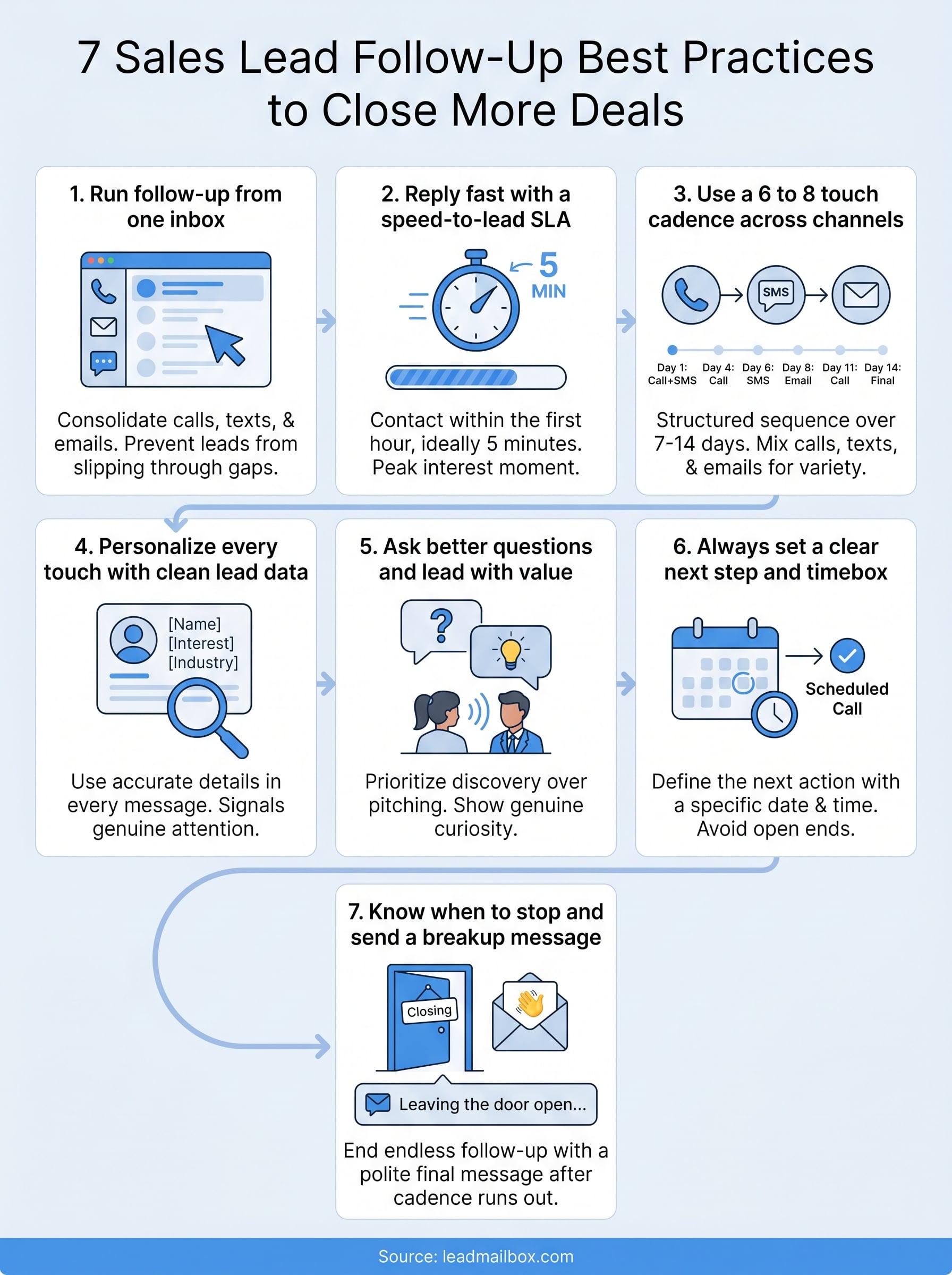
7 Sales Lead Follow-Up Best Practices to Close More Deals
Most leads don't go cold because they weren't interested, they go cold because nobody followed up well enough. Studies consistently show that nearly half of sales reps never follow up at all, and the ones who do often quit after a single attempt. That's revenue left sitting on the table. Nailing your sales lead follow-up best practices is the difference between a pipeline that converts and one that slowly bleeds opportunities.
The good news? Follow-up isn't complicated. It just requires the right timing, the right channels, and a system that keeps you from letting leads slip through the cracks. At LeadMailbox, we've spent over 20 years helping sales teams organize leads from multiple sources, reach out through calls, texts, and email, and actually close, all from one platform built for exactly this workflow.
This article breaks down seven proven practices that will sharpen your follow-up game. Whether you're a solo closer or managing a full sales team, these are actionable steps you can apply immediately, no theory, no fluff, just the stuff that moves leads toward a yes.
1. Run follow-up from one inbox in LeadMailbox
Scattered follow-up kills deals. When your calls live in one tool, your texts in another, and your emails in a third, leads fall through the gaps and your entire follow-up sequence breaks down. Consolidating everything into a single platform is the foundation that makes the rest of your sales lead follow up best practices actually stick.
Why it matters
Every time you switch between apps to check on a lead, you burn time and lose context. A rep who has to open three separate tabs to piece together a conversation history will drop the ball far more often than one who sees every call, text, and email in one clean view. LeadMailbox pulls all of that together so your team always knows exactly where each lead stands before they make the next move.
Running follow-up from one unified inbox cuts admin time and puts more of your team's attention on closing, not on hunting for information.
How to do it
Connect your lead sources directly to LeadMailbox so every new lead lands in the same place automatically. From there, assign leads to reps, set up your outreach workflows, and let the platform log every interaction without manual entry. Your team gets a full activity timeline for each lead without digging through separate inboxes or spreadsheets.
Example scripts and templates
Use these as starting points and adjust them to fit your voice:
First contact (call voicemail): "Hi [Name], this is [Your Name] from [Company]. I saw you were interested in [product/service] and wanted to connect. I'll also shoot you a quick text. You can reach me at [number] anytime."
First contact (SMS follow-up): "Hey [Name], just left you a voicemail. Happy to answer any questions whenever works best for you. - [Your Name], [Company]"
What to track
Once everything runs from one place, watch these numbers to confirm your setup is actually working:
- Response rate by channel (call, SMS, email)
- Average time to first contact after a lead comes in
- Number of touches before a lead responds
- Conversion rate from first contact to booked appointment or closed deal
2. Reply fast with a speed-to-lead SLA
Speed is one of the most underestimated sales lead follow up best practices you can implement. Research consistently shows that contacting a lead within the first hour makes you significantly more likely to connect compared to waiting even a short time longer, and every extra minute of delay gives a competitor more room to get there first.

Why it matters
When a lead submits a form or clicks an ad, their interest is at its peak right at that moment. Waiting hours or days means you're reaching out after they've mentally moved on. A speed-to-lead SLA turns a vague goal into a concrete team standard, something like "first contact within 5 minutes," so there's no ambiguity about what fast actually means.
The faster you respond, the higher your odds of turning that lead into a real conversation.
How to do it
Use LeadMailbox's insta-call feature to trigger an automatic call the moment a new lead arrives. Pair that with an auto-SMS so the lead hears from you across two channels simultaneously. Set your SLA threshold inside your workflow so reps receive an immediate alert if any lead goes untouched past your defined window.
Example scripts and templates
Insta-call opener: "Hi [Name], you just showed interest in [product/service] and I wanted to reach out right away. Do you have two minutes?"
Auto-SMS backup: "Hi [Name], just tried calling you. Happy to answer your questions quickly. Reply here or call me at [number]. - [Your Name]"
What to track
Monitor these key metrics to confirm your speed-to-lead process is performing:
- Speed-to-first-contact average across your team
- Contact rate for leads reached within 5 minutes vs. 30 minutes
- Conversion rate broken down by response time bucket
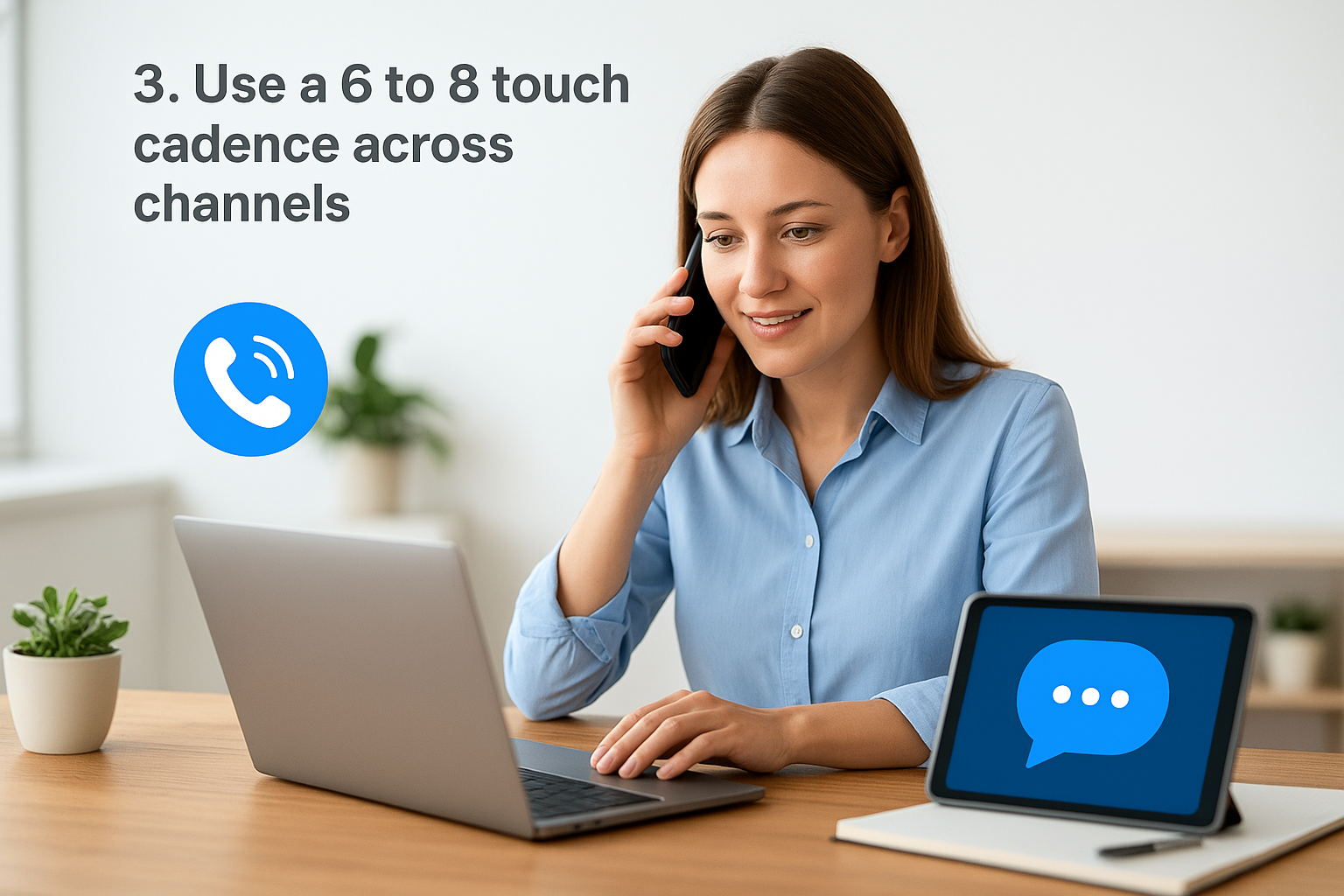
3. Use a 6 to 8 touch cadence across channels
Single-touch follow-up rarely works, and neither does flooding a prospect with ten messages in two days. A structured 6 to 8 touch cadence spread across multiple channels gives you enough frequency and variety to stay on a lead's radar without coming across as pushy or desperate.
Why it matters
Most sales happen after multiple interactions, but most reps stop at one or two attempts and move on. A deliberate cadence keeps you in front of a lead long enough for timing to work in your favor. Mixing calls, texts, and emails across 7 to 14 days covers different communication preferences and significantly increases your odds of getting a response.
Consistency across channels compounds, each touch builds on the last and keeps your name front of mind.
How to do it
Map out your cadence before your first contact so your team never has to guess what comes next. A solid structure looks like this:
- Day 1: Call + SMS
- Day 2: Email
- Day 4: Call
- Day 6: SMS
- Day 8: Email
- Day 11: Call
- Day 14: Final email
Build this sequence inside LeadMailbox so your team executes it automatically without manually tracking each step.
Example scripts and templates
Day 4 call voicemail: "Hi [Name], [Your Name] again from [Company]. Still happy to help. Call me back at [number] whenever works."
Day 6 SMS: "Hey [Name], wanted to check in one more time. Any questions I can answer? - [Your Name]"
What to track
- Touch completion rate per lead
- Response rate by touch number to identify where most leads engage
- Channel breakdown showing which medium drives the most replies
4. Personalize every touch with clean lead data
Generic outreach gets ignored. When a lead receives a message that could have been sent to anyone, they treat it like spam and move on. Personalizing each touch with accurate, specific lead data is one of the most direct ways to improve your response rates and put your sales lead follow up best practices to real use.
Why it matters
Personalization signals that you actually paid attention. A message referencing the exact product a lead inquired about or the source they came from feels relevant rather than automated, and that relevance is what gets replies.
Clean data is the raw material for personalization; garbage in means generic outreach out.
How to do it
Before any rep reaches out, make sure every lead record in LeadMailbox is complete: name, source, interest, and any notes from the intake form. Use custom fields to capture details like industry or specific pain points so your team can reference them in every touch without guessing.
Add a quick data-check step to your lead intake process. Even one extra field, like the reason a lead reached out, gives your reps something concrete to reference in the first line of every message.
Example scripts and templates
Personalized SMS: "Hi [Name], saw you were looking into [specific product/service]. Had a few [industry]-specific ideas I wanted to share. Worth a quick chat? - [Your Name]"
Personalized email subject line: "[Name], a quick note on [specific interest]"
What to track
Watch these numbers to see how personalization is affecting results:
- Reply rate on personalized vs. generic outreach
- Data completeness score across your lead records
- Conversion rate by lead source to identify where your best data originates
5. Ask better questions and lead with value
Most reps open a follow-up call by pitching. That's backwards. Leads respond to people who show genuine curiosity about their situation before trying to sell anything. One of the most effective sales lead follow up best practices you can adopt is shifting every conversation toward discovery first, sales pitch second.
Why it matters
When you ask the right questions, leads feel understood rather than sold to. That shift in dynamic lowers resistance immediately and opens up real conversations where a prospect actually tells you what they need. Reps who lead with curiosity consistently book more follow-up appointments because they spend less time talking and more time listening for buying signals.
The best follow-up call you can run is one where the lead does most of the talking.
How to do it
Replace generic openers with specific, open-ended questions tied to what the lead originally showed interest in. Before each call, review the lead's intake details in LeadMailbox and prep one or two targeted questions. Pair questions with a brief piece of value, like a relevant tip, a quick insight, or a direct answer to a common problem in their situation, so the call feels useful regardless of the outcome.
Example scripts and templates
Discovery opener (call): "Hi [Name], quick question before I tell you anything about us. What's the main thing you're hoping to solve right now with [product/service]?"
Value-led SMS: "Hey [Name], noticed you were looking at [service]. One thing most [industry] businesses find helpful is [brief tip]. Worth a chat? - [Your Name]"
What to track
- Conversation rate, meaning calls where the lead speaks for more than 30 seconds
- Discovery question usage per rep
- Appointment rate from value-led touches vs. pitch-first outreach
6. Always set a clear next step and timebox
A follow-up that ends without a defined next action is just a conversation that goes nowhere. Whether you close the call with a booked appointment or a specific callback time, ending each touch with a clear commitment keeps the deal moving and removes the ambiguity that lets leads drift away.
Why it matters
When you leave a follow-up open-ended, leads have no reason to engage again. A concrete next step, like "I'll send you the details by Thursday, and we'll talk Friday at 2pm," locks both parties into forward motion. This is one of the most overlooked sales lead follow up best practices, and it works because it replaces vague intentions with actual commitments.
Without a defined next step, "I'll think about it" almost always means you'll never hear from them again.
How to do it
Before you end any call or send any message, decide what the next action is and state it clearly. Use LeadMailbox to set a follow-up task or reminder tied to the exact date and time you agreed on so nothing falls through. Timeboxing that action, meaning giving it a specific deadline, forces both you and the lead to treat it as a real appointment rather than a loose intention.
Example scripts and templates
Call close: "I'll follow up with you on [day] at [time]. Does that work for you?"
SMS confirmation: "Looking forward to connecting [day] at [time], [Name]. Talk soon. - [Your Name]"
What to track
- Next-step set rate per rep across all follow-up touches
- Show rate for booked calls and appointments
- Conversion rate from leads with a set next step vs. those without
7. Know when to stop and send a breakup message
Endless follow-up wastes time and damages your reputation. One of the most underrated sales lead follow up best practices is knowing exactly when a lead is done, and having a breakup message ready to close the loop cleanly. Done right, a breakup message often gets a response when everything else has failed.
Why it matters
Chasing a dead lead indefinitely pulls your team's focus away from leads that actually have a shot. It also burns goodwill if a prospect starts feeling hounded. Setting a hard stop, typically after your 6 to 8 touch cadence runs out, keeps your pipeline clean and your rep hours pointed at real opportunities.
A well-written breakup message removes pressure from the lead, and that's exactly why it sometimes opens the door.
How to do it
After your final scheduled touch gets no response, send one short, low-pressure message that signals you're stepping back. Keep it direct, with no guilt and no last-minute pitch. Mark the lead as dormant in LeadMailbox so your team stops working it actively, but set a 60 to 90 day re-engagement reminder in case their situation changes.
Example scripts and templates
Breakup SMS: "Hey [Name], I don't want to keep interrupting your day. I'll leave the door open if you ever want to revisit [product/service]. Take care. - [Your Name]"
Breakup email subject: "Closing your file, [Name]"
What to track
- Response rate on breakup messages
- Re-engagement rate from dormant leads after 60 to 90 days
- Pipeline cleanup rate to measure how often reps close out stalled leads on schedule
Next Steps
These seven sales lead follow up best practices give you a clear, actionable framework to work from, whether you're tightening your response time, building a multi-touch cadence, or cleaning up a stalled pipeline. The reps and teams that consistently close more deals don't have a secret formula. They just follow up more deliberately and more consistently than everyone else.
Pick one or two practices from this list and put them into your workflow this week. Small, consistent improvements compound fast, and you don't need to overhaul everything at once. If you want a platform that makes all seven easier to execute, from instant lead responses to unified inboxes and automated sequences, LeadMailbox is built specifically for sales teams who take follow-up seriously. Start there and let the system handle the heavy lifting so your team can stay focused on closing.