

Lead Management vs CRM: Key Differences and Buying Checklist
Sales teams often hit a wall when their tools don't match the job. You need to follow up on fresh leads fast, but your software is built for managing long-term customer relationships, or the other way around. The confusion around lead management vs CRM usually starts here, and it costs businesses real money in missed conversions and wasted subscriptions.
These two categories of software overlap just enough to cause headaches. Both store contact data. Both track interactions. But they're designed for fundamentally different stages of your sales pipeline, and picking the wrong one, or assuming one can fully replace the other, creates gaps that slow your team down.
At LeadMailbox, we've spent over 20 years building lead management tools for sales teams that need to capture, organize, and convert leads quickly. That experience has given us a front-row seat to this exact decision. This article breaks down the real differences between lead management systems and CRMs, where they overlap, and includes a buying checklist to help you choose what actually fits your workflow.
Lead management vs CRM in plain English
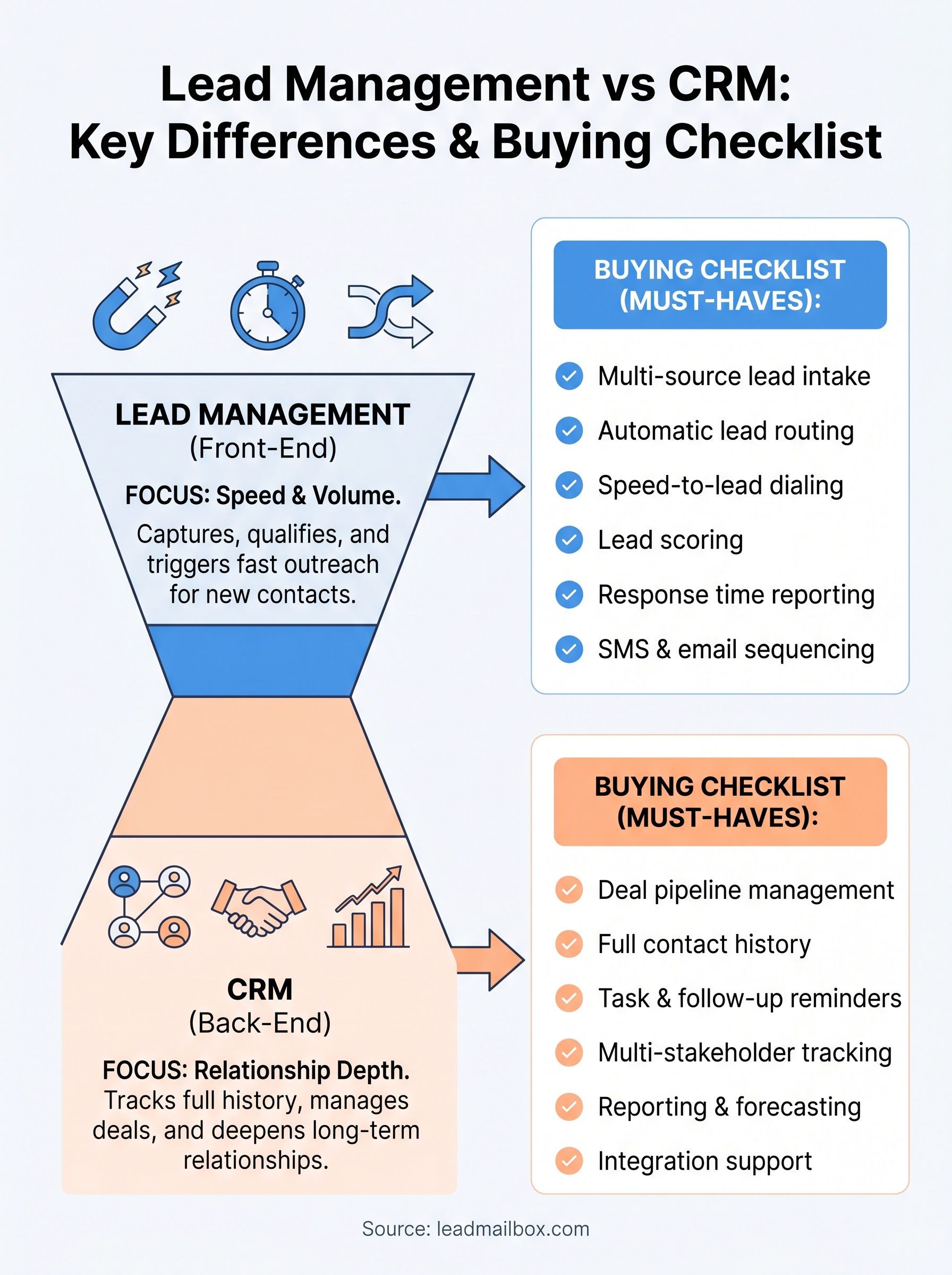
A lead management system and a CRM (customer relationship management) platform both live in the sales software world, but they are built for different jobs. Think of lead management as the front end of your sales process and a CRM as the back end. One captures and qualifies the people who raise their hand; the other tracks what happens after they become a real opportunity or customer.
What a lead management system actually does
A lead management system is built around speed and volume. When someone fills out a form, clicks an ad, or gets referred by a partner, that contact hits your system and needs to be acted on fast. Lead management tools handle lead intake from multiple sources, score and prioritize those leads, route them to the right rep, and trigger immediate follow-up through calls, SMS, or email. The entire focus is on turning a cold or warm contact into a qualified sales opportunity as quickly as possible.
Most lead management platforms also track response time and contact activity at the top of the funnel. Did your rep call within five minutes? Did the lead pick up? Did they reply to the text? These metrics matter because early engagement dramatically affects conversion rates. That layer of visibility just does not exist in most CRMs by default.
What a CRM actually does
A CRM is built around relationship depth and deal tracking. Once a lead has been qualified and handed off, the CRM takes over. It stores the full history of a contact, tracks every interaction across the lifecycle, manages deal stages, logs notes from sales calls, and connects to other tools like invoicing or support ticketing. CRMs are designed to manage ongoing relationships over months or years, not rapid-fire outreach in the first 24 hours.
A CRM gives you a complete picture of a customer; a lead management system gives you the tools to create one.
The strength of a CRM is its depth. You can see every email, every meeting, every deal stage, and the complete revenue history attached to a single contact. That level of detail is valuable, but it is not what you need when a new lead just came in and your rep has 30 seconds to make a first impression.
Where the confusion comes from
The lead management vs CRM overlap happens because most CRMs have added basic lead capture fields over time, and some lead management tools have added lightweight deal tracking. That middle ground makes it easy to assume one tool can do both jobs well. In practice, using a CRM as your primary lead management tool usually means slower response times, messy pipelines, and reps who spend more time logging data than actually selling.
Design intent is the core difference. Lead management systems are optimized for fast action at high volume. CRMs are optimized for organized tracking over a long timeline. Both matter, but they solve different problems, and confusing the two is one of the most common reasons sales teams underperform despite having decent software in place.
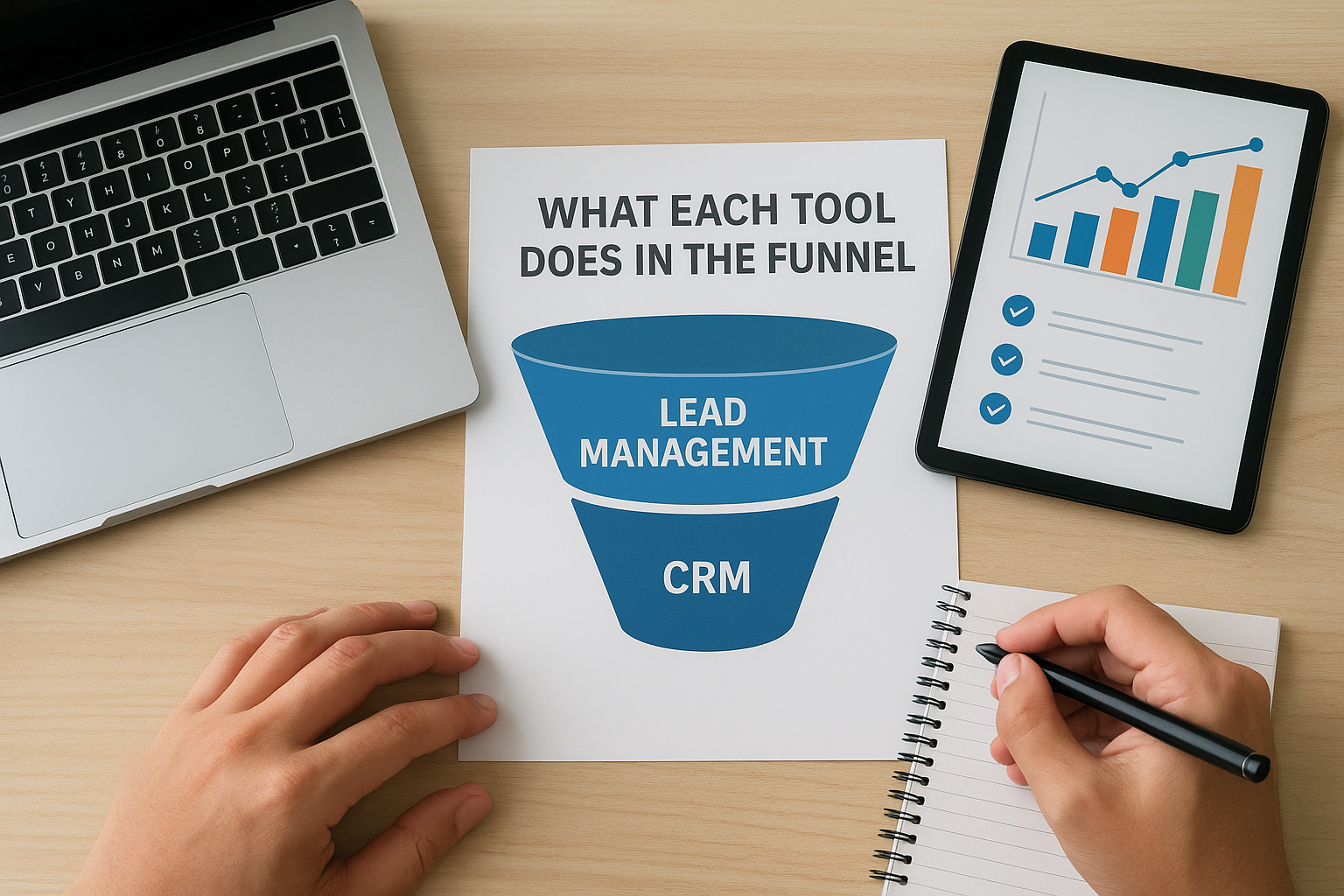
What each tool does in the funnel
Your sales funnel has distinct stages, and the tools you use should match those stages precisely. Lead management systems handle the early chaos of incoming contacts, while CRMs take over once a contact has been qualified and moved into an active deal. Understanding where each tool belongs in your pipeline makes the lead management vs CRM decision much cleaner, and it prevents you from forcing one tool to do a job it was never designed for.
Lead management: top-of-funnel focus
Lead management systems do their best work in the first few minutes of a lead's life. When a new contact enters your pipeline from a paid ad, a web form, or a lead partner, your system needs to capture that lead, assign it to a rep, and trigger outreach before the contact loses interest or moves on to a competitor. Studies on sales response time show that calling a lead within five minutes multiplies your connection rate compared to waiting even 30 minutes.
At this stage, the key actions are speed, routing, and follow-up sequencing. A lead management platform pulls contacts from multiple sources, scores them based on criteria you set, and pushes them into an automatic call or SMS sequence. Your reps spend time on actual conversations instead of manually sorting through incoming contacts and guessing who to call next.
The top of your funnel is where most leads are lost, and lead management software exists specifically to stop that from happening.
CRM: mid-to-bottom-of-funnel focus
Once a lead shows real buying intent and moves into an active opportunity, a CRM becomes the right tool. At this stage, you need to track every interaction, manage deal stages, and maintain a complete history of the relationship. A CRM gives your team the structure to move a deal through negotiation, handle objections across multiple touchpoints, and keep details from slipping through the cracks over a weeks-long sales cycle.
CRMs are also where post-sale relationships live. After a deal closes, the CRM stores contract details, renewal dates, support history, and upsell potential. That long-term view is what makes CRMs genuinely valuable to account managers and customer success teams. They are not built to react quickly to a new contact; they are built to deepen and protect relationships your team has already earned.
Signs you need lead management, CRM, or both
The lead management vs CRM question gets easier to answer once you look at your actual pain points instead of feature lists. Most sales teams know something is broken, but they buy the wrong tool because they diagnose the symptom instead of the problem. Matching your specific friction points to the right tool is the fastest way to stop wasting money and start converting more leads.
Signs you need a lead management system
Your biggest signal is response time. If new leads sit in a spreadsheet or inbox for hours before anyone contacts them, you do not have a follow-up problem, you have a lead management problem. A CRM will not fix that. You also need a dedicated lead management system if you are pulling contacts from multiple sources like ad platforms, web forms, and lead vendors, and your team has no clean way to consolidate and prioritize them automatically.
Watch for reps who spend more time sorting leads than talking to prospects. That is a clear sign your intake process has no structure. High lead volume with low contact rates is the single strongest signal that a lead management platform belongs at the top of your stack.
If your team is losing leads before they ever get a real conversation, no amount of CRM customization will solve that.
Signs you need a CRM
You need a CRM when deals take weeks or months to close and you need to track every conversation, objection, and follow-up across that timeline. If your sales cycle involves multiple stakeholders, proposal reviews, or contract negotiations, a CRM gives your team the structure to manage that complexity without losing details.
Post-sale relationships are another clear indicator. Customer retention, upsells, and renewals all require the kind of long-term contact history that CRMs are built to maintain. If your business depends on repeat customers and account growth, a CRM is not optional.
Signs you need both
You need both tools when your team handles high volumes of new leads and also manages long sales cycles. This is common in industries like insurance, real estate, financial services, and B2B sales. Lead management handles the front end aggressively, and your CRM takes over once a contact becomes a real opportunity. Running both in parallel eliminates the gaps that cost you deals at every stage of the funnel.
Buying checklist and must-have features
Before you spend money on any platform, define what stage of the funnel you are actually trying to fix. The lead management vs CRM decision comes down to where your team loses deals, and your checklist should reflect that reality rather than a vendor's marketing page. Buying features you do not need wastes budget; missing features you do need costs you conversions.

Build your checklist around your actual sales process, not around the feature list a vendor hands you.
Must-have features for a lead management system
A lead management platform lives or dies by how fast and reliably it handles incoming contacts and outreach triggers. When you evaluate options, confirm these features are present before you commit to anything else:
- Multi-source lead intake: pulls contacts automatically from ad platforms, web forms, and lead vendors into a single queue
- Automatic lead routing: assigns leads to the right rep based on rules you define, like territory, product type, or availability
- Speed-to-lead dialing: triggers a call or SMS within seconds of a lead entering the system
- Lead scoring: ranks incoming contacts so reps work the highest-value leads first
- Response time reporting: shows you exactly how fast your team follows up and where gaps exist
- SMS and email sequencing: runs multi-step follow-up campaigns automatically when a lead does not respond on the first contact
Any platform missing two or more of these features will create gaps in your top-of-funnel process that manual effort alone cannot reliably close at scale.
Must-have features for a CRM
A CRM needs to handle relationship complexity over time, not rapid outreach in the first hour. When you evaluate CRM options, confirm these capabilities before committing:
- Deal pipeline management: tracks every opportunity through defined stages with clear ownership
- Full contact history: logs every call, email, meeting, and note attached to a single record
- Task and follow-up reminders: keeps reps on schedule across long sales cycles
- Multi-stakeholder tracking: connects multiple contacts from the same company to a single deal
- Reporting and forecasting: gives managers visibility into pipeline health and projected revenue
- Integration support: connects to your email, calendar, and other tools your team already uses
Choosing a CRM that lacks forecasting or deal-stage tracking means your managers are flying blind on revenue, which becomes a visible problem fast once your sales cycle stretches beyond a few weeks.
How to set up your stack without chaos
Understanding the lead management vs CRM distinction is useful only if you can translate it into a practical setup your team will actually use. The biggest mistake most teams make is buying tools first and figuring out the workflow second. Start with your process on paper before you log into a single demo, and you will avoid most of the integration headaches that slow teams down after launch.
Map your funnel stages before you buy anything
Sit down with your sales team and define exactly where a lead moves from "new contact" to "qualified opportunity." That handoff point is the boundary between your lead management system and your CRM, and it needs to be specific. Is it after a rep completes a live conversation? After a lead books a demo? After they reply to an SMS? The more precisely you define this moment, the cleaner your data will stay across both tools.
The handoff between your lead management system and your CRM is the most important moment in your pipeline, and it needs a clear trigger, not a judgment call.
Connect the tools at the right point
Once you know where the handoff happens, build the integration around that trigger. Most lead management platforms can push a converted lead record directly into your CRM when a rep marks them as qualified. Set this up so your reps do not have to manually create duplicate records. Duplicate data is one of the fastest ways to lose rep trust in a new system, and once reps stop believing the data is clean, they stop using the tools consistently.
Test the integration with a small batch of real leads before you roll it out to your full team. Catch data mapping problems early, specifically around field names, lead source tags, and ownership assignment, before they create a mess at scale.
Keep your team's workflow simple
Reps who touch too many tools in a single call lose time and make mistakes. Limit the number of screens your reps need to work during active outreach by keeping lead management tasks inside the lead management platform and CRM tasks inside the CRM. Assign one owner on your team to monitor the integration weekly and flag any leads that fall through the cracks between systems.
Key takeaways
The lead management vs CRM distinction comes down to timing and intent. Lead management systems handle speed and volume at the top of your funnel, capturing new contacts, routing them to reps, and triggering fast outreach before a lead goes cold. CRMs take over once a contact becomes a qualified opportunity, tracking every interaction and managing complex relationships across a long sales cycle. Both tools serve real purposes, but they solve different problems, and assuming one can replace the other creates gaps that cost you deals.
Your best path forward starts with mapping your funnel and identifying exactly where you lose leads today. If response time and intake volume are your biggest problems, start with a lead management platform. If you manage long sales cycles with multiple stakeholders, a CRM fills that gap. Most growing teams need both working together.
See how LeadMailbox handles lead management from intake to conversion and find out if it fits your current stack.