

9 Best Lead Generation Software for Small Business in 2026
Finding the right lead generation software for small business isn't just a nice-to-have, it's the difference between chasing cold prospects and building a pipeline that actually converts. But with hundreds of tools on the market, each promising to flood your inbox with qualified leads, picking the wrong one can drain your budget fast and leave your sales team frustrated.
Small businesses don't operate like enterprises. You need tools that are affordable on a month-to-month basis, simple enough to run without a dedicated ops team, and powerful enough to handle real volume. The best options pull leads from multiple sources, help you organize them in one place, and give you the outreach tools, calls, texts, emails, to close deals without duct-taping five platforms together.
At LeadMailbox, we've spent over 20 years helping small and mid-sized sales teams manage and convert leads through a single platform that combines lead aggregation, a full telephony suite, AI-powered communication, and campaign tools. We know what works because we've been building it since 2004. That perspective shaped this list, we evaluated each tool based on real-world usability, pricing transparency, and features that matter to teams with limited time and tighter budgets.
Below, you'll find nine lead generation platforms worth considering in 2026, broken down by what they do best, what they cost, and where they fall short. Whether you're a solo founder or managing a growing sales team, this guide will help you make a confident choice without wasting hours on demos that go nowhere.
1. LeadMailbox
LeadMailbox sits at the top of this list because it was purpose-built for small and mid-sized sales teams that need to capture, organize, and convert leads without managing a stack of disconnected tools. It combines lead aggregation, telephony, AI-powered communication, and campaign tools in one unified platform that's been refined over more than 20 years in the market.
What LeadMailbox is and how it fits small business lead gen
LeadMailbox functions as a complete lead management system for businesses that run active outbound and inbound sales operations. Unlike CRMs that require heavy customization to handle lead gen workflows, LeadMailbox ships with the infrastructure already built in, so your team can start working leads on day one instead of spending weeks on setup.
If you're evaluating lead generation software for small business, the biggest cost is often hidden inside the tools you have to bolt together just to make one platform functional. LeadMailbox removes that problem entirely.
Lead capture and lead organization capabilities
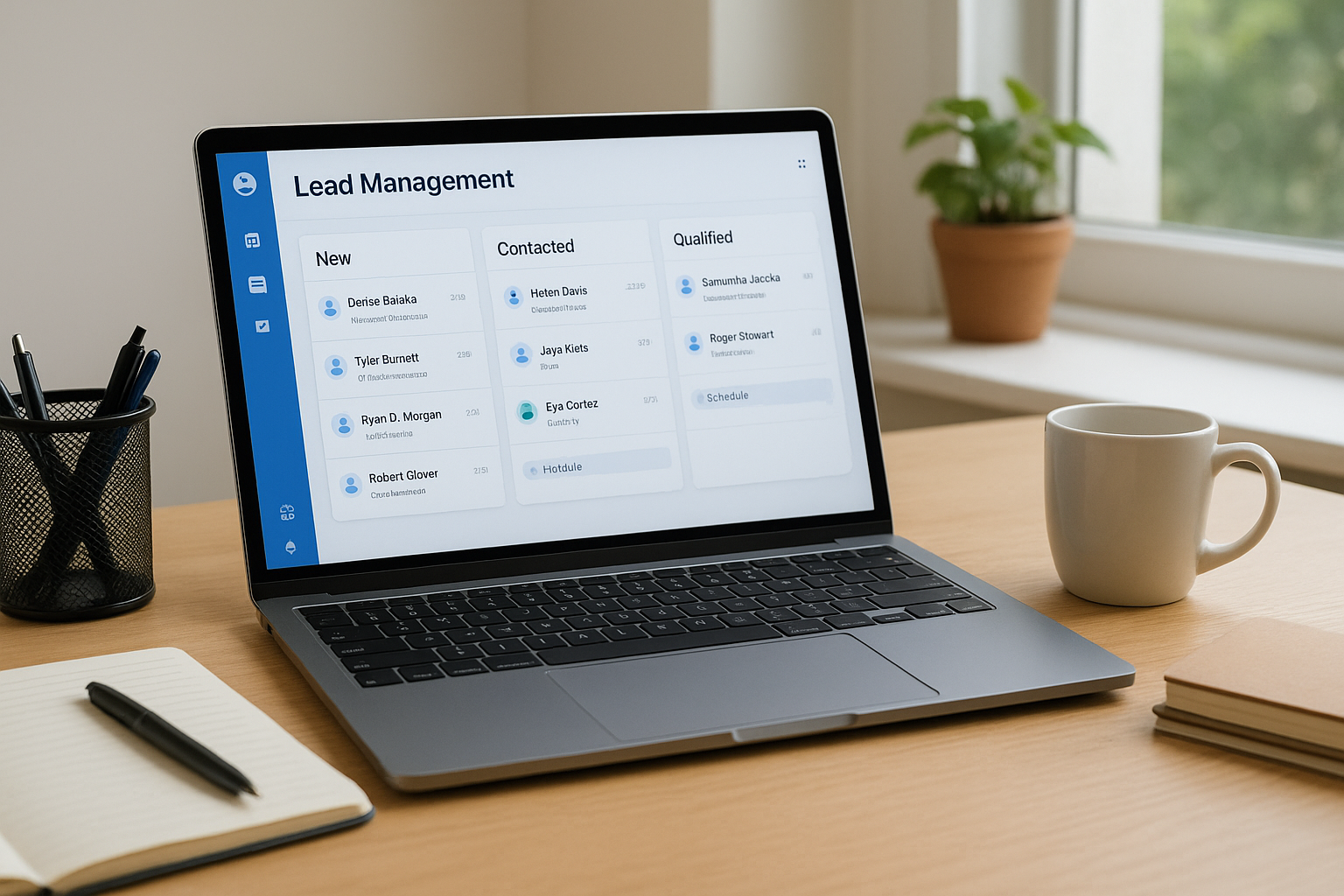
The platform aggregates leads from multiple sources and drops them into a single organized inbox, so nothing gets lost across spreadsheets or separate inboxes. You can assign leads, prioritize them, and track their status without building custom workflows from scratch.
Calling, texting, and email tools for follow-up
LeadMailbox includes a full telephony suite with click-to-call, a power dialer, insta-call, and inbound number management. Your team can also send personalized SMS and email campaigns directly from the same platform, keeping all outreach history attached to each lead record.
AI agents for calls, texts, and emails
The platform's AI agents handle incoming calls, respond to text messages, and write emails on your team's behalf, which is especially useful when lead volume spikes and you can't respond to every inquiry immediately. These agents work within your existing workflows, so handoffs to human reps stay clean.
Integrations and lead source connections
LeadMailbox integrates with hundreds of lead partner sources, which means you don't have to manually import lists or build custom connectors for every channel you use to generate leads.
Pricing and what to expect to pay
LeadMailbox runs on a month-to-month subscription model, so you're never locked into a long-term contract. This structure works well for small businesses that need flexibility as their team size and lead volume change throughout the year.
2. HubSpot CRM and Marketing Hub
HubSpot comes up frequently when small businesses compare lead generation software for small business options. It combines contact management, marketing tools, and sales automation in one platform that scales from a solo founder to a team of dozens. If you run primarily inbound marketing and need a system that ties web traffic to lead capture to pipeline, HubSpot is worth considering.
What HubSpot is and when it works best
HubSpot works best for small businesses that generate leads through content, SEO, or paid advertising and need one place to capture, track, and follow up on those leads.
Teams that rely heavily on outbound phone-based sales will likely hit gaps in the platform without adding paid upgrades to fill them.
Lead capture tools and inbound conversion
The platform includes forms, landing pages, and live chat built into Marketing Hub, all of which connect directly to your CRM automatically. You can build capture workflows without writing code, which helps when your team is small and stretched thin.
HubSpot's free CRM tier is a real starting point, but most small businesses outgrow it fast once they need automation depth or detailed reporting.
Automation and nurturing for small teams
HubSpot lets you build email sequences and lead nurturing workflows without hiring a marketing ops specialist. The drag-and-drop workflow builder is approachable for non-technical users.
Reporting and pipeline visibility for owners
Deal pipeline views and activity reports give you a clear picture of where each lead stands without digging through raw data manually.
Pricing and common plan combos
HubSpot's free plan covers the basics, but meaningful automation and reporting require Starter or Professional tiers. Combining CRM and Marketing Hub licenses adds up quickly for lean small business budgets.
3. Zoho CRM
Zoho CRM is a long-standing option in the lead generation software for small business space, and it earns its spot because it packs a wide feature set into one of the more affordable platforms on the market. Small businesses pick it when they need flexibility without paying enterprise prices.
What Zoho CRM is and why SMBs pick it
Zoho CRM gives you contact management, lead tracking, and sales automation in one platform that scales as your team grows. It works best for businesses that want meaningful customization options without needing a developer on staff to make the platform functional from day one.
Lead capture, scoring, and assignment
You can capture leads through web forms, live chat, and email integrations, then let Zoho's scoring rules automatically rank them by quality. Automatic lead assignment rules route new contacts to the right rep based on territory, source, or any criteria you define.
Lead scoring becomes more valuable as your volume grows, but even small teams benefit from knowing which contacts to call first.
Multichannel outreach options
Zoho lets you reach leads through email, phone, SMS, and social channels from inside the CRM, which cuts down on the tool-switching that slows teams down during a busy day.
Customization and workflows without heavy admin
The drag-and-drop workflow builder lets you automate follow-up tasks, status changes, and reminders without writing code. Most small teams can configure these workflows in a few hours rather than days.
Pricing and add-ons to watch
Zoho CRM's paid plans start affordably, but costs climb once you add tools like Zoho Campaigns or Zoho SalesIQ. Budget for the broader Zoho suite if you need email marketing and chat alongside the core CRM features.
4. Pipedrive with LeadBooster
Pipedrive is a sales-focused CRM that pairs a clean pipeline interface with LeadBooster, an add-on that fills the gap between site traffic and active pipeline. For small businesses that move quickly and want visibility into where each deal stands, this combination covers a lot of ground without overwhelming your team.
What Pipedrive is and what LeadBooster adds
Pipedrive centers its design around visual pipeline management, making it easy to see deal progress at a glance. LeadBooster adds prospecting and capture tools on top, including live chat, chatbots, web forms, and a prospector database for finding new contacts.
If you're evaluating lead generation software for small business, Pipedrive with LeadBooster is one of the cleaner combinations for teams that want capture and pipeline in one place without heavy configuration.
Web forms, chat, and lead inbox workflow
LeadBooster drops captured leads into a dedicated lead inbox before they hit your main pipeline, giving your team a chance to qualify them first. You can set up web forms and chatbots on your site without writing code, and incoming leads appear in real time.
Simple pipeline management for fast-moving deals
Pipedrive keeps its pipeline view drag-and-drop simple, which works well for small teams that need to move fast. You can customize stages and fields without involving a developer.
Email and calling options for follow-up
Built-in email sync and calling come standard, with automatic call logging that keeps your outreach history attached to each contact record automatically.
Pricing and typical setup costs
Pipedrive's base plans start at a reasonable monthly rate, but LeadBooster is a paid add-on that raises the total cost. Budget for both the CRM tier and the add-on before comparing it against all-in-one alternatives.
5. Freshsales by Freshworks
Freshsales is a CRM from Freshworks that combines lead capture, sales communication, and automation in one platform. It targets small and mid-sized businesses that want built-in calling and email without adding separate tools to their stack.
What Freshsales is and how it supports lead gen
Freshsales fits the lead generation software for small business category because it bundles contact management, lead capture, and outreach tools into a single interface. You get a setup experience that works for teams without a dedicated IT resource.
Built-in calling, email, and activity tracking
Freshsales includes built-in phone and email capabilities, so your team can call, log notes, and send follow-ups from the same screen. All activity attaches automatically to the lead record, which keeps your pipeline data accurate without requiring manual entry after every interaction.
The value of built-in calling shows up most when your team is moving fast and can't afford to switch between tools mid-conversation.
Lead scoring and automation for follow-up speed
Freshsales uses AI-powered lead scoring to rank contacts by their likelihood to convert, helping your team focus time on the right prospects. You can also build automation rules that trigger follow-up tasks or emails when a lead reaches a specific score threshold.
Reporting for small sales teams
The built-in reports cover deal velocity, activity breakdowns, and pipeline health in views that are readable without a data analyst. Your team leaders get clear visibility into what's working without digging through raw exports or building custom dashboards.
Pricing and plan differences
Freshsales offers a free tier for up to three users, which gives lean teams a real starting point. Paid plans unlock AI scoring, advanced automation, and deeper reporting, and pricing stays competitive compared to similar platforms in this space.
6. Keap
Keap, formerly known as Infusionsoft, targets small service-based businesses that need a system combining CRM, marketing automation, and sales tools without requiring a large team to run it day to day.
What Keap is and the type of business it fits
Keap works best for coaches, consultants, and service providers who want to automate follow-up and reduce manual admin work. If your business runs on appointments, proposals, and repeat clients, Keap's structure fits that workflow closely.
Unlike sales-heavy CRMs built around high-volume prospecting, Keap focuses on helping smaller operations nurture existing interest and convert it through consistent, automated outreach.
Forms, landing pages, and lead capture basics
Keap gives you built-in forms and landing pages that connect directly to your contact database, so every new lead lands in one place without manual importing. You can embed capture forms on your website without third-party tools, keeping your setup simple.
Email and SMS automation for lead nurturing
Once a lead enters Keap, you can trigger automated email and SMS sequences based on behavior or lead source. This kind of follow-up automation is a core reason small businesses choose Keap as their lead generation software for small business solution.
Automated follow-up sequences deliver the most value when your messaging matches where the lead actually is in the buying process.
Pipeline and appointment workflows
Keap includes pipeline stages and appointment scheduling in the same platform, which cuts the back-and-forth that drags out your sales cycle. Your team can advance deals and book follow-ups without switching tools.
Pricing and onboarding considerations
Keap's plans sit at a higher price point than many comparable tools. The platform also charges a mandatory onboarding fee, so factor that into your total first-year cost before making a final decision.
7. ActiveCampaign
ActiveCampaign sits at the intersection of email marketing and CRM, making it one of the more versatile options for lead generation software for small business buyers who need both nurturing campaigns and basic pipeline management in a single platform. If your business runs on high-volume email and needs sophisticated segmentation, it delivers more depth than most tools in this category.
What ActiveCampaign is and where it shines
ActiveCampaign is built around marketing automation and behavioral email, with CRM functionality layered on top. It fits content-driven businesses and e-commerce teams that need to segment contacts by behavior and send targeted messages based on what a lead actually does, not just when they signed up.
Lead capture, segmentation, and personalization
The platform includes forms, landing pages, and site tracking that feed contact data directly into your lists. You can segment leads by behavior, source, or custom tags, which gives your campaigns a level of personalization that moves well beyond basic list blasting.
Automation for nurturing and handoff to sales
ActiveCampaign's automation builder lets you create complex nurturing sequences without writing code. When a lead hits a set threshold, the system can automatically notify a sales rep or move the contact into an active deal pipeline.
This kind of automated handoff reduces the gap between marketing interest and sales follow-up, which is where most small businesses lose leads.
CRM features and deal tracking
The built-in CRM gives you pipeline stages and deal records tied directly to your contact database, so your sales team sees the full engagement history before picking up the phone.
Pricing and which tier usually makes sense
ActiveCampaign prices by contact count and feature tier, and most small businesses find that the Plus plan covers their core needs. Costs rise as your list grows, so factor your current and projected contact volume into the decision before committing.
8. Apollo
Apollo takes a different approach from most lead generation software for small business tools on this list. Instead of capturing inbound interest, Apollo helps your team build targeted prospect lists from scratch and then reach out directly through automated sequences, email, and phone.
What Apollo is and how it generates outbound leads
Apollo is an outbound sales platform that combines a large B2B contact database with sequencing, email, and dialing tools in one place. It fits small businesses that want to target specific industries, job titles, or company sizes without buying separate data and outreach subscriptions.
Prospecting database and list building
Apollo's database gives you access to millions of verified business contacts that you can filter by role, company size, location, and dozens of other attributes. You can build a targeted list in minutes and push those contacts directly into an outreach sequence.
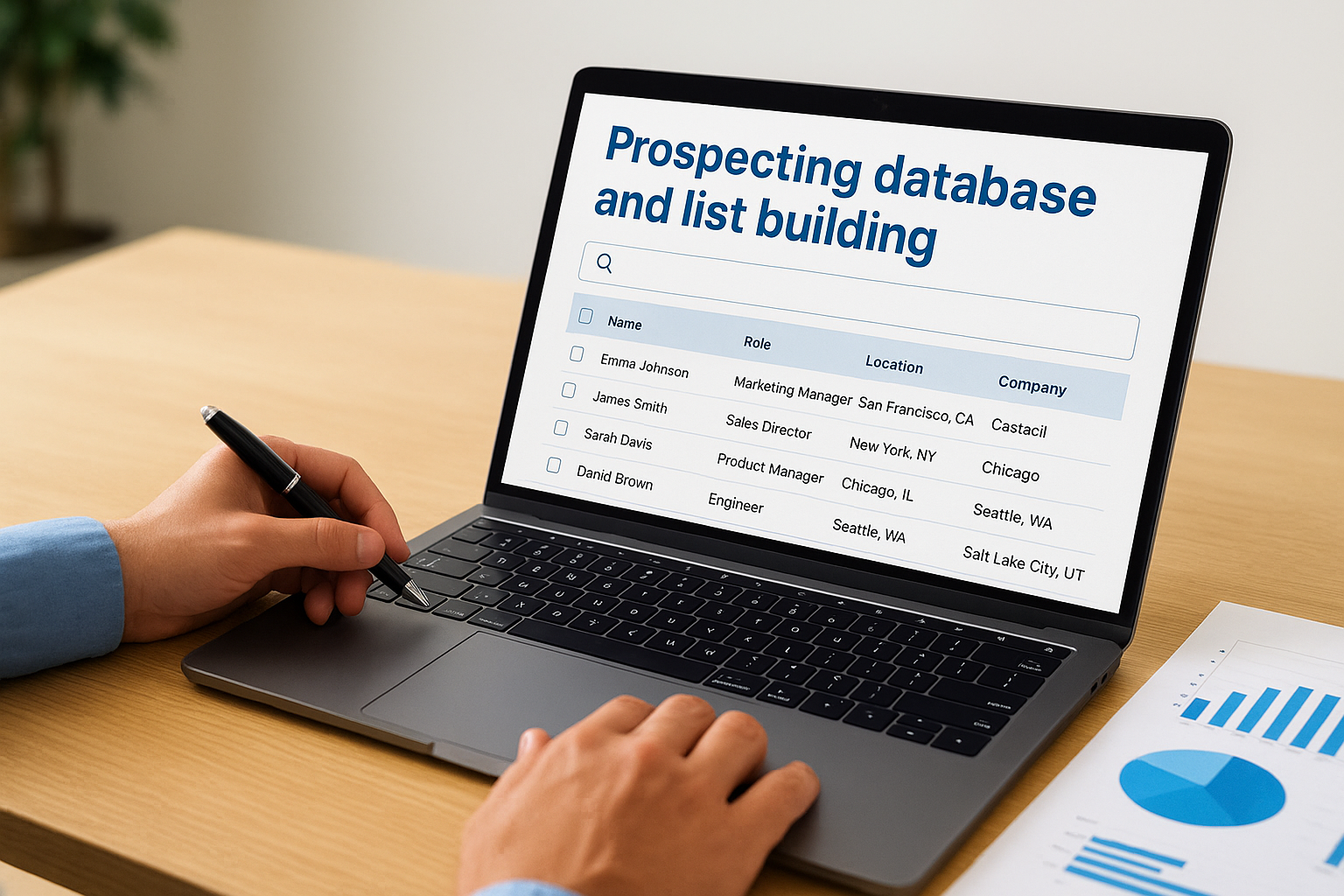
The quality of your prospect list determines the return on everything you do downstream, so filter carefully before launching any sequence.
Sequencing, email sending, and dialing options
Apollo lets you automate multi-step outreach sequences that mix emails and call tasks in a single workflow. Your team gets task queues that prioritize daily outreach without manually tracking who needs a follow-up.
Data accuracy, compliance, and deliverability basics
Apollo refreshes its contact data regularly, but you should still verify high-value contacts before heavy outreach. Pay attention to email sending limits and domain warm-up practices to protect your deliverability.
Pricing and seat planning for small teams
Apollo offers a free tier with limited credits, and paid plans scale by seat count and feature access. Costs stay manageable for small teams running focused outbound campaigns.
9. Leadfeeder
Leadfeeder takes a different angle on lead generation software for small business than most tools on this list. Instead of capturing form fills or running outreach sequences, it identifies which companies are already browsing your website and turns that anonymous traffic into a working lead list.
What Leadfeeder is and what it tracks
Leadfeeder connects to your website analytics and IP intelligence data to reveal the businesses behind your site visits. Rather than showing you raw session counts, it gives you company names, pages visited, time on site, and visit frequency so your team can spot genuine interest before anyone fills out a form.
Turning anonymous site traffic into sales leads
Most small business websites attract far more relevant traffic than they ever convert, and Leadfeeder surfaces that hidden demand. When a target company visits your pricing page multiple times in a single week, that behavior signals intent worth acting on quickly.
Repeated visits to high-intent pages tell you more about purchase readiness than most lead scoring models built on form data alone.
Lead routing and alerts for quick outreach
You can configure real-time alerts that notify the right team member the moment a target account lands on your site. Your reps reach out while the prospect's interest is still active rather than days after the visit.
Integrations with common CRMs and email tools
Leadfeeder connects with HubSpot, Pipedrive, Salesforce, and several email platforms, pushing identified companies directly into your existing workflow so nothing requires manual data entry.
Pricing and traffic thresholds to consider
Leadfeeder charges based on the number of identified companies per month, which keeps costs lower for businesses with modest site traffic. Check your current monthly unique company visit volume before selecting a plan so you only pay for what you actually use.
What to do next
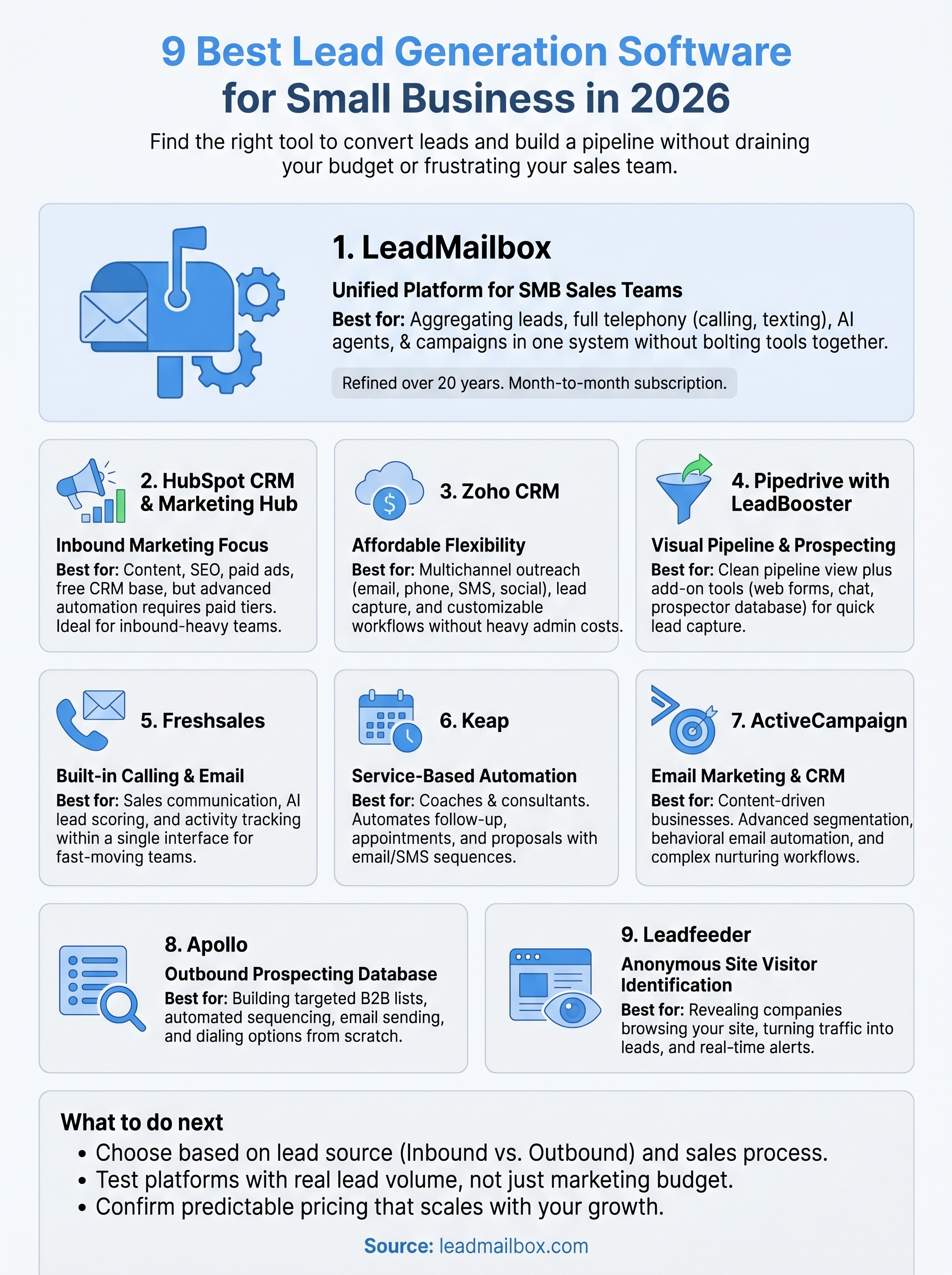
Nine tools, one decision. The right lead generation software for small business depends on where your leads come from, how your team follows up, and what you can realistically afford month to month. Inbound-heavy teams often find HubSpot or ActiveCampaign the right fit. Outbound-first operations lean toward Apollo or Leadfeeder. But if you want one platform that handles lead aggregation, calling, texting, AI-powered responses, and campaigns without managing four separate subscriptions, LeadMailbox is worth a close look.
Your next step is straightforward. Test the platform that matches your actual sales process, not the one with the largest marketing budget behind it. Start with your real lead volume, verify the tool handles it cleanly, and confirm that pricing stays predictable as your team grows before committing to any plan. Start with LeadMailbox and see whether it fits your workflow without a long-term contract holding you back.