

Sales Pipeline Tracking: How To Track Your Sales Pipeline
Most sales teams know roughly how many deals they're working. Fewer can tell you exactly where each deal stands, how long it's been sitting there, and what's likely to close this month. That gap between "roughly" and "exactly" is where revenue gets left on the table. Learning how to track sales pipeline activity with precision is what separates teams that forecast accurately from those that are constantly guessing. The good news: it doesn't require enterprise-level software or a data science degree.
A well-tracked pipeline gives you a clear picture of your entire sales process, from first contact to closed deal. It tells you which stages are healthy, which are bottlenecked, and where leads are quietly dying. Without that visibility, you're making decisions based on gut feelings instead of data. With it, you can allocate resources, coach reps, and predict revenue with real confidence.
This guide breaks down the full process of tracking your sales pipeline, including the stages to define, the metrics that actually matter, and the tools that make it manageable. Whether you're running a lean sales operation or managing a growing team, platforms like LeadMailbox, built specifically for lead management and sales enablement, make it possible to aggregate leads from multiple sources, track their progress, and act on pipeline data without juggling a dozen different tools. Let's get into it.
What sales pipeline tracking covers
Pipeline tracking is more than knowing how many deals you have open. It means knowing exactly where each deal sits in your sales process, what activity has already happened on it, what's supposed to happen next, and whether the deal is moving at a healthy pace. When you understand how to track sales pipeline data at this level of detail, you stop reacting to end-of-month surprises and start making decisions based on what's actually in front of you. The distinction between "tracking" and "monitoring" matters here: monitoring is passive, while tracking is an active, ongoing practice that shapes how you sell.
A pipeline without consistent tracking is just a list of names. A tracked pipeline is something you can act on every single day.
What a complete tracking system includes
Most people think of pipeline tracking as a spreadsheet with deal names and dollar amounts. In practice, a complete tracking system covers six interconnected elements that together give you full visibility into your sales operation. Missing even one of these creates blind spots that compound over time.
| Element | What it captures |
|---|---|
| Stages | The defined steps a deal moves through, from first contact to close |
| Deal value | The expected revenue attached to each opportunity |
| Probability | How likely the deal is to close, typically tied to its current stage |
| Activity log | Every call, email, and meeting that's happened on the deal |
| Next step | The specific action scheduled to move the deal forward |
| Age | How long the deal has been sitting in its current stage |
Together, these elements give you a complete picture of each opportunity, not just its existence, but its health and momentum. When a deal has no logged activity and no next step scheduled, that's a signal it may already be dead, even if it still shows up on your pipeline report.
The metrics that reveal pipeline health
Tracking individual deals is one part of the equation. The other part is understanding the aggregate metrics that reveal how your entire pipeline is performing. These numbers are what you use in forecast calls, team reviews, and resource decisions, not just anecdotes from individual reps.
The four metrics you should always watch are pipeline velocity, stage-by-stage conversion rate, average deal size, and average sales cycle length. Pipeline velocity tells you how fast revenue is moving through your pipeline at any given moment. Stage conversion rate shows you exactly where deals are stalling or dying before they reach close. Average deal size helps you prioritize which opportunities deserve the most attention. Average sales cycle length tells you how realistic your close-date forecasts actually are.
Consistent tracking builds a benchmark over time. Once you have that baseline, you can spot problems early rather than discovering them when it's too late to act. A sudden drop in conversion rate between your proposal stage and your close stage, for example, often signals a pricing objection, a change in lead quality, or a gap in how your team is following up. You'll only catch that signal if you're tracking it systematically, week over week, not just reviewing it when the quarter ends.
Step 1. Define stages and exit criteria
Before you can track anything, you need to know what you're tracking. Defining your pipeline stages is the foundation of learning how to track sales pipeline activity in a way that's actually useful. If your stages are vague or inconsistently applied, every report you generate will be unreliable, and every meeting you hold will devolve into debate about where deals actually stand. Start with stages that reflect how your buyers actually move, not how you wish they moved.
Choose stages that reflect your actual sales process
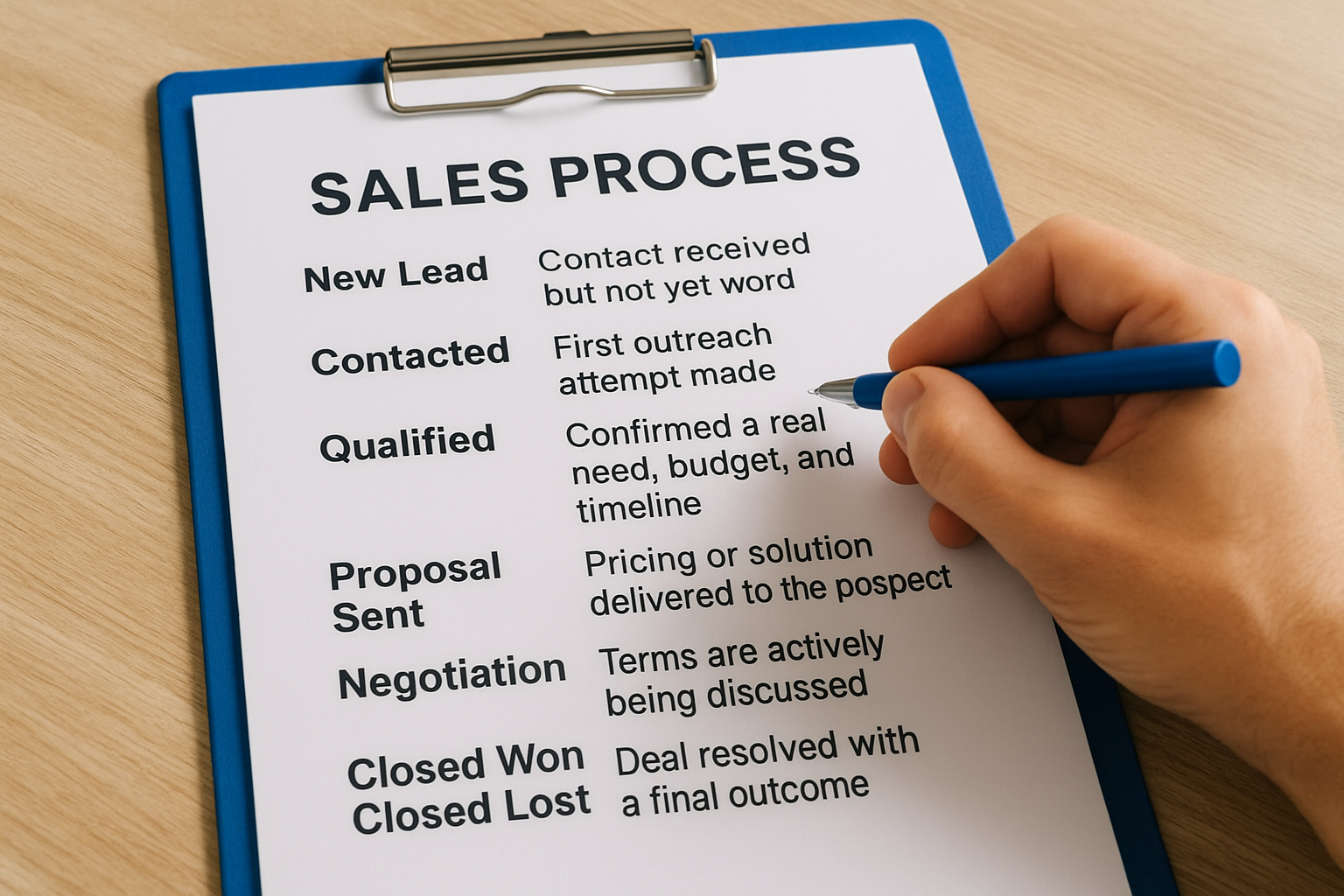
Your stages should map to the real decisions a buyer makes on their way to closing, not internal milestones that only matter to your team. A common mistake is creating too many stages, which forces reps to spend more time updating records than selling. Aim for five to seven stages that are meaningfully distinct from one another. Here is a straightforward framework you can adapt:
| Stage | What it means |
|---|---|
| New Lead | Contact received but not yet worked |
| Contacted | First outreach attempt made |
| Qualified | Confirmed a real need, budget, and timeline |
| Proposal Sent | Pricing or solution delivered to the prospect |
| Negotiation | Terms are actively being discussed |
| Closed Won / Closed Lost | Deal resolved with a final outcome |
Write exit criteria for each stage
Naming your stages is only half the work. Exit criteria define exactly what has to be true for a deal to move from one stage to the next. Without them, different reps apply different standards, and your pipeline data becomes inconsistent. A rep who moves a deal to "Qualified" the moment a prospect answers a call is not measuring the same thing as a rep who waits until budget and timeline are confirmed.
Consistent exit criteria are what turn your pipeline stages from labels into a reliable measurement system.
For each stage, write one or two sentences that state the specific condition that must be met before the deal advances. For example, a deal should only move to "Proposal Sent" when a written proposal has been delivered and the prospect has acknowledged receipt. That level of specificity eliminates ambiguity and makes your pipeline data something you can trust and act on confidently.
Step 2. Set up your tracking system and fields
Once your stages and exit criteria are locked in, you need a place to actually record and manage your pipeline data. The system you choose determines how easy or difficult it becomes to keep your tracking current. A tool that's too complex creates friction, so reps avoid updating it. A tool that's too simple leaves out critical fields. Your goal is a system that captures everything you need with as little manual work as possible, so that tracking happens consistently rather than in bursts before a weekly meeting.
Pick the right tool for your team size
Your tool choice should match both your volume of active deals and the size of your team. A solo rep managing 20 deals at a time has very different needs than a team of eight reps handling hundreds of leads from multiple sources. For small operations, a structured spreadsheet can work in the short term. For any team managing significant lead volume, a dedicated lead management platform like LeadMailbox gives you the ability to aggregate leads from multiple sources, track pipeline activity, and run outreach campaigns from a single system without stitching together separate tools.
The best tracking system is the one your team will actually use every day, not the most feature-rich one on the market.
The core fields every pipeline record needs
Knowing how to track sales pipeline data accurately depends on capturing the right fields consistently across every deal in your system. If different reps log different information, your reports will be inconsistent and your forecasts will be unreliable. Standardize your fields from day one so every record tells the same story.

Here are the fields every pipeline record should include:
| Field | Why it matters |
|---|---|
| Contact name and company | Identifies who the deal belongs to |
| Deal value | Drives revenue forecasting |
| Current stage | Shows where the deal sits in your process |
| Close date | Sets a target and flags overdue deals |
| Deal owner | Assigns accountability to a specific rep |
| Last activity date | Reveals stale deals before they go cold |
| Next step and due date | Ensures every deal has a scheduled action |
| Lead source | Shows which channels produce the best opportunities |
Set these fields as required in your system so no deal gets created without them. Mandatory fields eliminate incomplete records and keep your pipeline data reliable enough to act on.
Step 3. Update activity and next steps every day
Daily updates are where knowing how to track sales pipeline data stops being theoretical and starts having real impact on your results. A pipeline record that gets updated once a week reflects what happened in the past, not what's happening right now. Your pipeline should be a live document, not a report you clean up before a meeting. That means logging activity and setting next steps as part of your daily workflow, not as an afterthought you squeeze in at the end of the week.
Log every interaction before you move on
Every call, email, and meeting that touches a deal needs to be recorded in the deal record immediately after it happens. The details fade fast, and what feels memorable in the moment often gets lost by the end of the day. A simple log entry should capture the date, the type of contact, a brief summary of what was discussed, and any commitment the prospect made.
Here is a basic activity log template you can use in your pipeline system:
| Field | Example entry |
|---|---|
| Date | 2026-05-11 |
| Contact type | Phone call |
| Summary | Prospect confirmed budget is approved and wants a proposal by Friday |
| Prospect commitment | Will review and respond by 2026-05-15 |
Keeping this level of detail in every record means any team member can pick up a deal and know exactly where it stands without hunting down the rep who owns it. Consistent, complete records are what make your pipeline data trustworthy enough to act on.
Set the next step before you close the record
A deal without a scheduled next step is a deal at risk of going cold. Before you close any activity log entry, define the specific action that will happen next and assign it a concrete due date. This is not a vague note like "follow up" because that note produces nothing.
"Call Sarah on 2026-05-14 to confirm she reviewed the proposal and address any questions" is a next step. "Follow up soon" is not.
That level of specificity keeps deals moving and prevents the slow drift that causes pipeline reports to fill up with opportunities that have technically been open for months but are effectively dead. Treat every next step like a scheduled appointment, not a suggestion.
Step 4. Review metrics and run pipeline meetings
Logging daily activity and keeping deal records current only pays off if you regularly review what the data is telling you. The fourth step in understanding how to track sales pipeline performance is building a rhythm of structured reviews that turn raw pipeline data into decisions. Without that rhythm, your pipeline becomes a record of the past rather than a tool that shapes what happens next. Set a consistent cadence, weekly for individual rep reviews and monthly for broader pipeline analysis, and treat it as non-negotiable.
Track the four metrics that matter most
Every pipeline review should start with the same core numbers. Jumping straight into individual deals without reviewing aggregate metrics first means you'll spend your time firefighting rather than identifying the patterns that actually improve your results. Pull these four numbers before every review session and compare them against your baseline from prior periods.
| Metric | What to watch for |
|---|---|
| Pipeline velocity | Slowing velocity signals stalled deals or a drop in new opportunities entering the top of the funnel |
| Stage conversion rate | A sharp drop at a specific stage points to a consistent objection or a process gap your team needs to address |
| Average deal size | Shrinking deal size may indicate your team is pursuing lower-value opportunities or discounting too early |
| Average sales cycle length | Deals taking longer than your baseline suggest follow-up gaps or prospects who were never fully qualified |
Run a pipeline meeting that actually moves deals
A pipeline meeting without a clear format wastes time and produces no action. Structure every meeting around the same agenda so that your team knows what to expect and comes prepared. Focus your discussion on deals that are stalled, overdue, or at risk, not the ones that are already moving well.
The goal of a pipeline meeting is not to review every deal. It is to identify what is stuck and agree on what happens next.
Use this agenda template for your weekly pipeline review:
- Review the four core metrics and flag any movement from the prior week's baseline
- Surface deals with no activity in the last seven days and assign an immediate next step
- Confirm close dates on deals expected to close within the next 30 days and validate whether they are realistic
- Identify any deals that should be disqualified and remove them from the active pipeline to keep your forecast clean
Putting it into practice
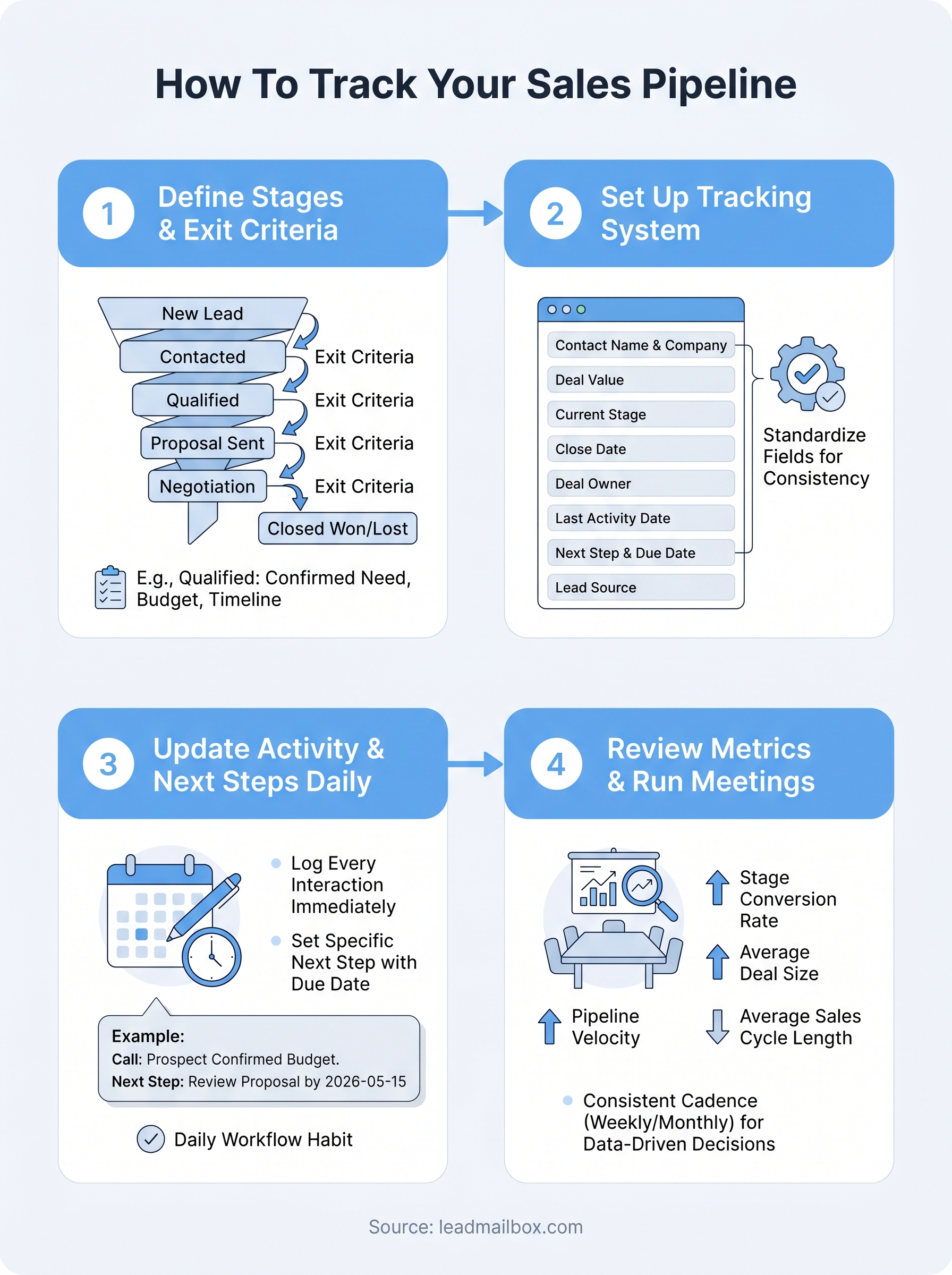
Understanding how to track sales pipeline performance is straightforward once you break it into the four steps covered here: define your stages with exit criteria, build a system with the right fields, log activity and next steps every day, and review your metrics on a consistent schedule. Each step reinforces the others, so skipping one creates gaps that show up in your forecasts and cost you deals you could have saved.
Start small if you need to. Pick your stages this week, lock in your exit criteria, and set up your core fields in whatever system you are using now. Build the daily logging habit before you worry about pipeline meeting formats. Consistency compounds fast, and within a few weeks you will have data that actually tells you where to focus.
If you want a system built for this from day one, explore LeadMailbox to see how it brings your lead management, tracking, and outreach into one place.