

How to Follow Up With Leads: 10 Touchpoints That Convert
Most leads don't convert on the first interaction. Not because they're uninterested, but because they're busy, distracted, or still comparing options. The difference between a closed deal and a lost opportunity often comes down to how to follow up with leads, and whether your follow-up sequence is structured enough to keep you top-of-mind without crossing into "please stop emailing me" territory. Studies consistently show that most sales require five or more touches, yet nearly half of salespeople give up after just one.
So the question isn't whether you should follow up. It's how many times, through which channels, and with what message. Get the cadence wrong, and you either ghost a warm lead or annoy them into unsubscribing. Get it right, and you build the kind of trust that turns a maybe into a yes. That balance is exactly what we help teams nail every day at LeadMailbox, with built-in tools for calls, SMS, email campaigns, and AI-powered outreach all running from one platform.
This article breaks down 10 specific touchpoints that form a complete follow-up sequence, from the first response within minutes to the long-game nurture months later. Each one includes timing guidance, channel recommendations, and practical tips you can put to work immediately, whether you're a solo closer or managing a full sales team.
1. Capture, score, and assign leads in LeadMailbox
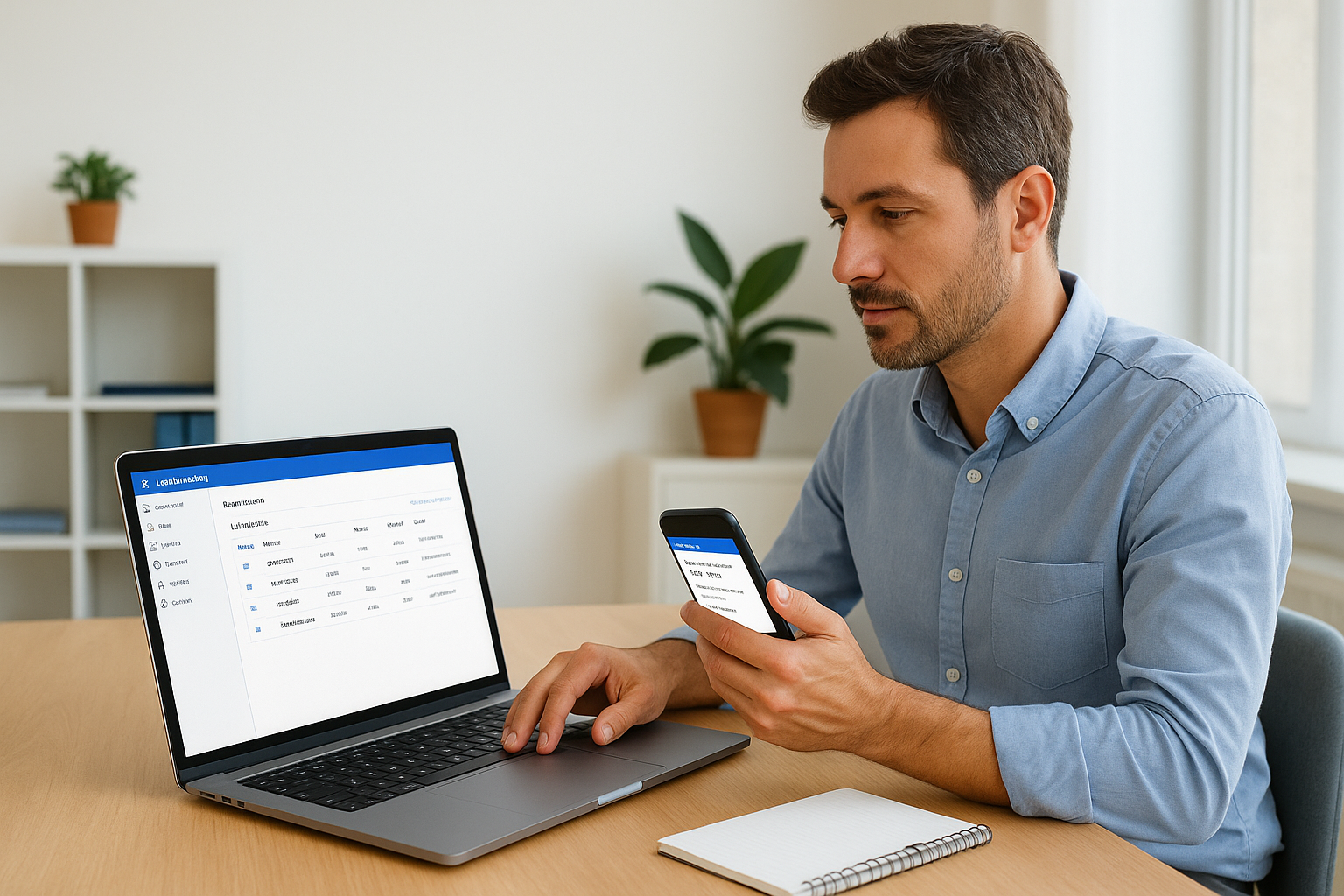
Before you send a single message, your lead needs to land in the right place with the right person ready to act. LeadMailbox aggregates leads from hundreds of sources into one central dashboard, so every new inquiry appears the moment it arrives, with all intake data attached. This first step isn't something your lead sees directly, but it determines whether every touchpoint that follows hits or misses.
Touchpoint goal
The goal is to route each lead to the right rep within seconds, based on criteria your business actually cares about. LeadMailbox lets you build scoring rules around lead source, location, budget, product interest, or any custom field you configure. Once a lead reaches a score threshold, the system auto-assigns it and fires an immediate alert to the right rep. Without this foundation, even a fast follow-up attempt can land with the wrong person and stall the deal before it starts.
Message template
This touchpoint relies on an internal assignment notification rather than an outbound message. When LeadMailbox assigns a lead, the rep receives a structured alert with everything needed to act immediately:
New lead assigned: [Lead Name] Source: [Lead Source] | Score: [Score] | Priority: [High / Medium / Low] Notes: [Any intake data collected] Next action: Call within 5 minutes
Keeping the alert short and action-oriented means reps spend zero time figuring out what to do next and move straight to outreach.
Timing and spacing
Speed is the single biggest factor in lead conversion at this stage. Research from Harvard Business Review found that contacting a lead within the first hour makes conversion seven times more likely than waiting even a bit longer. Set your LeadMailbox assignment rules to fire the moment a lead enters the system, and train your team to treat a new assignment notification the same way they would treat a live incoming call.
The moment someone submits their information, they are at peak interest. Every minute of delay is a minute a competitor can use.
How to track it in a CRM
LeadMailbox timestamps every lead from the moment it enters the system, so you can pull reports on time-to-assignment, rep acceptance rates, and score distribution across sources. Watch for any lead sitting unassigned for more than two minutes. That gap is a process problem, and catching it early stops a pattern of dropped leads from becoming the norm.
2. Confirm interest right away with a short email
The first email you send sets the tone for everything that follows. This touchpoint is not a full pitch; it is a confirmation that you received their inquiry and that a real person is paying attention. When you nail this step, you build immediate trust and keep the lead from wondering whether their form submission disappeared into a void.
Touchpoint goal
Your goal here is simple: acknowledge the lead and set a clear next step. This email should confirm receipt, put a name to the conversation, and tell the lead exactly what happens next. It is a foundational part of how to follow up with leads effectively, because it removes uncertainty before doubt has a chance to form.
Message template
Subject: Got your info, [First Name]
Hi [First Name],
Thanks for reaching out. I saw your inquiry come in and I will be calling you shortly to answer any questions. If there is a better time to connect, just reply here and let me know.
[Your Name] | [Your Phone Number]
Timing and spacing
Send this email within two minutes of lead assignment. Automated triggers in LeadMailbox make this straightforward to configure, so no manual action is needed from your rep at this stage.
A two-minute email response signals professionalism before your competitor has even opened their inbox.
How to track it in a CRM
Log the email send time against the lead assignment timestamp. Track open rates to see which subject lines get attention, and flag any lead that does not open within 30 minutes for a priority call bump.
3. Call within minutes and leave a useful voicemail
A phone call is still the highest-converting first contact you can make. Voice carries urgency, personality, and credibility that an email simply cannot match. When you understand how to follow up with leads at this stage, you recognize that speed is your biggest competitive edge, and a call placed within five minutes of assignment will reach a lead who is still actively thinking about their inquiry.
Touchpoint goal
Your goal on this call is to start a conversation, not close a deal. If the lead picks up, introduce yourself, reference what they submitted, and ask one open question about their situation. If they do not pick up, your voicemail becomes the touchpoint, and it needs to give them a genuine reason to call back rather than delete the message.
Message template
Keep your voicemail under 30 seconds and end with your callback number said slowly, twice:
"Hi [First Name], this is [Your Name] from [Company]. I saw your inquiry come in and wanted to reach out personally. I have a quick question about [their specific interest] that I think will save you some time. Give me a call back at [Number], again that is [Number], and I will be available all afternoon."
Mentioning their specific interest in the voicemail proves you read their submission and are not running a generic dialing campaign.
Timing and spacing
Call immediately after the confirmation email goes out, ideally within five minutes of lead assignment. Use LeadMailbox's click-to-call feature so the dial happens with one click directly from the lead record.
How to track it in a CRM
Log the call outcome in LeadMailbox as answered, voicemail, or no answer, and set an automatic task to follow up with an SMS within 10 minutes if the lead did not pick up. Track your voicemail-to-callback rate weekly to refine your script over time.
4. Send an SMS that makes replying easy
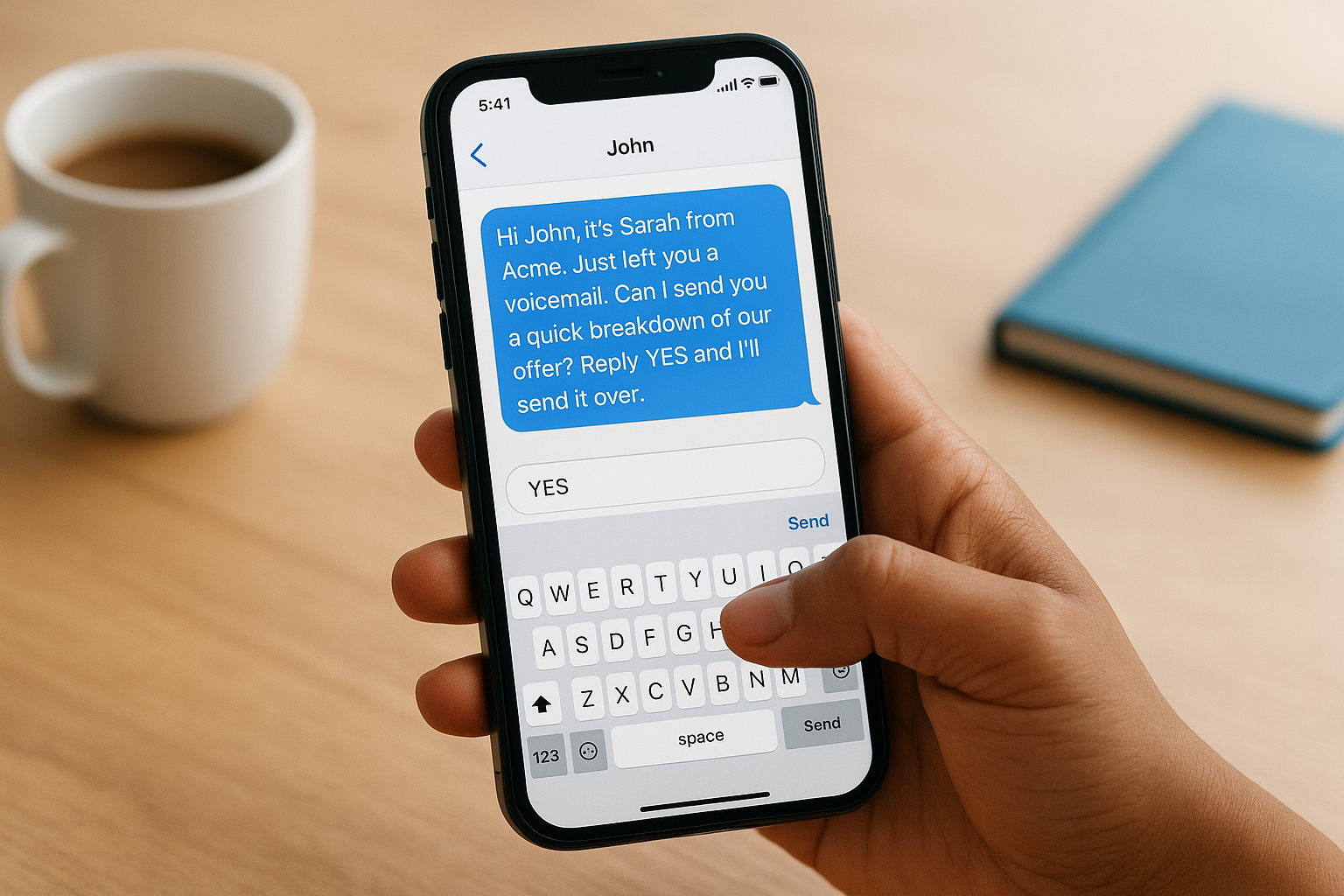
SMS sits in a category of its own when it comes to immediate reach. Text messages carry an average open rate above 90%, and most people read them within three minutes of delivery. When you think about how to follow up with leads across multiple channels, SMS gives you direct access to someone's attention in a way that email and voicemail simply cannot match.
Touchpoint goal
Your goal with this SMS is to lower the barrier to a response. A text that requires a long reply will get ignored. A text that asks for a single word or a yes/no answer gets read and answered fast. This touchpoint works best as a companion to your voicemail, sent within minutes of the unanswered call to give the lead an easy alternative path back to you.
Message template
Keep the message under 160 characters and make the reply action obvious:
"Hi [First Name], it's [Your Name] from [Company]. Just left you a voicemail. Can I send you a quick breakdown of [specific topic]? Reply YES and I'll send it over."
A text that asks for one word removes every friction point between a cold lead and a warm reply.
Timing and spacing
Send this SMS within 10 minutes of your unanswered call. LeadMailbox lets you trigger this automatically from the lead record so no manual step is needed from your rep.
How to track it in a CRM
Log reply rate and response time for every SMS touchpoint in LeadMailbox. Flag any lead that replies to an SMS as a priority and move them into an active follow-up sequence immediately.
5. Send value, not "just checking in"
"Just checking in" is one of the most common and least effective phrases in sales outreach. When you understand how to follow up with leads past the first two or three touches, you realize that every message needs to earn its place in someone's inbox by delivering something useful rather than simply reminding them you exist.
Touchpoint goal
Your goal here is to give the lead a concrete reason to re-engage, not just to stay visible. Attach a resource, a relevant case study, a short tip, or a comparison that directly addresses their specific situation. When your follow-up delivers something the lead can actually use, you shift from being a salesperson into being a resource they want to hear from.
A follow-up that teaches or helps does more for trust-building than ten "just checking in" messages combined.
Message template
Subject: Something that might help, [First Name]
Hi [First Name],
I wanted to share something relevant while we are still in touch. [Attach or link to one specific resource tied to their interest.]
No action needed on your end, just thought it was worth passing along. Happy to walk through it together if you want a second set of eyes.
[Your Name]
Timing and spacing
Send this email two to three days after your SMS touchpoint. Space it far enough from your initial burst that it does not feel like spam, but close enough that you are still top of mind.
How to track it in a CRM
Log the resource you sent in the lead's activity timeline in LeadMailbox. Track open and click rates on every value-add email separately from your other touchpoints so you can identify which resources drive the most re-engagement over time.
6. Ask one clear question to move the deal forward
By touchpoint six, you have already delivered value and established a presence. Now it is time to create momentum by making it simple for the lead to take a single, defined action. One focused question is far more effective than a paragraph of options, because it removes any decision fatigue that might cause the lead to delay responding.
Touchpoint goal
Your goal is to advance the conversation one step, not close the deal in a single message. When you think about how to follow up with leads at this stage, the objective is to surface intent. A direct question about timeline, budget, or readiness tells you exactly where the lead stands without requiring them to write a paragraph back to you.
Message template
Subject: Quick question, [First Name]
Hi [First Name],
One quick question: are you looking to have [solution] in place by [specific timeframe], or is this more of a future priority right now?
Either answer helps me point you in the right direction.
[Your Name]
A single focused question signals confidence and makes it easy for a lead to respond in under 10 seconds.
Timing and spacing
Send this message three to four days after your value email. The gap lets the previous touchpoint breathe while keeping the conversation active. Use LeadMailbox's email scheduling tools to queue this message without requiring manual intervention from your rep.
How to track it in a CRM
Log the reply in LeadMailbox and update the lead's status based on their answer. A response indicating near-term interest should trigger an immediate meeting request sequence, while a future-focused reply moves the lead into a longer nurture track with a set re-engagement date.
7. Multi-thread the account without being spammy
When a lead goes quiet after several touchpoints, the instinct is to keep messaging the same person. A smarter move is to reach a second contact at the same company without doubling the pressure on your primary lead. Multi-threading means engaging multiple stakeholders in a targeted way, and doing it right is a core part of knowing how to follow up with leads when one contact stops responding.
Touchpoint goal
Your goal is to open a parallel conversation with someone else at the company who has relevant buying authority or influence. This is not about flooding an organization with messages. It is about widening your footprint so a single unresponsive contact does not stall an otherwise viable opportunity.
Message template
Subject: Connecting with the right person at [Company]
Hi [Second Contact Name],
I have been in touch with [Primary Contact] about [specific topic] and wanted to reach out directly in case this lands better with your team. Happy to keep it brief and point you to something relevant first. Would that be useful?
[Your Name]
A second contact who receives a relevant, respectful message will rarely view it as intrusive, especially when you reference the existing conversation transparently.
Timing and spacing
Send this message five to six days after touchpoint six, and only after your primary contact has not replied to at least two consecutive messages. Reaching out too early makes the sequence feel aggressive rather than resourceful.
How to track it in a CRM
Log both contacts under the same account in LeadMailbox so every interaction appears in a shared timeline. Flag the account when two or more contacts are active so your rep can coordinate messaging and avoid sending conflicting information to different stakeholders.
8. Use a meeting ask with two specific time options
At this point in your sequence, a vague "let me know when you're free" request will get ignored. When you think about how to follow up with leads who are still warm but haven't committed, a meeting ask with two concrete options removes the cognitive load of finding a time and makes saying yes almost effortless.
Touchpoint goal
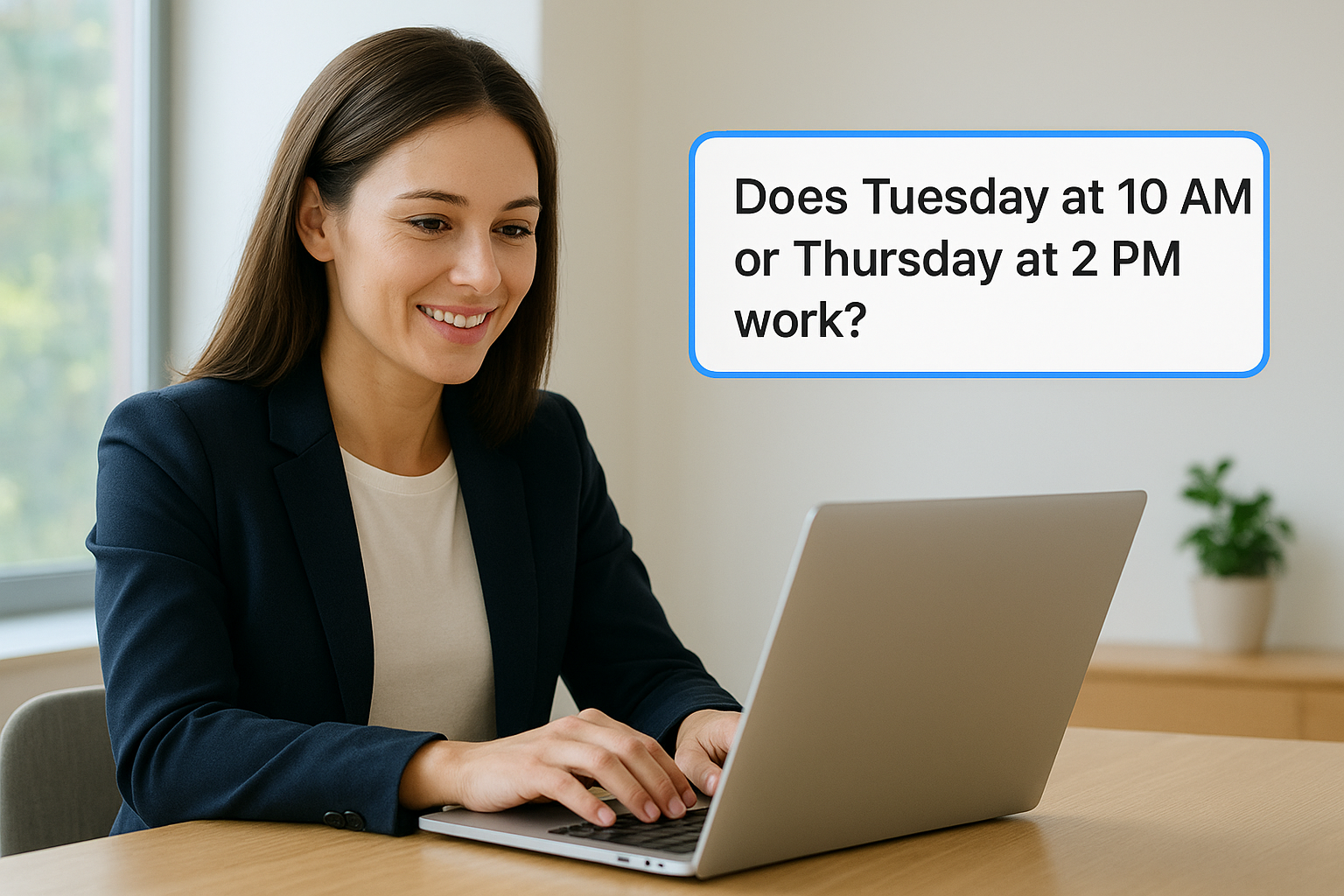
Your goal is to get a calendar commitment from a lead who has shown at least some engagement with your previous touchpoints. Two specific options create a binary choice rather than an open-ended task, and people are far more likely to pick one than to open a calendar and propose their own slot from scratch.
Giving someone two times to choose from turns a vague ask into a decision they can make in seconds.
Message template
Subject: Quick call, [First Name] - does one of these work?
Hi [First Name],
I'd love to connect for 15 minutes to walk through a few things that are specific to your situation. Does Tuesday at 10 AM or Thursday at 2 PM work? Either slot works on my end.
[Your Name]
Timing and spacing
Send this message one to two days after touchpoint seven. Keep it short and direct so nothing distracts from the two time options sitting right in the middle of the email.
How to track it in a CRM
Log the meeting status in LeadMailbox the moment a lead confirms. Any lead that accepts moves into a pre-call prep sequence, while a non-response after 48 hours triggers your break-up message touchpoint automatically.
9. Send a break-up message and set a re-nurture loop
A break-up message is not a defeat; it is a calculated move that often triggers more replies than any other touchpoint in the sequence. When you know how to follow up with leads correctly at this stage, you use the perception of finality to prompt a response from leads who have stayed quiet through every previous message.
Touchpoint goal
Your goal is to give the lead one last clear exit, while simultaneously keeping the door open for a future conversation. A well-written break-up message respects the lead's time, removes pressure, and often prompts a reply from someone who was simply waiting for the right moment. Leads who do not reply automatically move into a re-nurture loop so no opportunity disappears permanently.
Message template
Subject: Closing your file, [First Name]
Hi [First Name],
I have not heard back and I do not want to keep filling your inbox. I am going to close your file for now, but if your timing changes, reply to this email and I will pick things back up exactly where we left off.
[Your Name]
A message that removes pressure often creates the exact response that eight previous touchpoints could not.
Timing and spacing
Send this message seven to ten days after touchpoint eight. Set your re-nurture loop to trigger 60 to 90 days later with a fresh touchpoint so the lead stays in your pipeline long-term.
How to track it in a CRM
Tag the lead in LeadMailbox as "closed - re-nurture" and schedule the re-engagement date automatically. Track how many break-up replies convert into active conversations, since that number tells you exactly how much revenue your re-nurture loop protects.
Put the cadence to work
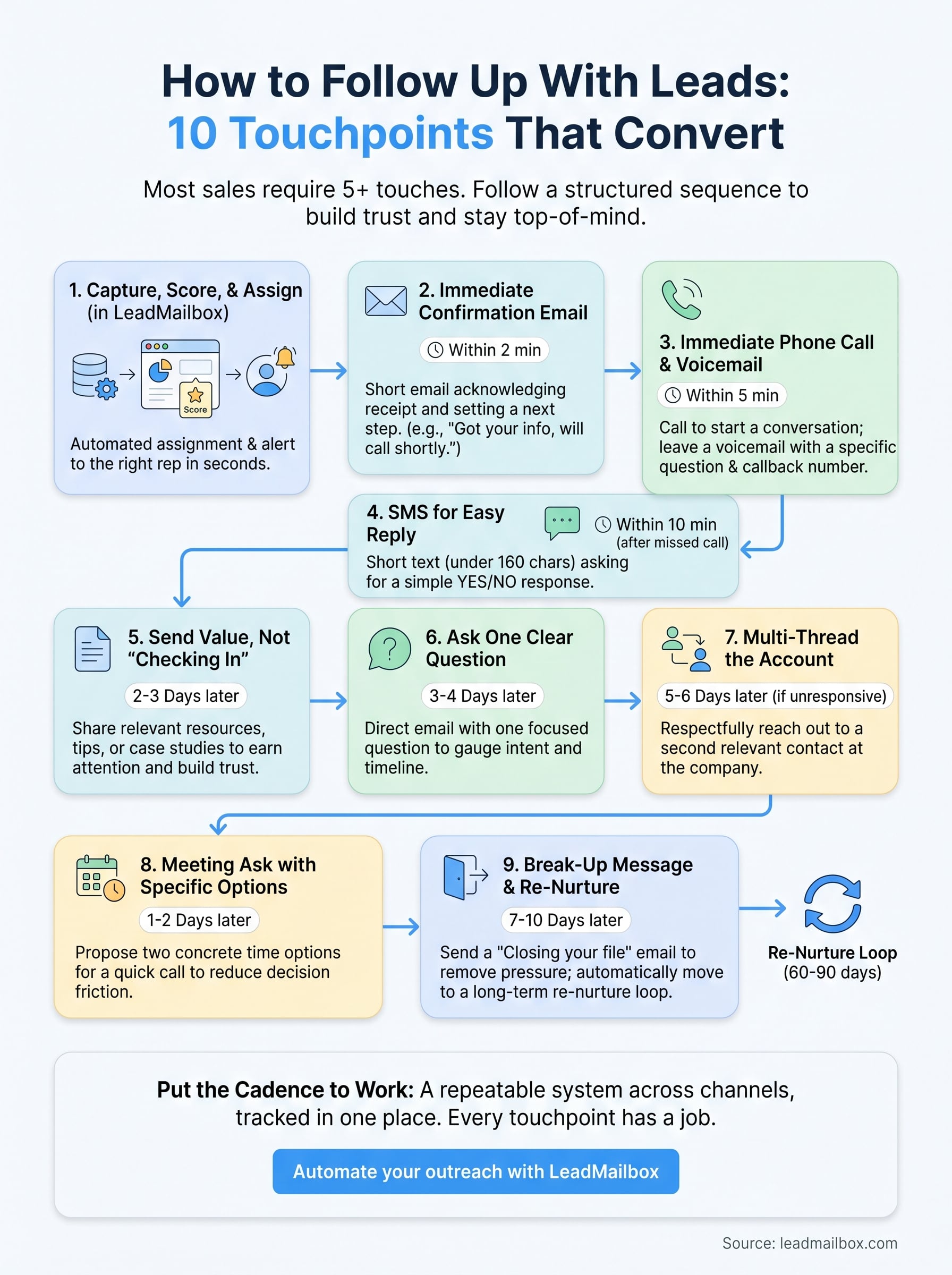
Knowing how to follow up with leads is only useful when the sequence actually runs. Nine touchpoints across multiple channels, timed correctly and tracked in one place, is what separates a sales team that converts consistently from one that relies on luck and memory. Every touchpoint in this article has a specific job, and together they form a repeatable system you can run with any lead volume.
Start by setting up your assignment rules and automated triggers in LeadMailbox so the first three touchpoints fire without your reps lifting a finger. Then build the remaining steps as scheduled tasks tied directly to the lead record. That way, nothing slips through the cracks when your pipeline gets busy.
If you want a platform that handles calls, SMS, email, and AI outreach from a single dashboard, try LeadMailbox and run your first complete follow-up sequence this week.