

15 Email Campaign Software Comparison: Features & Pricing
Picking the right email platform shouldn't require a spreadsheet and three hours of tab-switching, but that's exactly where most people end up. Whether you're running drip sequences to nurture cold leads or blasting promotional offers to a warm list, the tool you choose directly affects open rates, conversions, and your bottom line. A solid email campaign software comparison saves you from committing to a platform that looks great on paper but falls apart once you're actually sending at scale. The differences between these tools, automation depth, deliverability, pricing structure, matter more than most vendors want you to think about.
At LeadMailbox, we've spent over 20 years helping sales teams manage leads and close deals, and email campaigns are a core part of that process. Our platform includes built-in email tools alongside SMS, telephony, and AI agents, all designed to work together so you're not duct-taping five different subscriptions into one workflow. We know what makes an email tool actually useful for teams that sell, and we also know that no single platform fits every business.
This guide breaks down 15 of the top email campaign platforms side by side, covering features, pricing, deliverability, and the specific use cases where each one shines. By the end, you'll have a clear picture of which software matches your goals, your budget, and the way your team actually works.
1. LeadMailbox
LeadMailbox has been in the lead management space since 2004, and email campaigns are built directly into the platform alongside telephony, SMS, and AI agents. You don't need a separate email tool bolted on through an integration. The email capabilities exist inside a system that already knows your leads, their source, their status, and their history.

What it is and how it handles campaigns
The platform treats email as one piece of a larger outreach strategy rather than a standalone tool. Campaigns connect directly to your lead pipeline, so you can trigger sequences based on where a contact sits in your sales process. You can send personalized emails, set up automated follow-ups, and track responses without ever leaving the platform.
When your email campaigns are tied to the same system managing your calls and texts, you stop guessing which touchpoint moved a lead forward.
That tight connection between lead data and campaign logic separates LeadMailbox from tools that handle email in isolation. The result is a cleaner workflow that doesn't require you to sync data between platforms or worry about contacts falling out of step with your outreach.
Best-fit teams and use cases
Sales-driven teams working high volumes of leads from multiple sources will get the most out of LeadMailbox. If your business pulls in leads from partner networks, paid ads, or referral programs, and your team follows up by phone and email, this platform fits that workflow directly. It works especially well for insurance agencies, home services companies, mortgage brokers, and businesses where speed-to-lead and multi-channel follow-up drive conversions.
Key features to compare
When you run an email campaign software comparison, the features that matter most for sales teams are automation, personalization, and channel integration. LeadMailbox covers all three. Personalized email campaigns use merge fields and template support, while automated sequences trigger based on lead status, source, or behavior. AI agents can write and send emails on behalf of your team, and integration with hundreds of lead partners keeps your contact data accurate and current.
Pricing and plan structure
LeadMailbox runs on a month-to-month subscription model, which means you're not locked into an annual contract to access the full feature set. Pricing scales to fit small and mid-sized sales teams that need capable tools without enterprise-level costs. You can reach out directly through leadmailbox.com to get current pricing based on your team size and lead volume, since plans are tailored to how your business actually operates.
2. ActiveCampaign
ActiveCampaign sits at the intersection of email marketing and CRM, combining campaign tools with automation features that go well beyond basic drip sequences. The platform has earned a strong reputation among marketing teams that need granular control over how and when messages go out to different segments of their audience.
What it is and how it handles campaigns
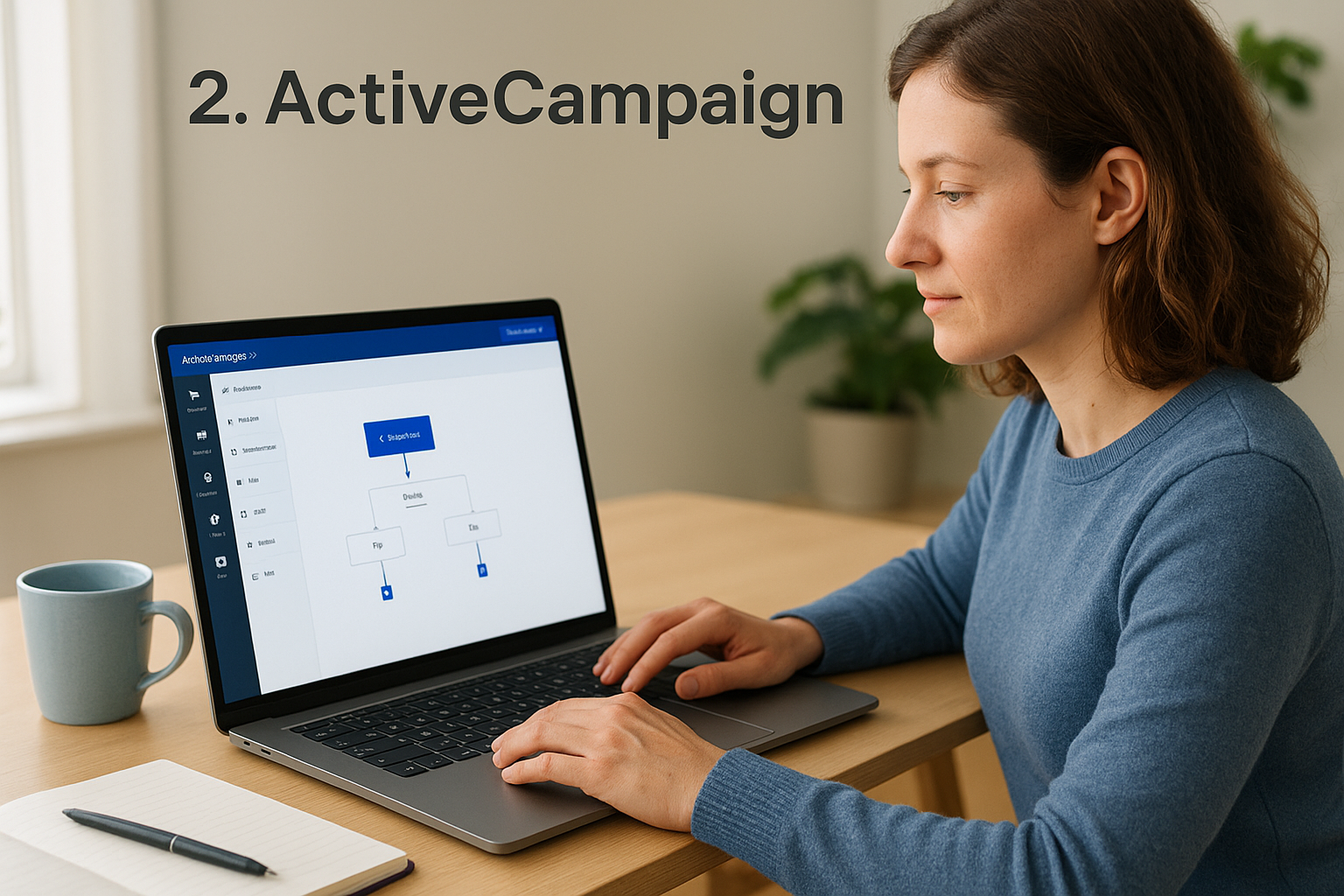
The platform centers its email functionality around a visual automation builder that lets you map out branching sequences based on contact behavior, tags, and custom fields. You can trigger emails based on site visits, link clicks, or purchase history, giving you precise control over when each message reaches a contact in your pipeline.
Each automation path updates in real time as contacts move through your funnel, so stale sequences stop running once a contact has already converted or gone quiet.
The depth of ActiveCampaign's automation logic makes it one of the more flexible options in any email campaign software comparison.
Best-fit teams and use cases
This platform works best for marketing-led teams running complex nurture sequences and detailed audience segmentation. It fits well for B2B companies, SaaS businesses, and online retailers that need tight alignment between marketing automation and basic CRM functions. Teams that rely on behavioral data to personalize outreach will find the most value here.
Key features to compare
- Visual automation builder with conditional branching
- A/B testing and list segmentation
- Built-in CRM with lead scoring
- Site tracking and 900+ app integrations
- Predictive email sending for improved deliverability
Pricing and plan structure
Plans start at roughly $15 per month for the Starter tier (billed annually) covering up to 1,000 contacts. Costs scale with your contact count, and advanced CRM and automation features sit behind higher-tier plans. Factor in list growth from the start, since pricing climbs quickly at higher contact thresholds.
3. HubSpot Marketing Hub
HubSpot Marketing Hub is one of the most recognized names in the marketing software space, and its email campaign tools sit inside a much larger platform that includes a CRM, landing pages, forms, and reporting. That depth makes it powerful, but it also means you're paying for capabilities you may not need if email campaigns are your primary focus.
What it is and how it handles campaigns
HubSpot builds its email tool directly into its CRM, so every campaign you send connects to contact-level data already stored in the system. You can personalize emails using any property in a contact's record, set up automated workflows triggered by behavior, and track engagement at both the campaign and individual contact level.
Because contact data and email tools share the same database, you get accurate reporting without syncing anything manually.
Best-fit teams and use cases
HubSpot fits marketing teams at growth-stage companies that plan to use more than just email, think ads, landing pages, and lead scoring, from a single platform. It works well for B2B organizations running longer sales cycles where nurture sequences and content-driven outreach carry significant weight. If you only need email, this platform will feel oversized.
Key features to compare
- Drag-and-drop email editor with smart personalization tokens
- Behavioral triggers and multi-step workflow automation
- A/B testing on subject lines and content
- Contact segmentation tied directly to CRM data
- Detailed campaign analytics and revenue attribution reporting
Pricing and plan structure
In any honest email campaign software comparison, HubSpot's pricing stands out as a significant factor. The free tier covers basic email sending, but meaningful automation and segmentation features require the Marketing Hub Starter plan at around $20 per month, with Professional plans starting near $890 per month. Costs scale with contact count and feature tier.
4. Brevo
Brevo, formerly known as Sendinblue, rebranded in 2023 and repositioned itself as a multi-channel marketing platform covering email, SMS, WhatsApp, and live chat. The email campaign tools sit inside a broader system that handles both marketing outreach and transactional messaging, making it a practical option for businesses sending a high volume of messages across different channels.
What it is and how it handles campaigns
Brevo builds its email functionality around contact list management and automation workflows that trigger based on behavior, time delays, or custom conditions. You can create segmented lists, set up drip sequences, and track performance through a centralized campaign dashboard without needing separate tools for transactional and marketing emails.
Brevo's combined handling of transactional and marketing emails in one platform removes a common friction point for teams managing both types of sending.
Best-fit teams and use cases
This platform fits small to mid-sized businesses that want solid email marketing capabilities without paying heavily on contact-based pricing. E-commerce stores, agencies managing multiple client accounts, and teams that send both promotional and transactional emails regularly will find Brevo's structure practical and cost-efficient.
Key features to compare
- Drag-and-drop email editor with a template library
- Marketing automation with behavioral triggers
- Transactional email and SMS sending in one account
- A/B testing and real-time reporting
- Contact segmentation and dynamic personalization
Pricing and plan structure
Brevo's pricing is built around email volume rather than contact count, which is a meaningful distinction in any email campaign software comparison. The free tier allows up to 300 emails per day. Paid plans start around $9 per month for the Starter tier, covering 5,000 emails monthly, with higher tiers unlocking automation and advanced reporting features.
5. MailerLite
MailerLite positions itself as a straightforward email marketing tool built for teams that want solid functionality without unnecessary complexity. The platform has grown considerably since its early days and now offers a well-rounded set of campaign features at a price point that smaller businesses find hard to argue with.
What it is and how it handles campaigns
MailerLite keeps its email builder clean and functional, relying on a drag-and-drop editor that gets you from a blank canvas to a polished campaign in a reasonable amount of time. You can set up automated sequences triggered by subscriber behavior, including sign-ups, link clicks, and custom events, without needing to navigate layers of menus or toggle between separate dashboards.
The combination of a clean interface and capable automation makes MailerLite a legitimate option in any email campaign software comparison centered on simplicity without sacrificing depth.
Best-fit teams and use cases
This platform works best for small businesses, freelancers, and content creators who need reliable email delivery and basic automation without committing to a complex system. It suits teams running newsletters, product announcements, and simple nurture sequences where the workflow does not require deep CRM integration or advanced segmentation logic.
Key features to compare
- Drag-and-drop and rich text editors with mobile preview
- Automation workflows with behavioral and time-based triggers
- Built-in landing page and pop-up form builder
- A/B testing on subject lines and email content
- Click map reporting and unsubscribe page customization
Pricing and plan structure
MailerLite offers a free plan supporting up to 1,000 subscribers and 12,000 monthly emails. Paid plans start at around $9 per month billed annually for the Growing Business tier, which removes daily sending limits and unlocks priority support. Pricing scales with subscriber count as your list expands.
6. GetResponse
GetResponse started as an email marketing tool and has since expanded into a broader digital marketing suite that includes webinar hosting, landing pages, and conversion funnels. That expansion gives you more built-in tools under one subscription, but it also means the platform carries more features than some teams will ever use.
What it is and how it handles campaigns
GetResponse handles email campaigns through a drag-and-drop editor and a dedicated automation workflow builder that triggers sequences based on contact behavior, tags, and custom events. You can set up multi-step nurture sequences, segment your audience by engagement level, and test subject lines through built-in A/B testing without switching between separate tools.
The visual automation builder gives you a clear map of your entire sequence, so you can spot gaps in your follow-up logic before they affect results.
Best-fit teams and use cases
This platform fits online course creators, digital marketers, and mid-sized businesses that want email automation paired with webinar or funnel capabilities in a single subscription. If your team runs lead generation campaigns that flow directly into email nurture sequences, GetResponse's funnel builder connects those two stages without adding extra integrations.
Key features to compare
- Visual automation workflow builder with behavioral triggers
- Webinar hosting integrated directly into the platform
- Landing page builder and conversion funnel templates
- A/B testing and detailed engagement reporting
- SMS and push notification sending alongside email
Pricing and plan structure
GetResponse offers a free plan covering up to 500 contacts with limited features. Paid plans start at around $19 per month billed annually for the Email Marketing tier, with higher plans unlocking full automation and webinar hosting. In any email campaign software comparison, the range of tools included at lower price points makes GetResponse a practical option for teams that need more than email alone.
7. Omnisend
Omnisend was built specifically for e-commerce businesses, and that focus shows in how the platform structures its campaign tools. Unlike general-purpose email tools, every feature in Omnisend ties back to the needs of online store operators managing product promotions, cart recovery, and customer lifecycle campaigns.
What it is and how it handles campaigns
The platform integrates directly with major e-commerce platforms like Shopify, WooCommerce, and BigCommerce, pulling in product data, purchase history, and customer behavior to power its campaigns. You can build automated workflows that trigger based on shopping activity, such as abandoned carts, order confirmations, or product browsing, without manually setting up data connections between separate tools.
When your email campaigns run off live store data, you stop sending generic messages and start sending ones that reflect what your customers actually did.
Best-fit teams and use cases
This platform fits online retailers and e-commerce brands that want to replace generic email sequences with campaigns tied to actual purchase behavior. It works particularly well for direct-to-consumer brands running product launches, seasonal promotions, and post-purchase follow-up sequences where timing and personalization directly affect revenue.
Key features to compare
- Pre-built automation workflows for cart abandonment, welcome series, and re-engagement
- SMS and email sending combined in a single campaign workflow
- Product picker and dynamic discount blocks inside the email editor
- Segmentation based on purchase history, order value, and browsing behavior
- A/B testing and campaign performance reporting
Pricing and plan structure
Omnisend's free tier covers up to 500 contacts and 500 emails per month. Paid plans start around $16 per month for the Standard tier, scaling with your contact count. In any email campaign software comparison focused on e-commerce, Omnisend's pricing holds up well against platforms that charge more for similar store-specific features.
8. Klaviyo
Klaviyo built its reputation in e-commerce email marketing, and the platform's entire architecture reflects that focus. Every campaign tool, from its segmentation engine to its automation logic, is designed to work with customer purchase data at its core.

What it is and how it handles campaigns
Klaviyo pulls data directly from your store and uses it to power campaigns that respond to actual customer behavior rather than static list criteria. You can trigger sequences based on browsing history, order frequency, predicted lifetime value, and dozens of other data points. The platform processes that data in real time, so your campaigns update as your customers act, not on a delay.
That real-time data layer is what separates Klaviyo from general-purpose email tools in any serious email campaign software comparison.
Best-fit teams and use cases
Klaviyo fits mid-to-large e-commerce brands that generate enough transaction data to make behavioral segmentation worthwhile. If your store runs on Shopify or BigCommerce and your team wants to move beyond basic drip sequences into revenue-tied campaign logic, this platform delivers. Smaller stores with limited purchase history will not get as much value from the data-heavy feature set.
Key features to compare
- Predictive analytics including churn risk and expected order date
- Deep integration with Shopify, WooCommerce, and BigCommerce
- Flow automation triggered by real-time behavioral events
- SMS and email combined in a single campaign workflow
- Detailed revenue attribution reporting per campaign
Pricing and plan structure
Klaviyo offers a free plan for up to 250 contacts, including email and SMS sending. Paid plans start around $45 per month for 1,000 contacts, and pricing scales with list size. The cost climbs significantly at higher contact counts, which makes it a stronger fit for established stores with proven revenue to justify the investment.
9. Mailchimp
Mailchimp is one of the most widely recognized names in email marketing, and it has spent years expanding from a basic newsletter tool into a broader platform covering automations, landing pages, and basic CRM functions. That recognition brings a large user base and a mature product, though the platform has shifted its pricing model in ways that affect how competitive it looks in a detailed email campaign software comparison.
What it is and how it handles campaigns
Mailchimp builds its campaign tools around a drag-and-drop email editor and a Customer Journey builder that lets you map out automated sequences triggered by contact behavior. You can set up welcome series, re-engagement campaigns, and behavioral follow-ups through a visual interface that most teams can navigate without a steep learning curve.
The Customer Journey builder gives you a clear visual of each automation path, which helps you catch gaps in your sequence before they go live.
Best-fit teams and use cases
Mailchimp works well for small businesses, nonprofits, and solo operators who want a recognizable, well-supported platform with a wide range of templates and integrations. If your team sends regular newsletters or simple promotional campaigns without needing deep sales pipeline integration, Mailchimp covers those bases reliably.
Key features to compare
- Drag-and-drop editor with a large template library
- Customer Journey builder for automated sequences
- A/B and multivariate testing on subject lines and content
- Audience segmentation and predictive demographics
- 300+ app integrations
Pricing and plan structure
Mailchimp offers a free plan for up to 500 contacts, but it limits you to 1,000 monthly sends. Paid plans start around $13 per month for the Essentials tier, with pricing scaling based on your contact count and the features you need.
10. Mailjet
Mailjet is a cloud-based email platform that covers both marketing campaigns and transactional email sending from a single account. The platform has built a following among developer-friendly teams and businesses that need reliable API-based sending alongside standard campaign tools.
What it is and how it handles campaigns
Mailjet handles campaigns through a drag-and-drop email editor that pairs with a real-time collaboration feature, letting multiple team members work on the same template at once. You can set up segmented contact lists, apply personalization using contact properties, and trigger automated sequences based on list membership or behavioral conditions. That collaboration layer is less common in this category and adds practical value for teams where designers and copywriters work on campaigns together.
For teams that build and review email content collaboratively, Mailjet's real-time editing removes the back-and-forth of sharing files or waiting on approvals.
Best-fit teams and use cases
This platform fits businesses that send both marketing and transactional emails and want to manage them from one account without juggling separate services. Developers who need SMTP relay access or a robust API alongside a visual campaign builder will find Mailjet's setup straightforward. It also works well for agencies managing multiple client sending domains from a single interface.
Key features to compare
- Real-time multi-user collaboration inside the email editor
- Marketing automation with segmentation and behavioral triggers
- SMTP relay and developer API for transactional email
- Contact list management with dynamic segmentation
- Detailed deliverability reporting and inbox preview testing
Pricing and plan structure
In any email campaign software comparison, Mailjet's pricing stands out for its volume-based structure. The free tier allows up to 6,000 emails per month with a daily cap of 200. Paid plans start around $17 per month for the Essential tier, which removes the daily limit and adds online customer support.
11. Campaign Monitor
Campaign Monitor has been in the email marketing space for over two decades, building a reputation around beautifully designed email templates and a clean sending infrastructure. The platform focuses on making professional-looking campaigns accessible to teams without dedicated design resources, while still offering enough automation capability to handle multi-step sequences.
What it is and how it handles campaigns
Campaign Monitor runs its email campaigns through a drag-and-drop visual builder backed by one of the larger template libraries in this category. Automation works through a journey designer that lets you build sequences triggered by subscriber actions, date-based events, or list activity. The interface prioritizes visual clarity, so your team spends less time wrestling with the tool and more time crafting the actual message.
Clean template design matters more than most teams realize, because how your email looks on mobile directly affects whether someone reads past the first line.
Best-fit teams and use cases
This platform fits agencies, creative businesses, and marketing teams that send branded campaigns where visual consistency carries significant weight. If your team manages email for multiple clients or runs campaigns where design quality and brand presentation are part of the value you deliver, Campaign Monitor holds up well in those situations.
Key features to compare
- Drag-and-drop email builder with a large curated template library
- Journey-based automation with behavioral and time triggers
- List segmentation with dynamic content personalization
- Spam testing and inbox preview across major email clients
- Transactional email sending via API
Pricing and plan structure
In any email campaign software comparison, Campaign Monitor's pricing is contact-based. Plans start around $12 per month for the Basic tier covering up to 500 contacts. Higher tiers unlock unlimited sending and advanced automation features, with costs scaling as your list grows.
12. Constant Contact
Constant Contact is one of the longest-running email marketing platforms in the category, with a history that stretches back to 1995. Over the decades, it has built its reputation around accessibility and ease of use, targeting small businesses and organizations that need a reliable platform without a steep learning curve.
What it is and how it handles campaigns
Constant Contact runs its email campaigns through a drag-and-drop editor with a substantial template library organized by industry. You can set up automated welcome sequences, birthday emails, and behavioral follow-up campaigns triggered by contact engagement. The platform also integrates event management tools directly into the account, which is a feature you will not find in most tools covered in this email campaign software comparison.
If your organization regularly hosts events alongside your email outreach, having both tools in one account removes a real logistical headache.
Best-fit teams and use cases
This platform fits small businesses, nonprofits, and local service providers that prioritize ease of use over advanced segmentation. It works well for organizations running regular newsletters, event invitations, and basic promotional campaigns where the team does not have a dedicated marketing specialist managing the account day to day.
Key features to compare
- Drag-and-drop email editor with industry-specific templates
- Event management and registration tools built into the platform
- Contact list management with basic segmentation and tagging
- Social media posting and ad management alongside email
- Real-time reporting on opens, clicks, and bounces
Pricing and plan structure
Constant Contact does not offer a permanent free plan. Paid plans start around $12 per month for the Lite tier covering up to 500 contacts, with pricing scaling by contact count as your list grows.
13. AWeber
AWeber has been in the email marketing space since 1998, making it one of the oldest platforms in this category. The company built its early reputation around reliable email delivery and list-based campaign management, and those fundamentals still define how the platform operates today.
What it is and how it handles campaigns
The platform handles campaigns through a drag-and-drop email editor and a template library that has grown considerably over the years. You can set up automated follow-up sequences triggered by subscriber sign-ups, tag applications, or custom events, and an AI writing assistant can help you generate subject lines and body copy when you are working against a deadline. The automation builder is straightforward without the layered complexity you find in tools built primarily for enterprise marketing teams.
For teams that need dependable delivery without spending hours learning a new interface, AWeber's setup gets you sending faster than most platforms in this email campaign software comparison.
Best-fit teams and use cases
AWeber works best for small businesses, bloggers, and service providers who want a stable platform with a long track record and solid customer support. If your team runs consistent newsletters or basic nurture sequences and does not need deep behavioral segmentation or CRM integration, AWeber covers those needs reliably.
Key features to compare
- Drag-and-drop editor with 700+ email templates
- Automated follow-up sequences with tag-based triggers
- AI writing assistant for subject lines and content
- AMP for Email support for interactive content
- Subscriber segmentation and split testing
Pricing and plan structure
AWeber offers a free plan covering up to 500 subscribers with limited features. Paid plans start at around $15 per month billed annually for the Lite tier, with pricing scaling by subscriber count as your list grows.
14. Kit
Kit, formerly known as ConvertKit, rebranded in 2024 and has maintained its focus on independent creators and content-driven businesses since its founding in 2013. The platform built its reputation around giving writers, podcasters, and educators the email tools they need without the complexity aimed at large marketing departments.
What it is and how it handles campaigns
Kit centers its campaign structure around subscriber tagging and segmentation rather than traditional list-based management. Instead of moving contacts between separate lists, you apply tags and track custom fields to control which sequences each subscriber receives. Automations trigger based on tag applications, form sign-ups, link clicks, and purchase events, letting you build personalized paths without duplicating contacts across multiple lists.
That tag-based architecture keeps your subscriber count accurate and prevents the inflated list sizes that drive up costs on platforms built around rigid list structures.
Best-fit teams and use cases
This platform works best for creators, newsletter writers, and solo business operators who build direct relationships with their audience through consistent content. It fits well for course creators, coaches, and authors running paid newsletter subscriptions or digital product launches where the email relationship is the primary sales channel.
Key features to compare
- Visual automation builder with tag and event-based triggers
- Creator Network for cross-promotion with other Kit users
- Built-in paid newsletter and digital product selling
- Subscriber segmentation using tags and custom fields
- Landing page builder with sign-up form templates
Pricing and plan structure
Kit offers a free plan supporting up to 10,000 subscribers with basic sending and limited automation features, which stands out in any email campaign software comparison. Paid plans start around $25 per month billed annually for the Creator tier, unlocking full automation and third-party integrations.
15. beehiiv
beehiiv launched in 2021, founded by former members of the Morning Brew team, and it has grown quickly into one of the more purpose-built newsletter platforms available today. Unlike general-purpose email tools that treat newsletters as one feature among many, beehiiv builds its entire product around the newsletter as the core unit of content and commerce.
What it is and how it handles campaigns
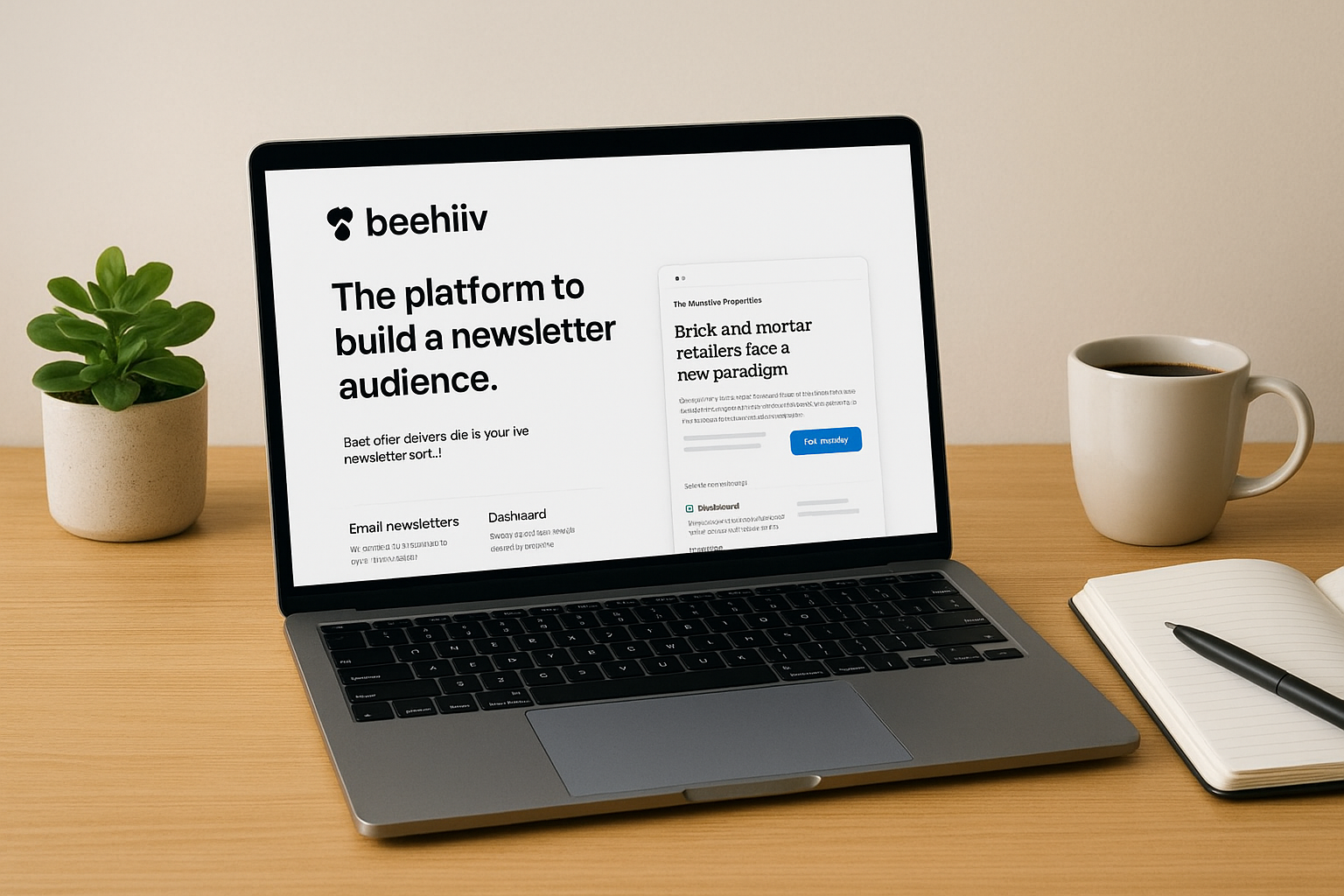
beehiiv handles email campaigns through a clean, focused editor designed specifically for long-form newsletter content rather than promotional blasts or transactional sequences. You can schedule issues, segment your audience by engagement tier, and track reads at the subscriber level. The platform also gives you a built-in web presence for each newsletter, so every issue you send also lives as a discoverable post on your publication's site.
That dual-channel approach, email delivery plus web publishing, gives your content a longer shelf life than a standard campaign send.
Best-fit teams and use cases
This platform fits independent newsletter operators, media companies, and content-driven brands that want to grow a subscriber base and monetize it through paid subscriptions, sponsorships, or referral programs. If your primary output is a regular editorial newsletter rather than a product promotion or sales sequence, beehiiv matches that workflow directly.
Key features to compare
- Built-in paid subscription and sponsorship monetization tools
- Referral program native to the platform
- Audience segmentation by engagement score and subscription tier
- Web publishing with a custom domain for your newsletter archive
- Detailed subscriber-level analytics
Pricing and plan structure
In this email campaign software comparison, beehiiv stands out with a free plan supporting up to 2,500 subscribers with no sending limits. Paid plans start around $42 per month billed annually for the Scale tier, unlocking advanced monetization, custom domains, and automation features.
What to do next
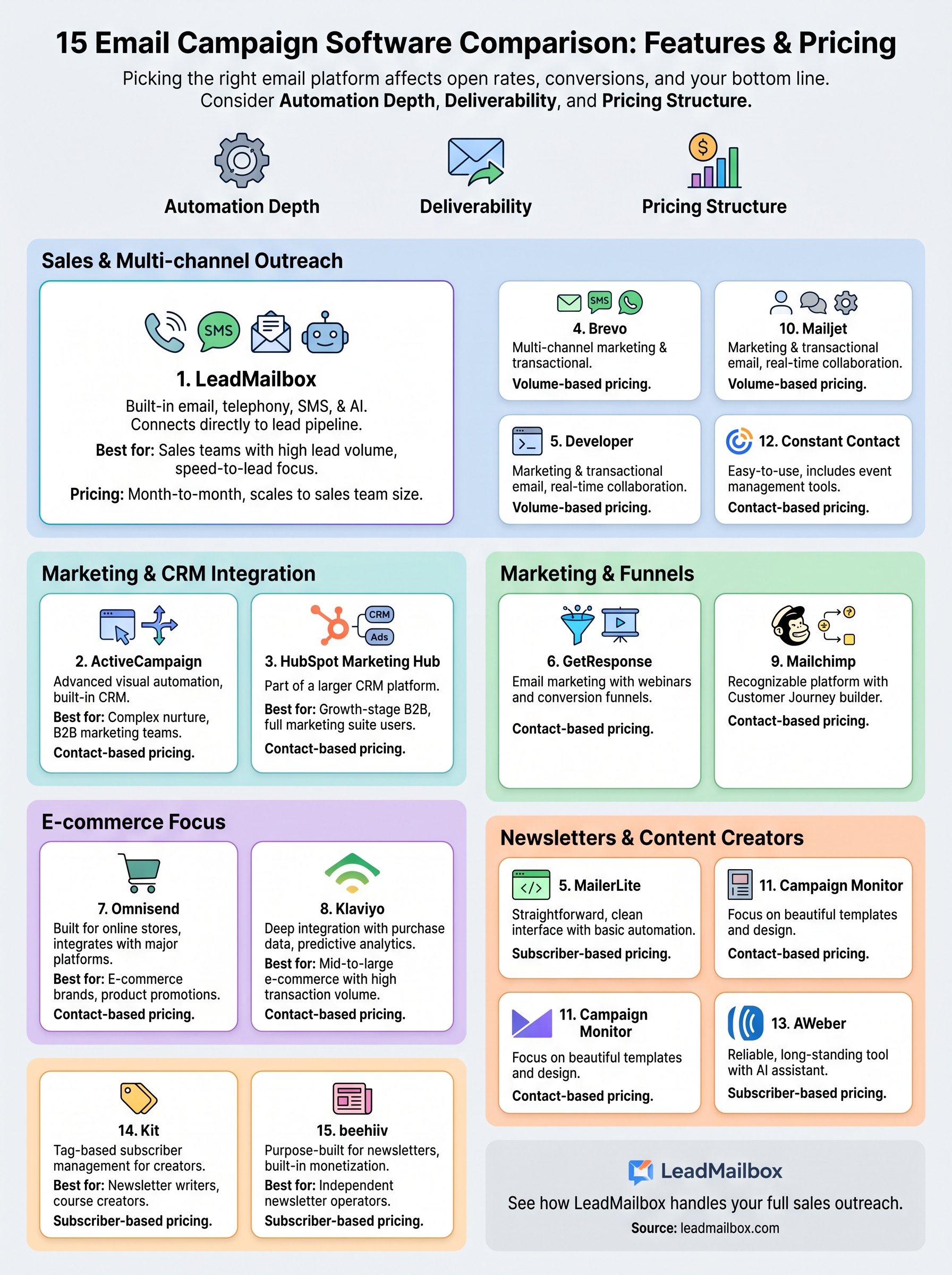
You now have a complete email campaign software comparison covering 15 platforms across features, pricing, and the specific situations where each one performs best. The right choice depends on your sales process, your team size, and how you actually generate and follow up with leads. A newsletter-first business belongs on beehiiv or Kit. An e-commerce brand running behavioral sequences belongs on Klaviyo or Omnisend. A sales team working high lead volumes across multiple channels belongs on a platform built for that exact workflow.
If your team manages leads from multiple sources and follows up through email, phone, and SMS, you need a system where those channels work together rather than operate in separate tools. LeadMailbox combines email campaigns with telephony, SMS, and AI agents inside a single platform that has supported sales teams for over 20 years. See how LeadMailbox handles your full sales outreach and find a plan that fits your team.