

12 Customer Relationship Management Software Reviews (2026)
Picking a CRM is one of those decisions that can either streamline your entire sales operation or create months of headaches and wasted budget. That's exactly why customer relationship management software reviews matter, not the surface-level overviews, but honest breakdowns of what each platform actually delivers. With dozens of CRM tools competing for your attention (and your money), cutting through the noise takes more than a glance at a pricing page.
The challenge most sales teams face isn't a lack of options. It's the opposite. Every CRM promises better pipeline visibility, smarter automation, and faster deal cycles. But the gap between marketing copy and daily usability is often wide. Features that look great on a comparison chart can fall flat when your team is juggling hundreds of leads from multiple sources. And pricing that seems reasonable at first can balloon once you start adding the integrations and tools you actually need, dialers, email outreach, SMS campaigns, just to do your job.
At LeadMailbox, we've spent over 20 years building lead management and sales enablement tools, so we know what matters when a CRM hits the real world. We built our platform to combine lead aggregation, telephony, AI-powered communication, and outreach campaigns into one system, specifically because we saw how painful it was to duct-tape multiple tools together. That experience gives us a practical lens for evaluating CRM software that goes beyond spec sheets.
In this guide, we review 12 CRM platforms for 2026, covering their core features, pricing structures, standout strengths, and notable drawbacks. Whether you're a solo operator shopping for your first CRM or a sales team leader looking to switch platforms, you'll walk away with enough detail to make a confident, informed decision. Let's get into it.
1. LeadMailbox
LeadMailbox is built for sales teams and businesses that generate high volumes of leads and need a single platform to manage every step of the conversion process. Unlike CRMs that bolt calling or texting on as an afterthought, LeadMailbox was designed from the ground up around lead management and outbound communication, making it a strong option for teams where speed-to-contact is a daily priority.
What LeadMailbox is best at
This platform performs best when your team needs to capture, organize, and contact leads quickly across multiple sources without jumping between tools. If you run paid campaigns, buy leads from third-party vendors, or handle inbound and outbound call flows simultaneously, it gives you the infrastructure to do that without layering on complexity. It works particularly well for small to mid-sized sales operations that want enterprise-grade communication tools at a price point that doesn't require a six-figure budget.
Lead capture, routing, and organization
LeadMailbox connects to hundreds of lead partners and sources, pulling contacts directly into the platform without requiring manual imports or third-party middleware. You can configure routing rules that automatically assign leads to the right rep or team based on criteria you set, keeping your pipeline organized from the moment a new lead enters the system.
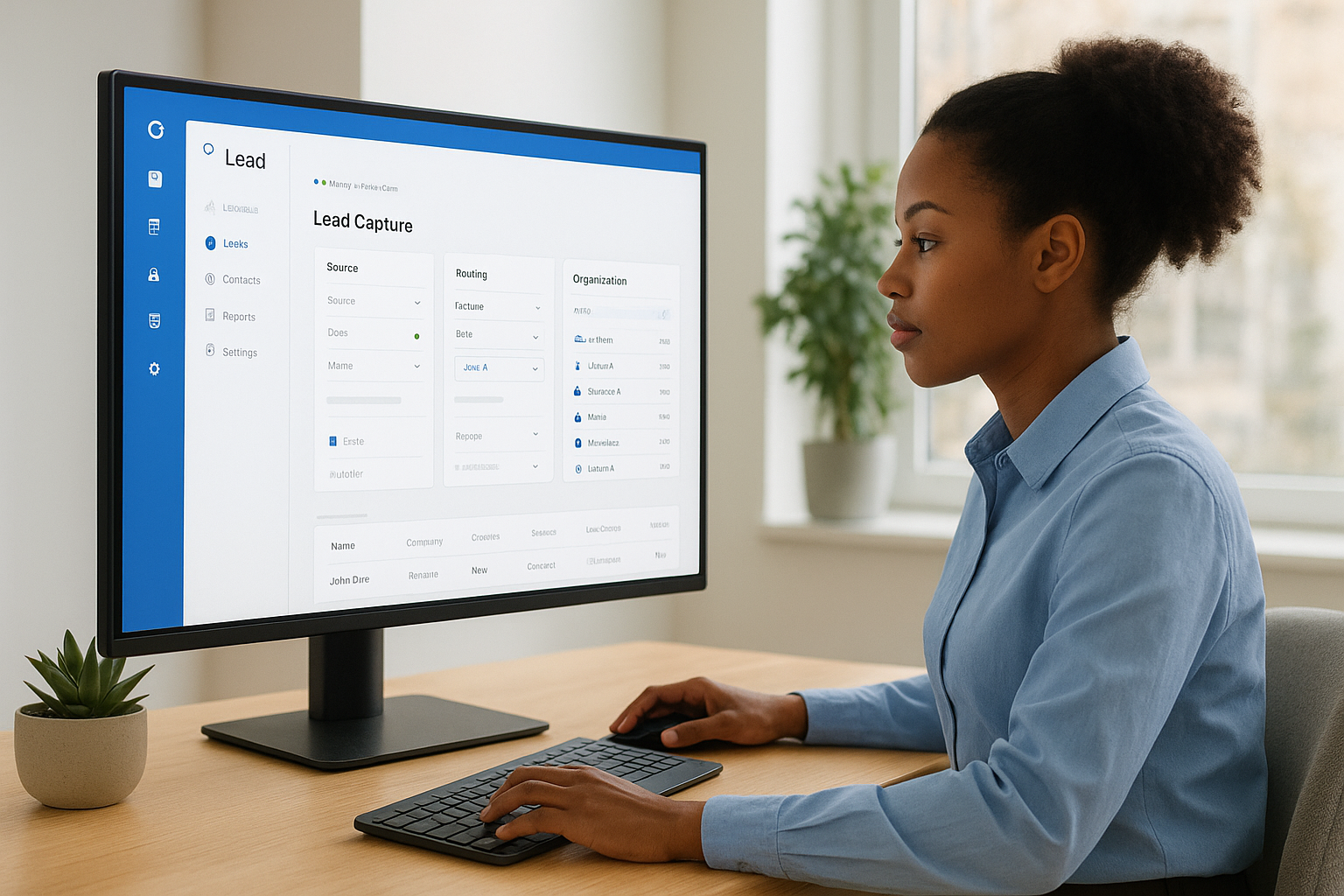
Automated routing removes the friction that typically slows down first contact times, which directly affects your conversion rates.
Calling, SMS, and email outreach tools
The platform includes a full telephony suite with click-to-call, a power dialer, insta-call functionality, and inbound number management built in. You can run SMS campaigns and email sequences from the same dashboard, which means your team stays focused rather than toggling between separate tools. Personalized outreach at scale is a core feature here, not an add-on you have to pay extra for.
AI agents for calls, texts, and email
LeadMailbox includes AI agents that handle incoming calls, respond to text messages, and draft emails on your team's behalf. These agents operate around the clock, so leads get a response even outside business hours. For teams managing high lead volumes, this capability can meaningfully improve contact rates and reduce the response lag that causes leads to go cold.
Integrations and lead partner connectivity
LeadMailbox integrates with hundreds of lead partners, making it straightforward to connect the sources you already rely on. The platform supports standard data feeds and APIs, so your existing lead generation infrastructure typically connects without significant technical work. Onboarding and setup tend to move faster than with enterprise CRMs that require dedicated admin resources just to get the system functional.
Pricing and what can increase total cost
LeadMailbox runs on a month-to-month subscription model, which removes the long-term contract risk common to many competing platforms. Pricing stays accessible for small and growing teams. Costs can increase if you scale call volumes, expand the number of active users, or add AI agent capacity, but the base structure is built so that core platform features stay available without forcing you into expensive upper tiers just to do basic outreach.
2. HubSpot CRM
HubSpot CRM is one of the most widely recognized platforms in any set of customer relationship management software reviews, largely because it offers a free starting tier that gives small teams access to core CRM functionality without upfront commitment. It targets businesses looking for a unified marketing, sales, and service platform under one roof.
What HubSpot CRM is best at
HubSpot performs best when your marketing and sales teams work closely together and you need visibility into the full contact lifecycle from first click to closed deal. It works well for companies that already run inbound marketing programs and want their CRM to connect directly with that activity.
Contact and deal management basics
HubSpot gives you a clean interface for managing contacts, companies, and deals, with customizable pipelines that most teams can configure without developer help. Activity timelines log emails, calls, and notes automatically when you connect your inbox, keeping contact records accurate without manual entry.
Marketing and sales automation options
You can build automated workflows that trigger based on contact behavior, deal stage changes, or form submissions. The sales automation tools handle follow-up sequences and task creation, though more advanced workflow logic sits behind paid tiers.

Automation depth in HubSpot scales with your plan tier, so the free version gives you a solid foundation but not the full picture.
Reporting, attribution, and AI capabilities
HubSpot includes built-in reporting dashboards that track deal velocity, rep activity, and pipeline health. Attribution reporting and AI-powered features like content suggestions and conversation intelligence require higher-tier plans to access fully.
Integrations and ecosystem fit
The platform connects with over 1,500 third-party apps through its marketplace, covering tools for advertising, ecommerce, and customer support. It fits particularly well if your team already relies on Google Workspace or Slack as daily productivity tools.
Pricing and what can increase total cost
The free CRM is genuinely functional, but sales automation, advanced reporting, and multi-touch attribution push you toward paid Sales Hub tiers starting at $15 per user per month and climbing from there. Bundling multiple Hubs for marketing, sales, and service together is where total costs rise fast.
3. Salesforce Sales Cloud
Salesforce Sales Cloud is the dominant platform in most customer relationship management software reviews, built for organizations that need deep customization and enterprise-grade functionality. It serves companies with complex sales processes, large teams, and the technical resources to configure and maintain a sophisticated system.
What Salesforce is best at
Sales Cloud performs best when your sales process is layered and off-the-shelf pipeline structures won't match how your business actually works. It gives large teams a highly configurable environment where nearly every aspect of the CRM can be tailored to your specific requirements.
Custom objects, pipelines, and workflows
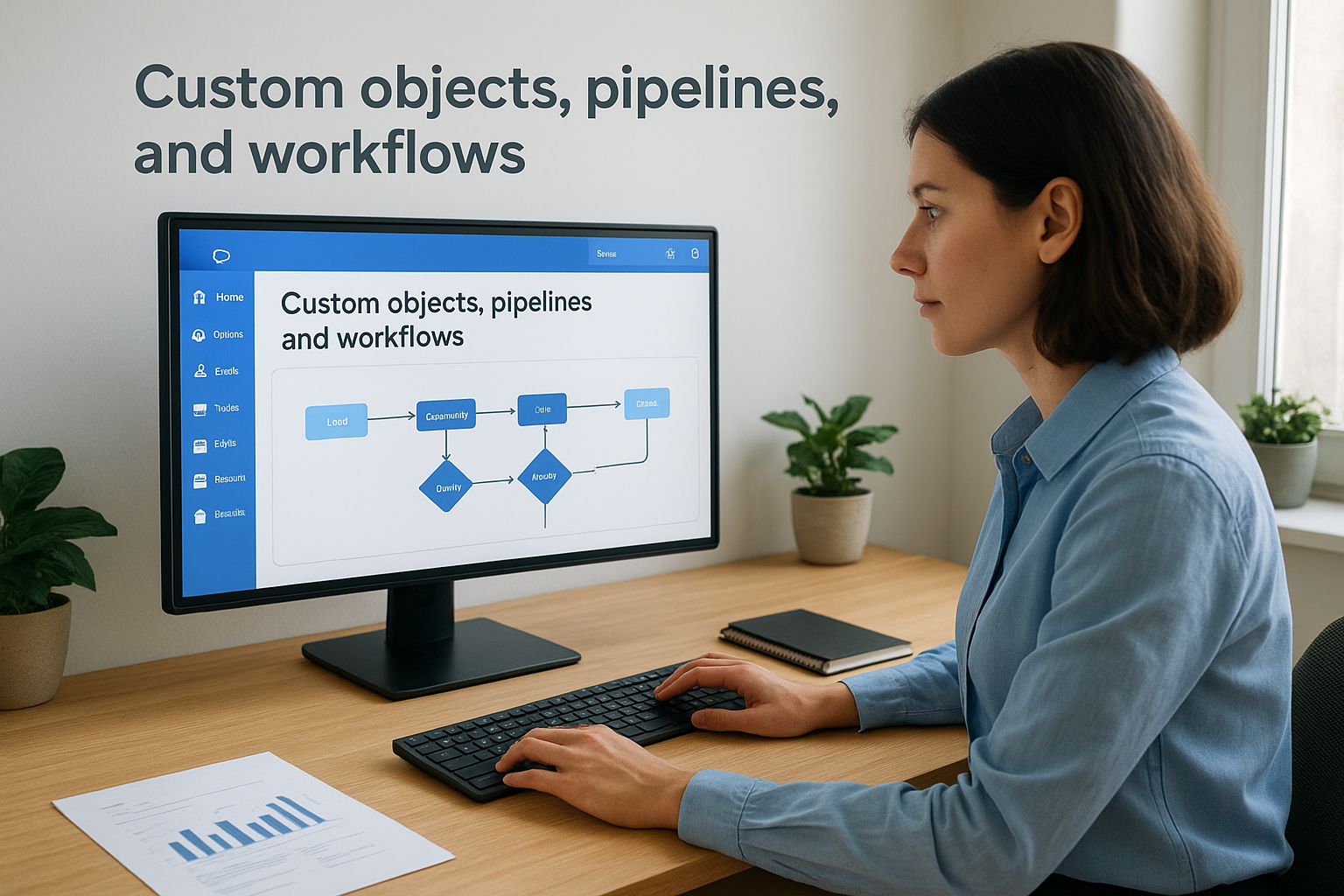
Salesforce lets you build custom objects, fields, and record types to model your exact sales process. You can configure multiple pipelines and automated workflow rules that trigger actions based on virtually any condition, giving your operations team granular control over how deals move through the system.
Reporting, forecasting, and dashboards
The platform includes robust reporting and forecasting tools that surface pipeline health, rep performance, and deal stage data in real time. Your leadership team can build custom dashboards from a wide library of chart types and metrics, tracking the numbers that drive decisions at every level of the organization.
Salesforce's forecasting capabilities are among the most detailed available, making it a strong fit for sales organizations that need accurate revenue projections at scale.
AI features and automation depth
Salesforce's Einstein AI layer adds predictive lead scoring, opportunity insights, and automated activity capture across the platform. Flow Builder handles complex multi-step automation without requiring custom code in most cases, though unlocking the full AI feature set requires higher-tier plans.
Integrations, AppExchange, and admin needs
The AppExchange marketplace offers thousands of pre-built integrations covering nearly every business category. Managing those integrations and maintaining custom configurations typically requires a dedicated Salesforce administrator, which adds meaningful operational cost beyond your license fees.
Pricing and what can increase total cost
Pricing starts at $25 per user per month on the Starter Suite but climbs fast once you add advanced automation or Einstein AI. Professional services, admin overhead, and AppExchange add-ons can push your total investment significantly beyond the base license price.
4. Zoho CRM
Zoho CRM targets small to mid-sized businesses that need a feature-rich platform without paying enterprise-level prices. It consistently shows up in customer relationship management software reviews because it covers a broad range of sales functionality at a price point that stays accessible even as your team grows.
What Zoho CRM is best at
Zoho performs best when your team needs flexibility across sales, communication, and data management without committing to expensive per-user pricing tiers. It suits businesses that want a configurable system they can adapt as their sales process evolves, particularly teams that already use or plan to use other Zoho products in their daily operations.
Sales pipelines, multichannel tracking, and modules
Zoho CRM gives you customizable pipelines and deal stages that map to your actual sales process rather than forcing a generic structure on your team. You can track customer interactions across email, phone, live chat, and social channels from within the same platform, giving your team a unified view of each contact without switching tools.
Automation tools and process controls
The platform includes workflow automation, macros, and Blueprint process controls that let you standardize how deals progress and how your team handles repetitive tasks. You can set up approval processes and escalation rules to keep deals moving without manual oversight at every stage.
Zoho's Blueprint feature lets you map out exact process steps and enforce them inside the CRM, which reduces the risk of deals stalling due to missed actions.
Reporting, forecasting, and AI assistant features
Zoho CRM includes built-in reports and forecasting dashboards that track pipeline value, deal velocity, and rep-level performance. The AI assistant, Zia, surfaces data anomalies, suggests the best times to contact leads, and flags deals showing risk signals based on historical activity patterns.
Integrations with Zoho suite and third-party apps
The platform connects natively with Zoho Books, Zoho Desk, and Zoho Campaigns, making it a strong choice if you want a broader business suite from one vendor. Third-party integrations cover tools like Google Workspace, Microsoft 365, and Mailchimp through Zoho's marketplace.
Pricing and what can increase total cost
Zoho CRM pricing starts at $14 per user per month on the Standard plan. Costs climb when you add advanced AI features, custom modules, or higher-tier plans like Enterprise or Ultimate, which unlock premium analytics and extended automation capacity.
5. Pipedrive
Pipedrive is a sales-focused CRM built around pipeline visibility and activity-based selling. It targets sales reps and small teams that want a clean, intuitive tool for tracking deals and daily tasks without wading through features they'll never use.
What Pipedrive is best at
This platform performs best when your team's priority is keeping deals moving through a visual pipeline without the configuration overhead of enterprise CRMs. It suits businesses that run straightforward B2B or B2C sales cycles and want a system your reps will actually adopt and use every day.
Pipeline setup and day-to-day usability
Pipedrive's drag-and-drop pipeline interface lets you set up deal stages quickly and adjust them as your process evolves. Your team can move deals forward, log activities, and track next steps without deep CRM training, which keeps daily usage consistent across the entire sales organization.
Activity tracking, email sync, and sequences
The platform tracks calls, emails, and tasks tied to each deal record, so your team always knows where a contact stands. You can sync your Gmail or Outlook inbox directly, logging communication automatically without manual entry, and run email sequences to keep follow-ups on schedule.
Consistent activity tracking inside Pipedrive reduces the chance of deals stalling because a follow-up slipped through the cracks.
Automation, add-ons, and AI assistance
Pipedrive includes workflow automation that triggers actions like task creation, stage changes, and email sends based on deal activity. The AI Sales Assistant surfaces deal insights and recommends next actions, though deeper automation capabilities require higher-tier plans or paid add-ons like LeadBooster.
Integrations and workflow compatibility
Over 400 third-party tools connect through Pipedrive's marketplace, covering email, calendar, reporting, and communication apps. It fits well into existing Google Workspace and Microsoft 365 environments without requiring significant technical setup on your end.
Pricing and what can increase total cost
Pipedrive starts at $14 per user per month on the Essential plan. Costs rise when you add paid add-ons like LeadBooster or Campaigns, and advanced reporting and automation push you toward higher tiers quickly.
6. Freshsales
Freshsales is a CRM built by Freshworks that targets sales teams looking for a system with built-in communication tools and AI-assisted selling features. It shows up regularly in customer relationship management software reviews because it packages telephony, email, and chat alongside pipeline management without requiring third-party add-ons for basic outreach.
What Freshsales is best at
Freshsales performs best when your team needs a clean, all-in-one sales platform that handles calling and contact management from day one. It suits small to mid-sized sales teams that want to reduce tool sprawl and get reps productive quickly without an extensive setup process.
Built-in calling and communications workflows
The platform includes built-in phone, email, and chat capabilities that connect directly to contact records, so your reps can reach out without leaving the CRM. You can log calls automatically, record conversations, and track communication history at the deal and contact level, which keeps your pipeline data accurate without manual entry.
Built-in calling removes the integration complexity that trips up teams trying to connect a separate dialer to their CRM.
Lead scoring, pipelines, and lifecycle stages
Freshsales gives you customizable pipeline views and lifecycle stage tracking that map deals from first contact through close. The AI-powered lead scoring model ranks your contacts based on engagement signals, so your team can prioritize the leads most likely to convert rather than working through a flat, unranked list.
Automation and AI assistant features
Freddy AI, Freshsales's built-in assistant, surfaces next-best-action suggestions, deal insights, and email writing help directly in your workflow. You can build automated sequences and workflow rules that trigger follow-up tasks, stage changes, and notifications based on contact behavior.
Integrations with Freshworks and third-party apps
Freshsales connects natively with Freshdesk, Freshchat, and other Freshworks products, making it a strong fit if you already operate within that ecosystem. Third-party integrations cover Google Workspace, Microsoft 365, and Zapier for broader workflow connectivity.
Pricing and what can increase total cost
Freshsales offers a free plan for up to three users, with paid tiers starting at $9 per user per month. Costs rise when you add AI features, phone credits, or advanced reporting through higher-tier Growth and Pro plans.
7. monday CRM
monday CRM is a flexible sales platform built on the monday.com Work OS, targeting teams that need to manage both deals and the operational work that surrounds them. It appears in many customer relationship management software reviews because it blends pipeline tracking with the kind of project-style visibility that most traditional CRMs skip entirely.
What monday CRM is best at
monday CRM performs best when your sales and operations teams need to share visibility across deals and the tasks that support them. It suits businesses where selling involves coordination across multiple departments or where your team needs to track non-sales work alongside pipeline activity.
Pipelines plus project-style workflows
The platform gives you customizable board-based pipelines that track deals through stages you define. Unlike standard CRMs, you can also build adjacent boards for onboarding, handoffs, or post-sale work, keeping your team aligned across the full customer lifecycle without switching to a separate project tool.
This makes monday CRM a particularly strong fit for teams where sales and delivery overlap significantly.
Automations, templates, and collaboration features
monday CRM includes no-code automation recipes that trigger actions like status updates, notifications, and task assignments when deal conditions change. A library of templates lets your team get structured pipelines and workflows running quickly, and built-in collaboration tools keep communication visible directly on each record.
Reporting and sales forecasting options
You get dashboards that pull data across multiple boards, giving leadership a consolidated view of pipeline value, deal stage distribution, and rep activity. Sales forecasting widgets let you project revenue based on deal probability and close date without exporting data to a separate spreadsheet.
Integrations and operational fit
monday CRM connects with tools like Slack, Google Workspace, Microsoft 365, and Zoom through its integrations center. The platform fits particularly well in organizations that already use monday.com for project management, since boards and data can flow between workspaces without duplication.
Pricing and what can increase total cost
Paid plans start at $12 per user per month, with a three-seat minimum. Costs rise when you add advanced automation capacity, higher-tier dashboards, or larger team sizes, and some enterprise-grade features require the top plan tier.
8. Microsoft Dynamics 365 Sales
Microsoft Dynamics 365 Sales is an enterprise-focused CRM that fits organizations already running on Microsoft infrastructure. It shows up in many customer relationship management software reviews because it offers deep integration with tools your team likely already uses daily, particularly if your business runs on Microsoft 365 or Azure.
What Dynamics 365 Sales is best at
Dynamics 365 performs best when your organization needs a tightly connected sales and operations environment built on familiar Microsoft tools. It suits larger businesses with dedicated IT resources that can configure and maintain a platform designed for complex, multi-department sales processes.
Lead, opportunity, and account management
The platform gives you structured lead and opportunity records that track contacts, activities, and deal progress in a familiar interface. Your team can manage account hierarchies and contact relationships at a level of detail that works well for enterprise sales cycles where multiple stakeholders are involved in a single deal.
Reporting, forecasting, and analytics strengths
Dynamics 365 connects directly with Power BI, giving your leadership team access to rich sales dashboards and forecasting reports that pull live CRM data. Building custom dashboards and drill-down reports requires no separate analytics tool, which is a genuine advantage for data-driven sales organizations.
This direct Power BI connection removes a layer of data exporting that slows decision-making in most CRM setups.
Automation and AI capabilities
The platform includes Copilot AI features that summarize meeting notes, draft email responses, and surface deal insights directly inside the CRM interface. Workflow automation handles task creation, record updates, and approval routing based on conditions you configure through the built-in automation designer.
Integrations with Microsoft 365 and the Power Platform
Dynamics 365 connects natively with Outlook, Teams, and SharePoint, keeping your sales activity visible across the tools your team already relies on. The Power Platform extends the CRM further through Power Automate and Power Apps, letting you build custom workflows and lightweight applications without heavy development work.
Pricing and what can increase total cost
Pricing starts at $65 per user per month on the Professional plan. Costs rise when you add Copilot AI features, Power BI Pro licenses, or additional Power Platform capacity, particularly as your team scales and requires more advanced automation depth.
9. Zendesk Sell
Zendesk Sell is a sales CRM designed to sit alongside Zendesk's broader customer service platform. It shows up in many customer relationship management software reviews because it gives sales teams a clean pipeline tool that connects naturally with the support data your service team already manages, reducing the blind spots that often slow down customer conversations.
What Zendesk Sell is best at
Zendesk Sell performs best when your organization runs both sales and support operations and wants those functions to share customer context. It suits teams where your reps need visibility into support history before reaching out, which improves the quality of every interaction without requiring manual research across disconnected systems.
Sales pipeline and contact management
The platform gives you visual pipeline boards and customizable deal stages that let your team track opportunities from first contact through close. Contact records aggregate email, call, and activity history in one place, so your reps walk into every conversation with full context on where each relationship stands.
Communication tracking and productivity tools
Zendesk Sell includes built-in email tracking, call logging, and a click-to-dial feature that keeps your communication history accurate without depending on reps to manually record every interaction. Your team can set task reminders and activity sequences directly from deal records, which keeps follow-ups on schedule even during high-volume periods.
Centralizing call and email tracking inside your CRM keeps pipeline data reliable without putting the burden of manual logging on your sales reps.
Reporting and sales team visibility
The platform includes pre-built sales reports and goal tracking dashboards that give leadership a real-time view of pipeline health and rep performance. You can filter results by deal stage, individual rep, or time period to identify where deals stall and which outreach activities drive the most consistent conversions.
Best-fit scenarios with Zendesk Service
Zendesk Sell works best when your business already operates Zendesk for customer support. The native connection between Sell and Zendesk Service lets your reps see open support tickets and customer history directly inside deal records, adding context that makes every sales conversation more relevant.
Pricing and what can increase total cost
Paid plans start at $19 per user per month on the Team tier. Costs rise when you add advanced reporting capabilities or higher-tier plans that unlock fuller automation features and enterprise-level analytics tools.
10. Copper
Copper is a CRM designed specifically for Google Workspace users, built to sit inside Gmail and sync natively with Google Calendar without requiring separate data entry. It stands out in most customer relationship management software reviews because it targets a specific user and solves a real problem: keeping your CRM updated when your team lives inside their inbox all day.
Gmail and Google Calendar centered workflows
Copper embeds directly inside Gmail as a sidebar panel, letting your reps view contact details, deal status, and activity history without leaving their inbox. You can log emails, add notes, and move deals forward entirely from within Gmail, which dramatically reduces the time your team spends switching between tools just to keep records current.
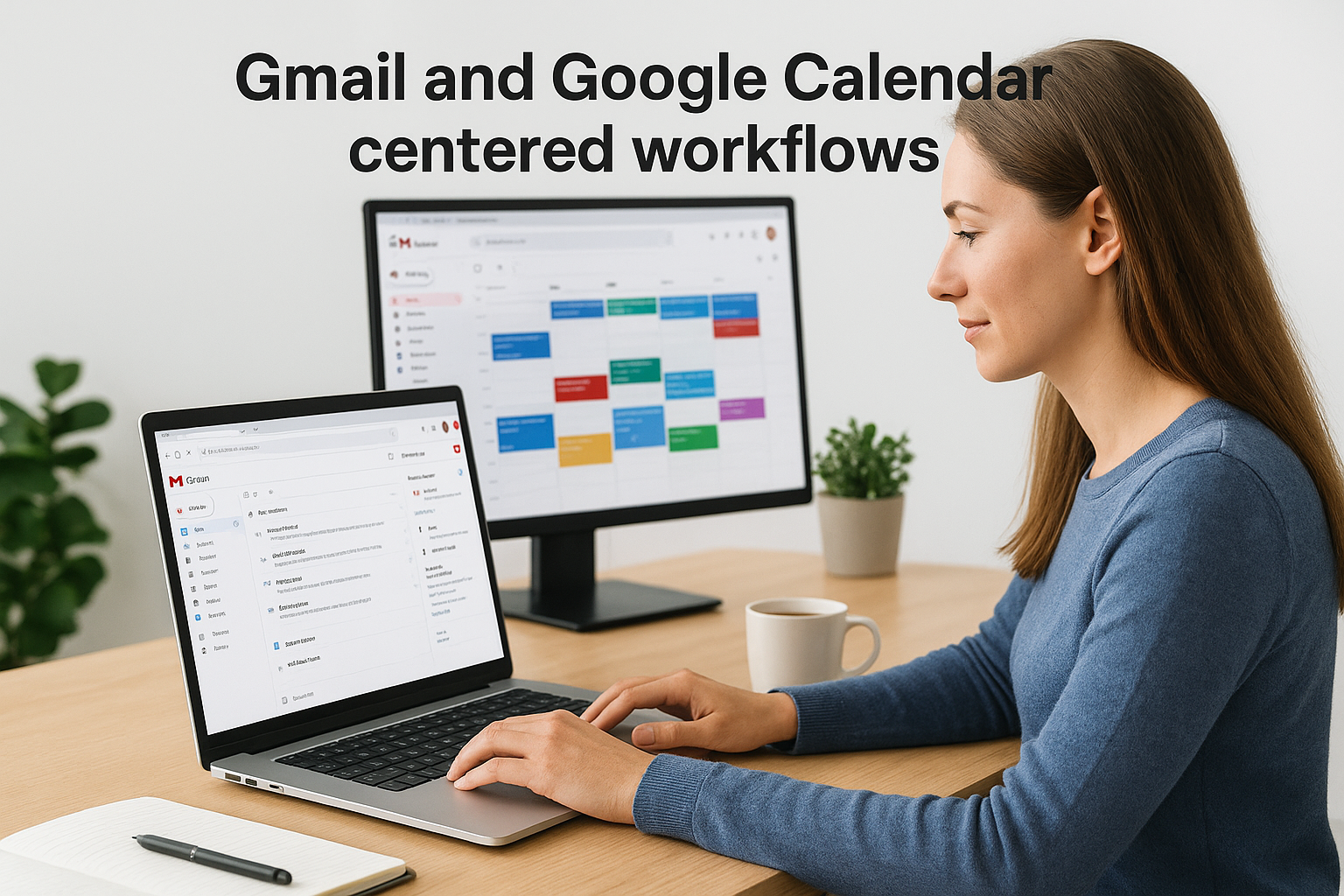
For teams where Google Workspace is the operational foundation, Copper removes more friction than any general-purpose CRM can.
Pipeline management and relationship tracking
The platform gives you visual pipeline boards and customizable deal stages that track opportunities from first contact through close. Copper automatically links contacts, emails, and calendar events to the right deal records, so your pipeline stays accurate even when your reps are too busy to manually update every field.
Reporting and automation capabilities
Copper includes pre-built reports and custom dashboard views that surface deal velocity, rep performance, and pipeline health without requiring advanced configuration. You can set up automated task creation and follow-up reminders triggered by deal stage changes, keeping your team on schedule without constant manual oversight.
Integrations and Google Workspace fit
Beyond its native Google integration, Copper connects with tools like Slack, Zapier, and LinkedIn to expand your workflow options. It fits best in organizations where Google Workspace already serves as the primary productivity environment, since that's where Copper's native sync delivers the most consistent value for your sales team.
Pricing and what can increase total cost
Copper plans start at $9 per user per month on the Starter tier. Costs climb when you need advanced reporting, larger contact limits, or workflow automation features that sit behind higher-tier plans.
11. Close
Close is a sales-focused CRM built for outbound-heavy teams that need calling, email, and SMS built directly into the platform rather than connected through third-party integrations. It comes up frequently in customer relationship management software reviews because it targets a specific type of sales operation where speed of outreach and communication volume determine whether you hit your numbers or fall short.
What Close is best at
Close performs best when your team runs high-volume outbound sales campaigns and needs a CRM that treats communication as a first-class feature rather than an add-on. It suits inside sales teams, SDR teams, and small sales organizations where reps spend most of their day on the phone or in email threads, not configuring complex pipeline logic.
Calling and outbound sales workflows
The platform includes a built-in power dialer and predictive dialer that lets your reps work through call lists without switching to a separate tool. You can record calls, review recordings directly in the CRM, and track connection rates across your team, which gives sales managers clear visibility into outreach activity without relying on self-reported data.
This level of native calling functionality removes the integration friction that slows down most outbound teams relying on a separate dialer alongside their CRM.
Lead views, sequences, and task execution
Close gives you customizable lead views and smart filters that let your reps surface the right contacts at the right time without manually sorting through the pipeline. You can build multi-step sequences that combine calls, emails, and SMS across a single automated follow-up flow, keeping outreach consistent without requiring your reps to remember every next step manually.
AI writing and call intelligence features
Close includes AI-powered email writing assistance and call summaries that reduce the time your reps spend on administrative tasks after each conversation. Automated call transcription and summarization tools let your managers review activity quickly without listening to full recordings for every interaction.
Integrations and data movement needs
Close connects with tools like Zapier, Slack, and Zoom for broader workflow integration, though its native integration library is smaller than enterprise CRM platforms. Teams with complex data movement needs may need to rely on API connections or Zapier workflows to fill gaps.
Pricing and what can increase total cost
Close starts at $49 per month on the Startup plan, which covers a small number of users. Costs rise when your team grows, when you need advanced dialer features or higher call minute allowances, and when larger seat counts push you toward upper-tier plans.
12. Creatio
Creatio is a CRM and business process automation platform that targets mid-sized to enterprise organizations that need deep customization without relying on traditional coding. It appears in many customer relationship management software reviews because it takes a different approach from most CRMs, putting no-code process design at the center of the platform rather than treating it as a premium feature layer.
What Creatio is best at
Creatio performs best when your sales process is highly specific and standard CRM templates won't capture how your team actually works. It suits organizations with dedicated operations staff who can build and maintain complex workflows through the platform's visual design tools rather than writing custom code.
No-code customization and process design
Creatio's no-code Studio environment lets your team build custom applications, data models, and process flows through a visual interface without developer involvement in most cases. You can design entire business workflows, from lead intake through contract approval, using drag-and-drop process builders that map directly to how your organization operates.
This level of process control makes Creatio a strong fit for businesses whose sales operations don't match the assumptions built into standard CRM pipelines.
Sales workflows, routing, and approvals
The platform gives you configurable sales pipelines and lead routing rules that automatically assign records based on criteria your team defines. You can build multi-step approval workflows that route deals or documents to the right stakeholders before progressing, which keeps your process controlled without requiring manual oversight at every stage.
Reporting, dashboards, and AI features
Creatio includes built-in analytics dashboards and sales performance reports that surface pipeline data, conversion rates, and team activity in real time. The platform's AI tools support predictive scoring and next-best-action recommendations, though accessing the full AI capability set typically requires higher-tier plan configurations.
Integrations, APIs, and admin requirements
Creatio supports REST API connections and a marketplace of pre-built integrations covering communication, ERP, and marketing tools. Managing more complex configurations typically requires a dedicated administrator with platform experience, particularly for enterprise-level deployments with layered process logic.
Pricing and what can increase total cost
Creatio uses a composite pricing model that combines platform access fees with per-user costs. Total cost rises when you add expanded automation capacity, additional AI modules, or higher user counts, making it important to map your actual usage needs before committing to a plan structure.
Next Steps
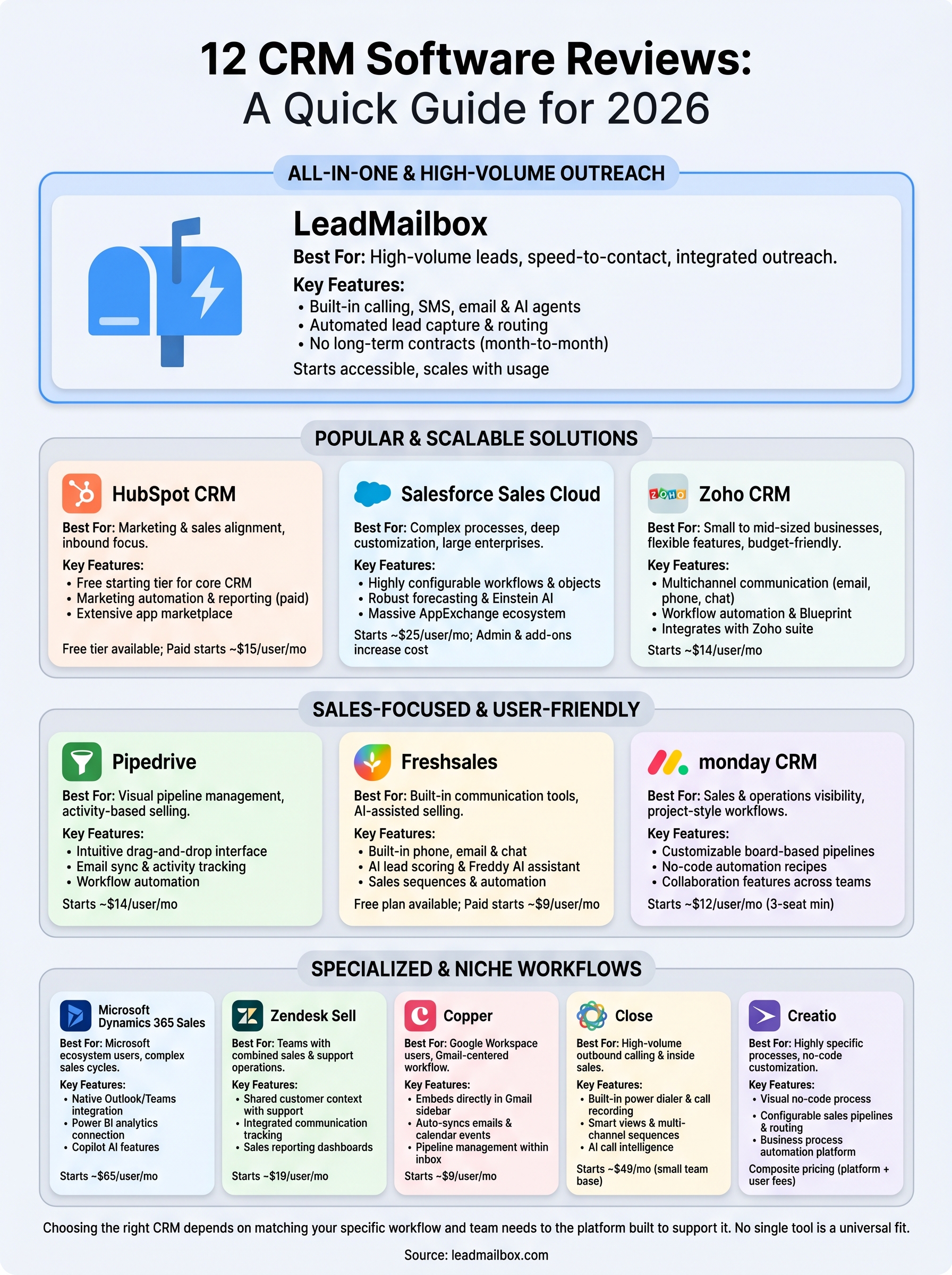
These customer relationship management software reviews give you a direct comparison of twelve platforms, covering what each one actually does well, where each one falls short, and what your real cost looks like once you factor in the tools your team needs to do their job. No CRM is the right fit for every team, so the best move is matching your specific workflow to the platform built to support it.
If your team handles high lead volumes, relies on phone and SMS outreach, and needs AI-powered communication tools without building a stack of separate products, LeadMailbox is worth a close look. The platform combines lead aggregation, telephony, and AI agents into one system at a price built for growing sales teams, not enterprise budgets.
Start with a clear picture of your daily sales workflow and the features your reps actually use. Then explore LeadMailbox's lead management and sales tools to see how the platform fits what your team needs right now.