

12 Best Customer Relationship Management Software in 2026
Picking the best customer relationship management software feels harder than it should. There are hundreds of platforms out there, each claiming to be the one that'll finally get your sales team organized. Some are built for enterprises with 500-person sales floors. Others are glorified spreadsheets with a monthly fee. The gap between what you actually need and what most CRM lists recommend is often enormous, especially if you're running a small or mid-sized sales operation.
What most businesses really want is straightforward: a central place to manage leads, track conversations, and close more deals without juggling six different tools. That's exactly the problem we solve at LeadMailbox. We've spent over 20 years building a lead management and sales enablement platform that brings lead aggregation, calling, texting, email campaigns, and AI-powered outreach into one system. So when we evaluate CRMs, we're not just reading feature lists, we're looking at them through the lens of people who actually sell for a living.
This guide breaks down 12 CRM platforms worth considering in 2026, with honest takes on features, pricing, strengths, and trade-offs. Whether you need a full-suite enterprise solution or a lean tool that pairs well with a dedicated lead management platform like ours, you'll find a solid match on this list. Let's get into it.
1. LeadMailbox
LeadMailbox has been in the lead management business since 2004, which gives it a depth that newer platforms simply don't have. If you're evaluating the best customer relationship management software options and need something that goes beyond contact tracking into actual sales execution, LeadMailbox is worth a close look. The platform combines lead aggregation, multi-channel outreach, and AI-powered communication tools into a single system built for sales teams that live on the phones and in their inboxes.

Best for
This platform works best for small to mid-sized sales teams that handle high volumes of inbound leads from multiple sources. If your team spends significant time making calls, sending texts, and running email campaigns, LeadMailbox is built around that exact workflow. It's particularly well-suited for businesses that pull leads from multiple external partners or lead vendors and need one place to organize, prioritize, and act on all of them.
- Sales teams managing high-volume inbound lead flows
- Businesses using multiple lead sources or lead vendors
- Companies looking to replace several point solutions with one platform
- Operations that rely on phone-based outreach as a primary sales channel
Standout features
The telephony suite is where LeadMailbox separates itself from most CRMs. You get click-to-call, a power dialer, insta-call functionality, and inbound number management all in one place, which means your reps aren't toggling between a CRM and a separate phone system throughout the day. The platform also includes AI agents that can respond to text messages, answer incoming calls, and draft emails, letting you stay responsive without adding headcount.
LeadMailbox integrates with hundreds of lead partners, which means you can consolidate your entire lead pipeline into one dashboard instead of logging into multiple portals every morning.
On the communication side, the SMS and email campaign tools include personalized marketing support, so your outreach feels targeted rather than generic. All of these tools are built to work together inside one unified platform, which is the core advantage LeadMailbox offers over piecing together separate tools.
Limits to know
LeadMailbox is purpose-built for lead management and sales execution, so if you need deep project management features, complex CRM customization, or enterprise-level reporting dashboards, you may find the platform more focused than you expected. It's not trying to be everything to every department. Businesses that need heavy workflow automation across non-sales functions like HR, procurement, or customer support will likely want to pair it with additional tools.
Pricing
LeadMailbox runs on a month-to-month subscription model, which removes the risk of being locked into a long-term contract before you know if the platform fits your team. This structure works well for growing operations that need flexibility as their headcount or lead volume shifts over time.
Pricing is positioned as a cost-effective alternative to larger enterprise CRM platforms, making it accessible for smaller sales operations that don't have six-figure software budgets. You can visit leadmailbox.com directly to get current plan details and see which tier fits your team size.
2. Salesforce Sales Cloud
Salesforce Sales Cloud is the name most people think of first when searching for the best customer relationship management software, and that reputation is earned. It's one of the most feature-rich platforms on the market, with a massive ecosystem of integrations and third-party apps through its AppExchange marketplace. If your organization has the budget and technical resources to get the most out of it, Salesforce delivers serious power.

Best for
Salesforce Sales Cloud fits large sales organizations and enterprises that need deep customization, complex workflow automation, and the ability to scale across multiple teams and regions. If your operation runs on structured sales processes with multiple approval stages, this platform is built to handle that level of complexity.
- Enterprise sales teams with dedicated CRM administrators
- Companies with complex pipeline structures and reporting needs
- Organizations requiring deep integration with other enterprise software
Standout features
The platform gives you advanced pipeline management, AI-powered forecasting through Einstein AI, and detailed reporting dashboards that let you slice data in almost any direction. Its AppExchange marketplace offers thousands of integrations, so you can connect Salesforce to nearly any tool your team already uses.
Salesforce's Einstein AI can surface deal insights and flag at-risk opportunities before they fall through, which gives sales managers a meaningful edge in forecasting accuracy.
Workflow automation is also a standout, letting teams build multi-step processes that trigger based on deal stage changes, contact activity, or custom field updates without writing a line of code.
Limits to know
Salesforce comes with a steep learning curve and significant implementation costs that can catch smaller teams off guard. You'll likely need a dedicated admin or outside consultant to configure it properly, and that adds real cost beyond the base subscription price.
Pricing
Salesforce Sales Cloud starts at $25 per user per month for the Starter Suite, with more capable tiers running significantly higher. Most growing teams end up on the Enterprise plan at $165 per user per month or above once they need the full automation and analytics capabilities.
3. HubSpot CRM
HubSpot CRM is one of the most recognizable names among businesses searching for the best customer relationship management software. It built its reputation on offering a genuinely free base product that gives small teams real functionality without a credit card, and that accessibility has helped it grow into a platform used by hundreds of thousands of companies worldwide.
Best for
HubSpot CRM is a strong fit for small businesses and growing teams that want a clean, easy-to-use platform without a heavy implementation process. If your team is moving away from spreadsheets for the first time or wants a CRM that connects tightly to marketing tools, HubSpot delivers a smooth starting point with clear room to scale.
- Teams new to CRM software who need a low-friction setup
- Businesses running content marketing or inbound campaigns alongside sales
- Companies that want marketing, sales, and service tools under one brand
Standout features
HubSpot's free tier includes contact management, deal tracking, email templates, and meeting scheduling with no time limit, which makes it easy to test the platform before committing any budget. As you move up to paid tiers, you unlock marketing automation, advanced reporting, and a sequences tool that lets reps automate personalized outreach across email and tasks without leaving the platform.
HubSpot's unified platform means your marketing and sales teams share the same contact data, which cuts down on the sync issues that usually come from running separate tools for each function.
Limits to know
The free plan loses its appeal once your contact list grows or your automation needs increase. Many of the features that make HubSpot genuinely powerful sit behind the Professional and Enterprise tiers, which carry significant monthly costs plus mandatory onboarding fees that can catch teams off guard during budget planning.
Pricing
HubSpot CRM's free plan covers the basics with no expiration. The Sales Hub Starter plan begins at $15 per user per month, while the Professional plan runs $90 per user per month. Enterprise pricing sits higher still and typically requires a one-time onboarding fee on top of the subscription cost.
4. Zoho CRM
Zoho CRM is one of the most versatile options on this list, and it consistently ranks among businesses looking for the best customer relationship management software at a price that doesn't require a major budget commitment. Zoho has built a broad ecosystem of business tools, and its CRM sits at the center of that stack, making it a natural fit for teams that already use or plan to adopt other Zoho products like Zoho Books, Zoho Desk, or Zoho Campaigns.
Best for
Zoho CRM works especially well for budget-conscious small and mid-sized businesses that need a capable platform without paying enterprise-level prices. If your team handles sales across multiple communication channels and wants strong automation at a reasonable cost, this platform gives you a lot of leverage per dollar spent.
- Small businesses moving off spreadsheets with limited software budgets
- Teams already invested in the Zoho product ecosystem
- Sales operations that need multichannel outreach tools built in
Standout features
The platform's Zia AI assistant can analyze your sales activity, predict deal outcomes, and suggest the best times to contact prospects based on engagement history. Beyond AI, Zoho CRM gives you workflow automation, lead scoring, and an omnichannel inbox that pulls together email, phone, live chat, and social interactions in one view.
Zoho's level of customization is notably deep for its price range, letting you build custom modules, fields, and layouts that match your actual sales process rather than forcing your team to adapt to a rigid structure.
Zoho also offers a free plan for up to three users, which is a real free plan with core CRM functionality, not a trial.
Limits to know
The sheer number of features and configuration options can overwhelm new users who just want to get up and running quickly. Some of the more powerful capabilities, like advanced analytics and custom reports, sit behind higher-tier plans, so the cost can climb as your needs grow.
Pricing
Zoho CRM's free plan supports up to three users with core features included. Paid plans start at $14 per user per month for the Standard tier, with Professional at $23, Enterprise at $40, and Ultimate at $52 per user per month, all billed annually.
5. Pipedrive
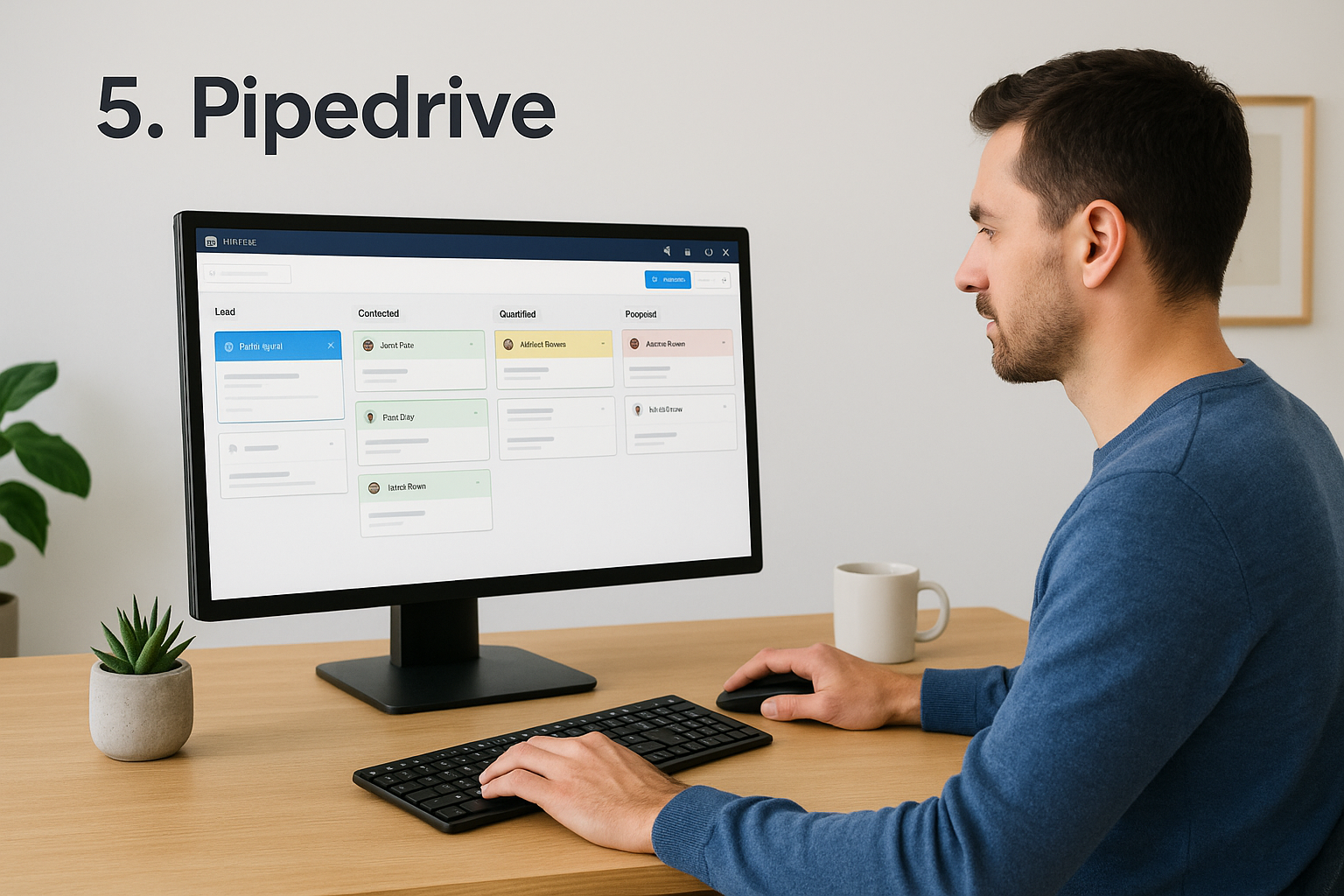
Pipedrive is a sales-focused CRM built around the idea that managing a pipeline should be visual and intuitive. Unlike platforms that pack in every possible feature, Pipedrive keeps its interface clean and centers the entire experience around deal progression, making it one of the more approachable options for teams that want to see exactly where each opportunity stands without digging through menus.
Best for
Pipedrive suits sales-driven teams of any size that want a CRM where the pipeline view is the main event rather than an afterthought. If your reps spend most of their day moving deals forward and need a tool that reflects that priority clearly, this platform delivers a focused experience that keeps the most important information front and center.
- Small to mid-sized sales teams that prioritize pipeline visibility
- Businesses that want fast setup and a low learning curve
- Teams that need solid reporting without enterprise-level complexity
Standout features
The visual drag-and-drop pipeline is Pipedrive's defining feature, letting you move deals between stages with a single click while keeping all related contact history attached to each card. The platform also includes built-in email integration, activity reminders, and a smart contact data tool that automatically pulls publicly available information to fill in contact records without manual entry.
Pipedrive's activity-based selling approach nudges your team to always schedule a next step on every open deal, which reduces the chance of leads going cold through simple neglect.
Your team also gets access to an AI-powered sales assistant that surfaces tips based on actual performance data, flagging patterns in how your reps handle follow-ups and deal timing. It's one of the more practical AI features you'll find when comparing the best customer relationship management software options at this price point.
Limits to know
Pipedrive is deliberately narrow in scope, which is a strength for pure sales teams but a limitation if you need native marketing automation, customer support tools, or advanced analytics without add-ons. Workflow automation and detailed reporting sit behind higher-tier plans, so costs can climb quickly as your team's needs expand.
Pricing
Pipedrive's Essential plan starts at $14 per user per month billed annually, with the Advanced plan at $29, Professional at $59, Power at $69, and Enterprise at $99 per user per month. Most growing teams land on the Professional tier once they need full automation and reporting access.
6. Microsoft Dynamics 365 Sales
Microsoft Dynamics 365 Sales is a natural fit for organizations that already run on the Microsoft ecosystem. If your team lives inside Teams, Outlook, and SharePoint every day, Dynamics integrates with those tools at a depth that most third-party CRMs can't match out of the box. When evaluating the best customer relationship management software at the enterprise level, Dynamics 365 brings serious capability across deal management, forecasting, and AI-assisted selling.
Best for
Dynamics 365 Sales works best for mid-to-large enterprises and sales teams that need a CRM closely connected to Microsoft's broader software stack. Companies already invested in Microsoft 365 or Azure get the most value here because the platform is designed to extend what those tools already do rather than replace them.
- Enterprise organizations standardized on Microsoft 365
- Sales teams with complex, multi-stakeholder deal cycles
- Companies that need enterprise-grade security and compliance controls
Standout features
The platform's Copilot AI assistant drafts email responses, summarizes meeting notes, and surfaces deal risks directly inside the CRM, which cuts the administrative work your reps deal with after every customer interaction. Dynamics also includes a built-in LinkedIn Sales Navigator integration that displays relationship intelligence and shared connections without making your team open a separate browser tab.
If your sales cycle involves multiple decision-makers over a long period, Dynamics 365's relationship analytics help you track engagement strength across every contact tied to an account, so you can spot cooling relationships before deals slip.
Limits to know
The platform carries a steep implementation burden that catches teams off guard. Configuring Dynamics 365 properly almost always requires a certified Microsoft partner or a dedicated in-house technical resource, which means your true total cost runs well above the monthly license fee. Teams without an existing Microsoft infrastructure will feel that friction most.
Pricing
Microsoft Dynamics 365 Sales starts at $65 per user per month for the Professional tier. The Premium plan runs $95 per user per month and adds the full Copilot AI feature set along with advanced forecasting and pipeline intelligence tools.
7. Monday CRM
Monday CRM is built on the same visual, flexible foundation as the broader monday.com work management platform. If your team already uses monday.com for project tracking, the CRM layer will feel immediately familiar, and that low onboarding friction is one of its strongest selling points. It's not the deepest sales tool on this list, but it gives you a highly customizable workspace that you can shape around your specific sales process.
Best for
Monday CRM fits teams that want flexibility over rigid structure and prefer setting up their pipeline the way their sales process actually works rather than adapting to a predefined template. It's a practical pick for businesses already inside the monday.com ecosystem, and it holds up well for small to mid-sized sales operations that need a clean, visual way to manage deals without a complicated setup.
- Teams already using monday.com for operations or project management
- Sales managers who want full control over pipeline layout and fields
- Businesses that need CRM functions without heavy technical configuration
Standout features
The platform gives you fully customizable pipelines, contact boards, and deal stages that you build from scratch or adapt from a template, so your CRM reflects how your team actually sells. Monday CRM also includes email sync, activity tracking, and automation recipes that trigger actions based on deal changes, like notifying a manager when a deal moves past a certain stage or a follow-up task is overdue.
Monday CRM's automation library covers a wide range of sales scenarios and requires no coding knowledge, which makes it accessible for sales managers who want to reduce manual work without waiting on a developer.
Limits to know
Monday CRM is not a purpose-built sales platform in the traditional sense. If you're looking for the best customer relationship management software with deep forecasting tools, built-in calling, or native lead scoring, you'll find Monday CRM light on those capabilities compared to platforms like Salesforce or Dynamics 365.
Pricing
Monday CRM's Basic plan starts at $12 per user per month billed annually, with the Standard plan at $17 and the Pro plan at $28 per user per month. An Enterprise tier is available with custom pricing for larger teams that need advanced security and admin controls.
8. Freshsales by Freshworks
Freshsales is the CRM arm of Freshworks, a company that also builds customer support, IT service, and HR tools. If you're shopping for the best customer relationship management software and want something that balances built-in AI, a clean interface, and a reasonable price, Freshsales deserves a spot in your evaluation. It punches above its weight class on automation and contact intelligence relative to what it costs.
Best for
Freshsales fits small to mid-sized businesses that want an AI-powered CRM without the enterprise price tag. If your team needs strong built-in calling, email tracking, and lead scoring in a single platform, Freshsales delivers all three without requiring third-party add-ons to cover the basics.
- Sales teams that need calling and email tools built directly into the CRM
- Businesses already using Freshdesk or other Freshworks products
- Companies that want AI-assisted lead scoring without a complex setup
Standout features
Freshsales includes Freddy AI, which scores leads based on behavior and engagement data, flags deals that are at risk, and suggests the next best action for each open opportunity. Your reps spend less time guessing who to call next because the platform surfaces that information automatically. The built-in phone and email tools let reps handle outreach directly inside the CRM without logging into a separate communication platform.
Freshsales' timeline view shows every interaction a contact has had with your business, including emails opened, calls made, and pages visited on your website, which gives reps real context before they pick up the phone.
Limits to know
Freshsales can feel limited on the reporting side compared to heavier platforms like Salesforce or Dynamics 365. If your sales leadership needs highly customized dashboards or granular pipeline analytics, you may find the native reporting tools fall short of what your team expects at scale.
Pricing
Freshsales offers a free plan for up to three users that covers basic contact and deal management. Paid plans start at $9 per user per month for the Growth tier, with the Pro plan at $39 and the Enterprise plan at $59 per user per month, all billed annually.
9. Zendesk Sell
Zendesk Sell is the sales CRM built inside Zendesk's broader customer experience platform. If your business already uses Zendesk for customer support, adding Sell creates a direct connection between your sales pipeline and your support ticket history, giving your reps context that most standalone CRMs can't offer. For teams searching for the best customer relationship management software that bridges sales and customer service, Sell is worth a serious look.
Best for
This platform works best for businesses that already run Zendesk Support and want their sales and service teams sharing the same customer data without syncing between separate tools. It's also a practical pick for sales teams that prioritize a clean interface and fast ramp time over deep customization or advanced automation.
- Companies using Zendesk for customer support who want unified customer data across both teams
- Small to mid-sized sales teams that need a modern, straightforward CRM
- Businesses that want solid mobile access alongside desktop functionality
Standout features
The platform gives you built-in calling, SMS, and email tools alongside a visual pipeline that lets your reps track deal progression without switching between tabs. Zendesk Sell also includes smart lists and activity reporting that surface which leads need attention and which reps are hitting their activity targets, so sales managers can coach based on actual data rather than guesswork.
Zendesk Sell's native integration with Zendesk Support means your sales reps can see a prospect's full support history before making a call, which removes a common blind spot in the handoff between sales and service teams.
Limits to know
Zendesk Sell is less feature-rich than enterprise platforms like Salesforce or Dynamics 365, and it can feel limiting if your team needs complex workflow automation or advanced territory management. The real value depends heavily on whether you already use Zendesk's support product, so teams outside the Zendesk ecosystem may find better options elsewhere on this list.
Pricing
Sell's Team plan starts at $19 per user per month billed annually, with the Growth plan at $55 and the Professional plan at $115 per user per month. A Suite bundle is also available if you want to combine Sell with Zendesk's support tools under one contract.
10. Copper
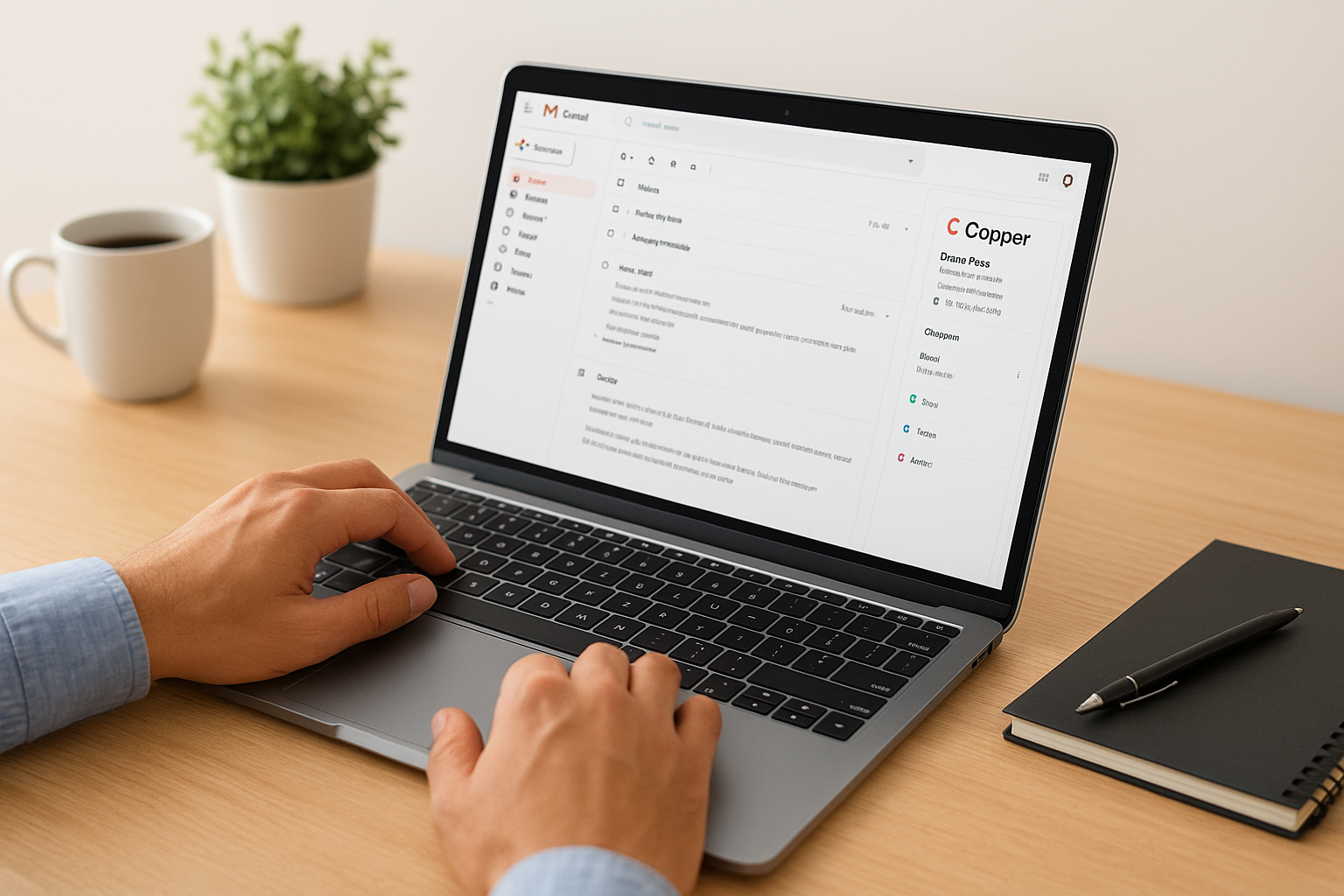
Copper is a CRM built specifically for teams that run their business inside Google Workspace. If your team lives in Gmail, Google Calendar, and Google Drive all day, Copper removes the friction of logging into a separate platform by embedding directly into the tools you already use. When you're evaluating the best customer relationship management software and your entire operation runs on Google, Copper deserves a spot in your shortlist.
Best for
Copper works best for small to mid-sized businesses that are fully committed to Google Workspace and want a CRM that feels like a natural extension of it rather than a separate product to manage. If your sales process depends on email conversations and calendar-based follow-ups, Copper keeps everything organized inside Gmail without forcing your reps to copy and paste data between systems.
- Businesses using Google Workspace as their primary productivity suite
- Relationship-driven sales teams that close deals through email conversations
- Small agencies, consultancies, or service firms with longer sales cycles
Standout features
Copper's Gmail sidebar pulls contact details, deal history, and tasks directly into your inbox, so your reps have full context without opening a new tab. The platform also handles automatic data capture, logging emails and meetings to the right contact records without anyone on your team touching a thing. That alone saves a meaningful amount of time across a busy sales week.
Copper's deep Google Workspace integration means you're not adding another tool to your team's workflow, you're enhancing the one they already use every day.
Limits to know
Copper's tight focus on Google Workspace is both its strength and its ceiling. If your team uses Microsoft 365 or relies on non-Google tools for communication, the platform loses most of its appeal. You'll also find limited built-in reporting and automation compared to broader platforms like HubSpot or Salesforce, which can be a real constraint as your team scales.
Pricing
Copper's Starter plan begins at $9 per user per month billed annually. The Basic plan runs $23, the Professional plan sits at $59, and the Business plan reaches $99 per user per month for teams that need advanced reporting and integrations.
11. Insightly
Insightly takes a different approach from most best customer relationship management software options by pairing CRM tools with a built-in project management layer, which makes it stand out in a field where most platforms focus almost entirely on deal pipeline mechanics. If your business handles longer sales cycles that naturally transition into project delivery or onboarding workflows, Insightly connects those two phases in a way that most platforms treat as separate problems requiring separate tools.
Best for
Insightly fits small to mid-sized businesses where the sale doesn't end at the closed-won stage but flows directly into a fulfillment or delivery process. If your team manages client relationships that require ongoing project work after the initial sale, this platform gives you a unified place to track both the deal and what comes next.
- Service-based businesses where sales leads directly into project delivery
- Small teams that need CRM and basic project management in one tool
- Companies running longer, relationship-driven sales cycles
Standout features
Insightly includes a built-in project management layer that activates automatically when a deal closes, converting it into a project with tasks, milestones, and assigned team members without requiring your team to rebuild everything in a separate tool. The platform also offers relationship linking, which lets you connect contacts, organizations, partners, and opportunities so you always see how your network ties to any given deal.
Insightly's relationship graphs give your reps a clear picture of who knows who inside a target account, which can open doors that a standard contact record would never surface.
Your team also gets email templates, workflow automation, and a reporting dashboard that covers both sales pipeline activity and project status in the same view, removing the need to toggle between two separate platforms throughout the day.
Limits to know
Insightly is not built for high-volume outbound sales teams that need power dialers, advanced lead scoring, or deep telephony tools built in. If those capabilities are central to how your team operates, you'll need to supplement the platform with additional tools. The reporting depth also falls behind enterprise-grade options when your analytics needs get more specific.
Pricing
Insightly's Plus plan starts at $29 per user per month billed annually, with the Professional plan at $49 and the Enterprise plan at $99 per user per month. A limited free plan is available for up to two users covering basic CRM functionality.
12. SugarCRM
SugarCRM is one of the older names in the CRM space, built on open-source roots and a philosophy of giving businesses more control over their data and platform configuration than most cloud-only solutions allow. If you're evaluating the best customer relationship management software for a mid-to-large operation that wants deep customization without being locked into a vendor's prescribed workflow, SugarCRM is worth examining carefully.
Best for
SugarCRM targets mid-sized to enterprise businesses that have the technical resources to take advantage of its flexibility and want a CRM they can configure extensively around their sales process. It's particularly well-suited for organizations with specific compliance or data residency requirements, since SugarCRM offers both cloud and on-premise deployment options that most modern CRMs have abandoned entirely.
- Mid-to-large sales teams with dedicated CRM administrators
- Organizations that need on-premise or private cloud deployment options
- Businesses with complex, industry-specific sales workflows that don't fit standard templates
Standout features
SugarCRM's SugarPredict AI engine analyzes deal data and surfaces insights on which opportunities are most likely to close, helping your sales managers allocate attention and resources more accurately. The platform also gives you strong workflow automation and reporting tools that let your team build processes tailored to multi-step enterprise sales cycles without relying on third-party add-ons to fill the gaps.
SugarCRM's on-premise deployment option is increasingly rare among modern CRM platforms, and it gives businesses in regulated industries a level of data control that cloud-only alternatives simply cannot match.
Your team also benefits from flexible dashboards and module-level customization that let you shape the platform around how your business actually operates rather than forcing your process to fit a rigid out-of-the-box structure.
Limits to know
SugarCRM carries a steeper implementation burden than most platforms on this list. Getting the most out of it typically requires dedicated technical resources or an outside implementation partner, which means your true total cost runs higher than the subscription fee alone suggests. Smaller teams often find the platform more complex than their actual sales needs justify.
Pricing
SugarCRM's Sell Essentials plan starts at $19 per user per month billed annually. The Sell Advanced plan runs $85 per user per month, and the Sell Premier plan sits at $135 per user per month for teams that need full AI-powered forecasting and premium support coverage.
Final thoughts
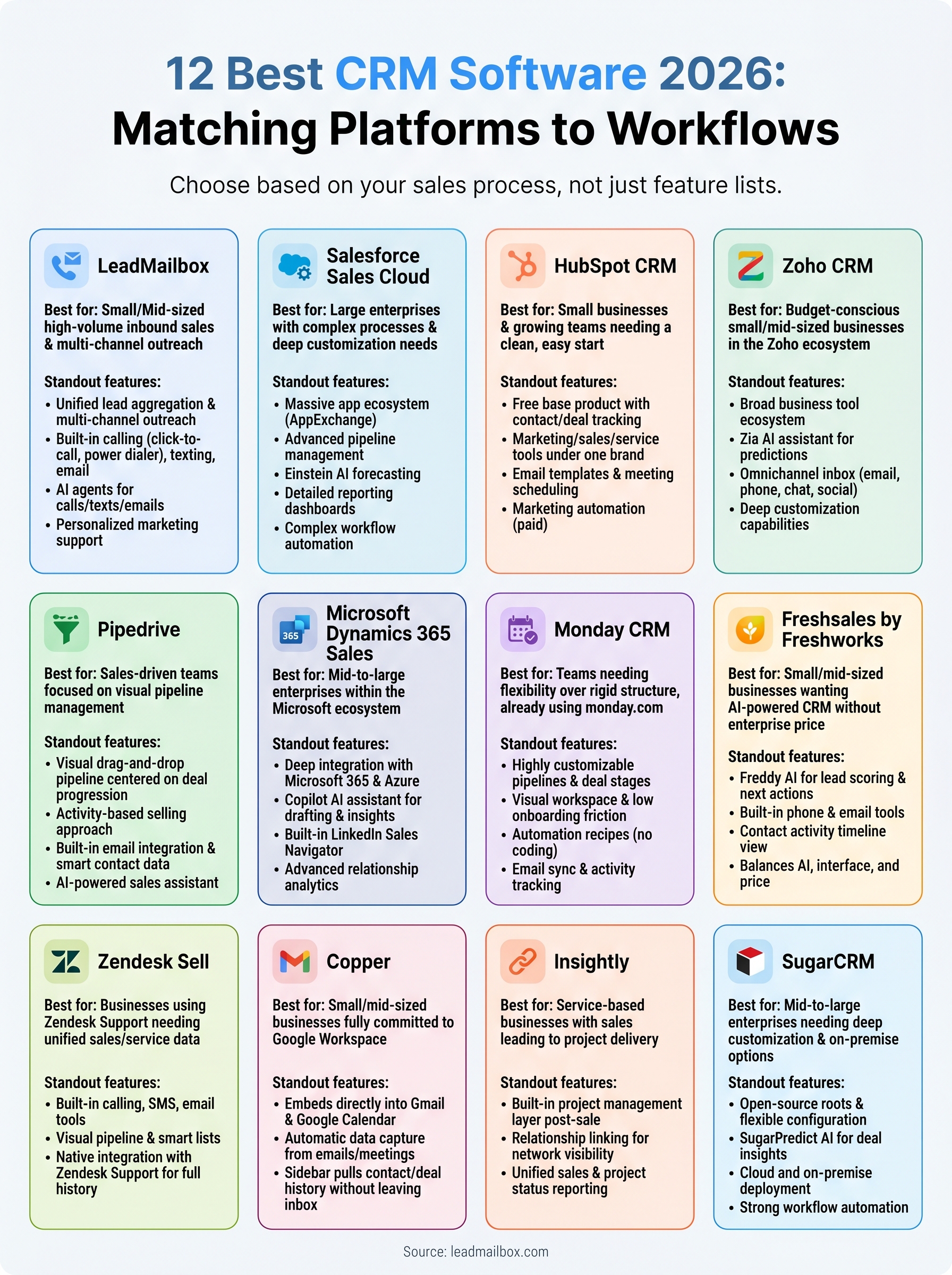
The best customer relationship management software for your team depends on what you actually do every day. If you run a large enterprise with complex approval workflows and deep Microsoft integration, Dynamics 365 or Salesforce makes sense. If you manage high-volume inbound leads and need calling, texting, and email campaigns in one place, a dedicated platform like LeadMailbox gives you more of what your sales team needs without the overhead of tools built for entirely different problems.
No list can make this decision for you, but it can narrow the field. Match the platform to your team's real workflow, not the feature list that looks impressive in a demo. Most platforms on this list offer trials or free tiers, so test before you commit. If lead management and multi-channel outreach sit at the center of your sales process, start with LeadMailbox and see how much simpler your stack can get.