

Sales teams live and die by call volume. The faster and smarter your reps can reach live prospects, the more revenue your business generates. That's why auto dialer software has become a non-negotiable tool for call centers, sales organizations, and lead-driven businesses in 2026. Rather than manually dialing numbers and wasting hours on voicemails, busy signals, and disconnected lines, modern sales teams rely on automated dialing systems to connect them with more leads in less time.
In this guide, we'll break down what auto dialer software is, how it works, the different types available, must-have features, pricing considerations, and how to choose the right solution for your business. We'll also look at how platforms like LeadMailbox combine auto dialing with full lead management and marketing automation to give sales teams a genuine competitive edge.
What Is Auto Dialer Software?
Auto dialer software is a technology that automatically dials phone numbers from a contact list, eliminating the need for agents to manually enter numbers one at a time. Depending on the type of dialer, the system may connect an agent only when a live person answers, play a pre-recorded message, or route the call to the next available representative.
The core purpose of auto dialer software is simple: increase talk time and decrease idle time. Studies on sales productivity consistently show that manual dialing wastes an enormous amount of a rep's day on administrative tasks rather than actual selling. According to research compiled by HubSpot, sales reps spend only about a third of their day actually talking to prospects — the rest is consumed by data entry, dialing, and follow-up scheduling.
Auto dialers solve this bottleneck by:
- Automatically dialing numbers from an uploaded list or CRM
- Detecting voicemails, busy signals, and disconnected numbers
- Instantly connecting agents to live prospects
- Logging call outcomes and updating lead records
- Integrating with CRM and lead management systems for real-time reporting
How Auto Dialers Improve Sales Productivity
The math behind auto dialer ROI is straightforward. If a rep manually dials 40 numbers a day and reaches 10 live conversations, an auto dialer can often push that same rep to 150+ dials and 40-50 live conversations in the same timeframe. That's a 3-4x increase in productivity without adding headcount.
Beyond raw dial volume, auto dialers help sales organizations in several other ways:
- Reduced agent burnout — Repetitive manual dialing is tedious and demoralizing. Automation frees reps to focus on conversations, not clerical work.
- Faster lead response times — Leads contacted within minutes of submission convert at dramatically higher rates than those contacted hours later, a finding supported by research from the Harvard Business Review on lead response management.
- Better call tracking and compliance — Automated systems log every call, timestamp, and outcome, which simplifies reporting and helps maintain compliance with telemarketing regulations.
- Consistent follow-up cadences — Auto dialers can be paired with call scripts and follow-up sequences so no lead falls through the cracks.
- Scalability — Whether you have 3 reps or 300, dialing software scales without requiring proportional increases in administrative overhead.
Types of Auto Dialer Software
Not all auto dialers work the same way. Understanding the different types will help you choose the right fit for your call volume, compliance needs, and sales strategy.
Preview Dialer
A preview dialer shows the agent information about the lead before the call is placed, allowing them to review notes and prepare talking points. This is ideal for complex, high-value sales conversations where personalization matters.
Progressive Dialer
A progressive dialer automatically dials the next number as soon as an agent becomes available, but only calls one number per available agent. This eliminates awkward silence or abandoned calls while still boosting dial speed.
Predictive Dialer
Predictive dialers use algorithms to dial multiple numbers simultaneously based on statistical models of agent availability and expected answer rates. These are best suited for very high-volume call centers, though they carry a higher risk of call abandonment if not properly managed.
Power Dialer
A power dialer sits between progressive and predictive dialers, calling numbers in a fixed ratio and moving quickly through lists while still connecting agents almost immediately when someone answers. This is often the sweet spot for small-to-midsize sales teams.
Click-to-Call
Click-to-call tools let reps initiate a call with a single click directly from a CRM record or lead list, without dialing manually. While not a full automation solution, it dramatically speeds up the calling workflow and integrates seamlessly with lead databases — a feature built directly into LeadMailbox's telephony suite.
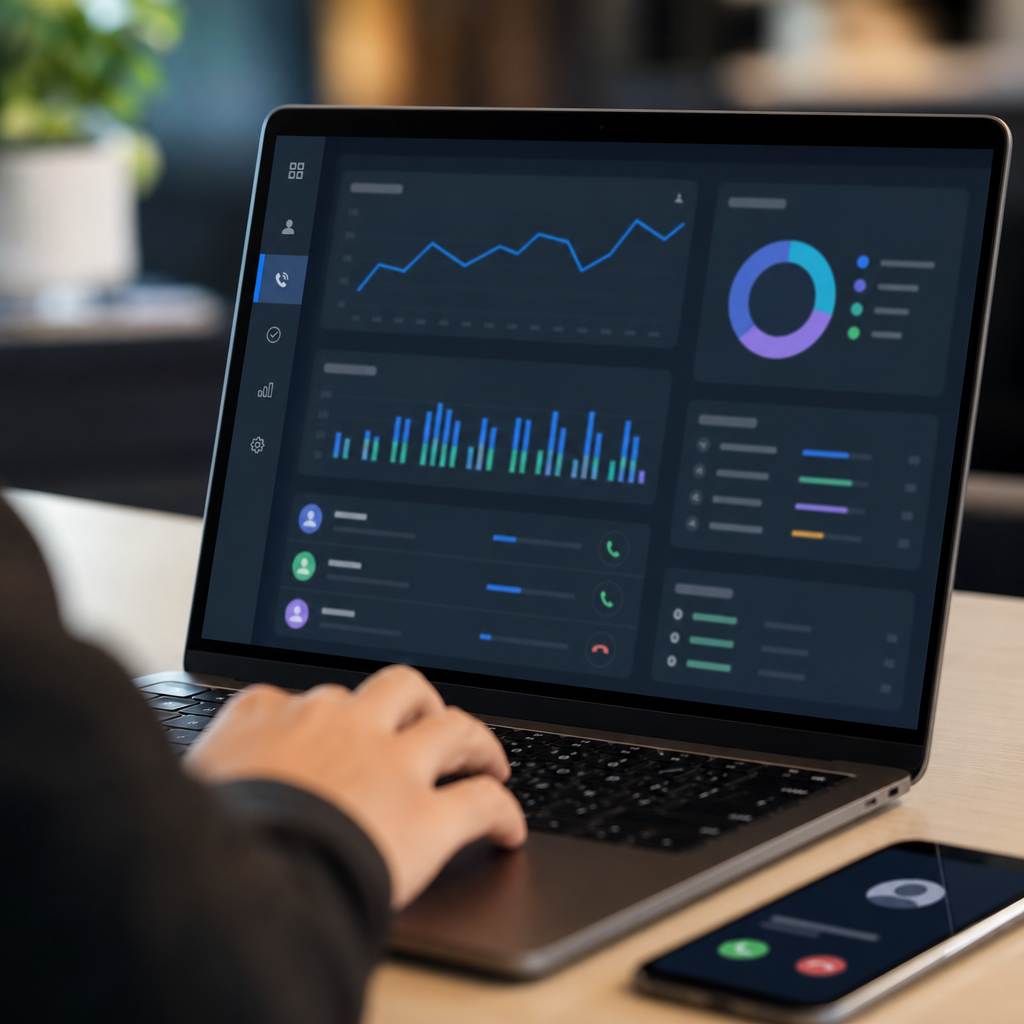
Comparing Dialer Types
| Dialer Type | Best For | Call Volume | Abandonment Risk | Personalization |
|---|---|---|---|---|
| Preview Dialer | Complex, high-value sales | Low | Very Low | High |
| Progressive Dialer | Mid-size sales teams | Medium | Low | Medium |
| Power Dialer | Small-to-midsize teams | Medium-High | Low-Medium | Medium |
| Predictive Dialer | Large call centers | Very High | Medium-High | Low |
| Click-to-Call | Any team needing speed | Varies | None | High |
Must-Have Features in Auto Dialer Software
When evaluating auto dialer platforms, look beyond the basic dialing function. The best solutions integrate telephony with broader lead management and marketing capabilities. Key features to prioritize include:
- CRM Integration — Calls should automatically log to lead records without manual data entry.
- Lead Source Aggregation — The ability to pull leads from multiple vendors and channels into one dashboard.
- SMS and Email Automation — Multi-channel follow-up increases contact rates significantly compared to phone-only outreach.
- Call Recording and Monitoring — Essential for training, quality assurance, and dispute resolution.
- Voicemail Drop — Pre-recorded voicemail messages that save agents time on unanswered calls.
- Local Presence Dialing — Displaying a local area code to improve answer rates.
- AI-Powered Agents — Increasingly, platforms offer AI agents that can make initial calls, qualify leads, and even schedule appointments automatically, freeing human reps to focus on closing.
- Compliance Tools — Built-in DNC (Do Not Call) list scrubbing and TCPA-compliant call pacing to avoid regulatory penalties, as outlined by the Federal Communications Commission.
- Reporting and Analytics — Real-time dashboards showing dial rates, connect rates, conversion rates, and agent performance.
- Month-to-Month Pricing — Flexible contracts that don't lock growing businesses into long-term commitments.
Auto Dialer Software vs. Traditional Manual Calling
To put the value of automation into perspective, here's a side-by-side comparison of manual dialing versus using dedicated auto dialer software.
| Metric | Manual Dialing | Auto Dialer Software |
|---|---|---|
| Average dials per hour | 8-12 | 40-80+ |
| Time spent on admin tasks | High | Low |
| Call logging accuracy | Inconsistent | Automatic |
| Lead follow-up consistency | Variable | Systematic |
| Scalability | Poor | Excellent |
| Compliance risk | Higher (manual DNC checks) | Lower (automated scrubbing) |
| Reporting visibility | Limited | Real-time dashboards |
The productivity gap is significant enough that most sales organizations recoup the cost of dialer software within the first month simply through increased conversations and closed deals.
How AI Is Transforming Auto Dialing
Artificial intelligence is reshaping what auto dialer software can do. In 2026, AI-powered agents are no longer a futuristic concept — they're a practical tool used by lead-driven businesses every day. These AI agents can:
- Place initial outbound calls to new leads within seconds of submission
- Ask qualifying questions and route hot leads to a live rep
- Send personalized SMS and email follow-ups automatically
- Schedule appointments directly onto a rep's calendar without human intervention
- Operate 24/7, ensuring no lead waits until business hours for a response
This is particularly valuable for businesses that purchase or generate leads from multiple sources, since speed-to-lead is one of the single biggest factors in conversion rates. Platforms like LeadMailbox have built AI calling and scheduling agents directly into their lead management ecosystem, allowing businesses to combine the speed of automation with the personal touch of a live closer when it matters most.
Research from the MIT Sloan Management Review on AI adoption in sales organizations shows that companies integrating AI into their outreach workflows see meaningful improvements in both response time and conversion rates, particularly when AI handles top-of-funnel qualification and humans handle closing.

Choosing the Right Auto Dialer Software for Your Business
Selecting the right platform depends on your team size, budget, industry, and compliance requirements. Here's a practical checklist to guide your decision:
- Define your call volume needs. A small team of 2-5 reps may only need a power dialer or click-to-call tool, while a 50-person call center may require predictive dialing capabilities.
- Evaluate integration requirements. Does the dialer connect natively with your CRM, or will you need custom development work?
- Check compliance features. Ensure the platform includes DNC list scrubbing, call recording disclosures, and TCPA-compliant pacing.
- Consider multi-channel capabilities. Look for platforms that combine calling with SMS and email automation for a true omnichannel approach.
- Review pricing structure. Month-to-month contracts offer flexibility, especially for growing businesses that don't want to be locked into annual commitments.
- Test customer support responsiveness. Telephony issues need fast resolution — check reviews and response times before committing.
- Ask about AI capabilities. As AI becomes standard in lead management, platforms offering AI-powered calling and scheduling provide a meaningful edge over legacy dialers.
Why Lead Management and Telephony Belong Together
One of the biggest mistakes sales teams make is treating their dialer and their CRM as separate tools. When telephony is disconnected from lead management, reps waste time toggling between systems, data gets lost, and follow-up consistency suffers.
This is where an all-in-one platform like LeadMailbox provides real value. Since 2004, LeadMailbox has helped sales teams and call centers aggregate leads from multiple sources into a single dashboard, then act on those leads immediately using built-in auto dialer, click-to-call, SMS, and email tools. Instead of juggling a separate lead vendor portal, a standalone dialer, and a disconnected CRM, teams get everything in one affordable, month-to-month package.
Key benefits of an integrated approach include:
- Centralized lead data — No more exporting and importing spreadsheets between systems.
- Faster speed-to-lead — Leads can be dialed automatically the moment they arrive.
- Unified reporting — See dial activity, conversion rates, and campaign performance in one dashboard.
- Lower total cost of ownership — One monthly subscription instead of paying for multiple disconnected tools.
- Simplified training — Reps only need to learn one system, not three or four.
Common Industries That Benefit from Auto Dialer Software
While virtually any sales-driven business can benefit from auto dialing, certain industries see especially strong ROI:
- Insurance agencies managing high volumes of purchased or generated leads
- Real estate teams following up with buyer and seller inquiries
- Financial services firms conducting outbound prospecting
- Home services companies (solar, roofing, HVAC) working time-sensitive leads
- Debt settlement and legal services managing structured outreach campaigns
- Marketing agencies running client acquisition campaigns on behalf of customers
In each of these industries, the combination of speed, consistency, and compliance that auto dialer software provides directly translates into more closed deals and better customer experiences.
Best Practices for Getting the Most Out of Your Auto Dialer
Simply installing dialer software isn't enough — how you use it matters just as much as the technology itself. Consider these best practices:
- Segment your lead lists. Don't treat every lead the same; prioritize hot leads for immediate dialing and nurture cooler leads with automated SMS/email sequences.
- Use voicemail drop strategically. Pre-recorded voicemails save time but should still sound personalized and relevant.
- Monitor call abandonment rates. If using a predictive dialer, keep abandonment rates low to remain compliant and protect brand reputation.
- Train reps on scripts. Automation increases volume, but strong scripts improve conversion once a rep is connected.
- Review analytics weekly. Track connect rates, average call duration, and conversion rates to continuously refine your calling strategy.
- Combine channels. Follow up phone calls with SMS or email touches to reinforce your message across multiple channels, an approach supported by outreach benchmarks published by Salesforce.
Final Thoughts
Auto dialer software has evolved from a simple productivity tool into the backbone of modern sales operations. Whether you're running a small team chasing purchased leads or managing a large call center handling thousands of daily dials, the right dialing technology — paired with strong lead management — can dramatically increase both efficiency and revenue.
For businesses looking for an affordable, all-in-one solution, LeadMailbox offers a proven combination of lead aggregation, auto dialer and click-to-call telephony, SMS/email campaigns, and AI-powered calling and scheduling agents — all backed by two decades of experience helping sales teams stay organized, close more deals, and reduce operational costs with flexible, month-to-month pricing. If you're ready to modernize how your team calls, follows up, and converts leads, LeadMailbox is built to help you do exactly that.
Article written by FrontRank